90
Limiting & Alerting Data Usage
Set an upper limit and alert position on data usage beforehand
to receive alerts and notifications of limited usage when the
upper limit is approached.
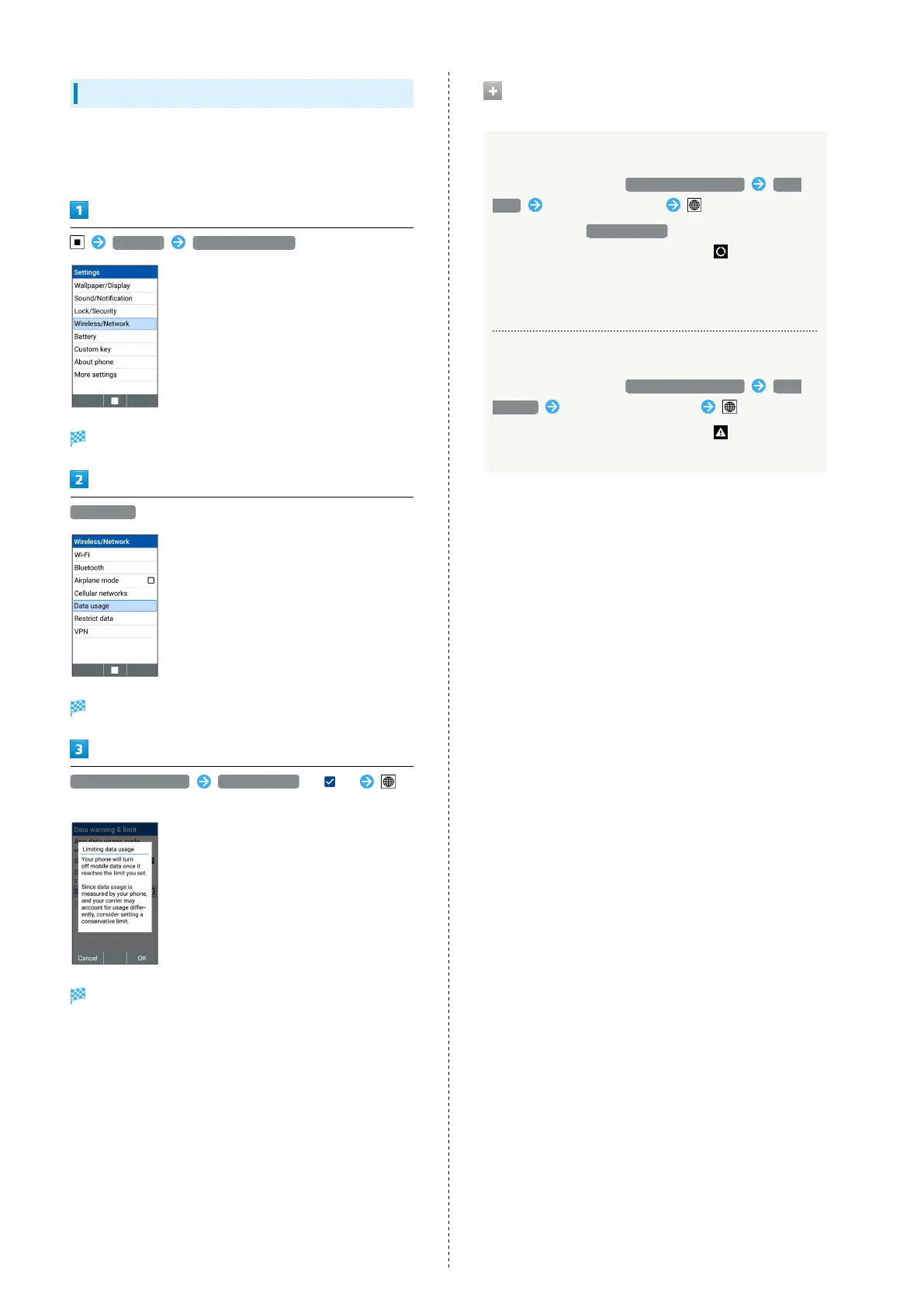
Settings Wireless/Network
Wireless/Network window opens.
Data usage
Data usage window opens.
Data warning & limit Set data limit ( )
(OK)
Data usage limit line (orange) appears.
Operations on Limiting/Alerting Data
Usage
Setting Data Communication Limit
In Data usage window, Data warning & limit Data
limit Set data usage limit (Set)
・
Settable when Set data limit is enabled.
・
If data usage reaches the upper limit, appears on
display top (Status Bar), and message to notify data
communication has been disabled appears. If this happens,
follow onscreen prompts.
Setting Data Usage Warning
In Data usage window, Data warning & limit Data
warning Set data usage warning (Set)
・
If data usage reaches the upper limit, appears on
display top (Status Bar).



 To Next Page