13
Getting Started
DIGNOケータイ3
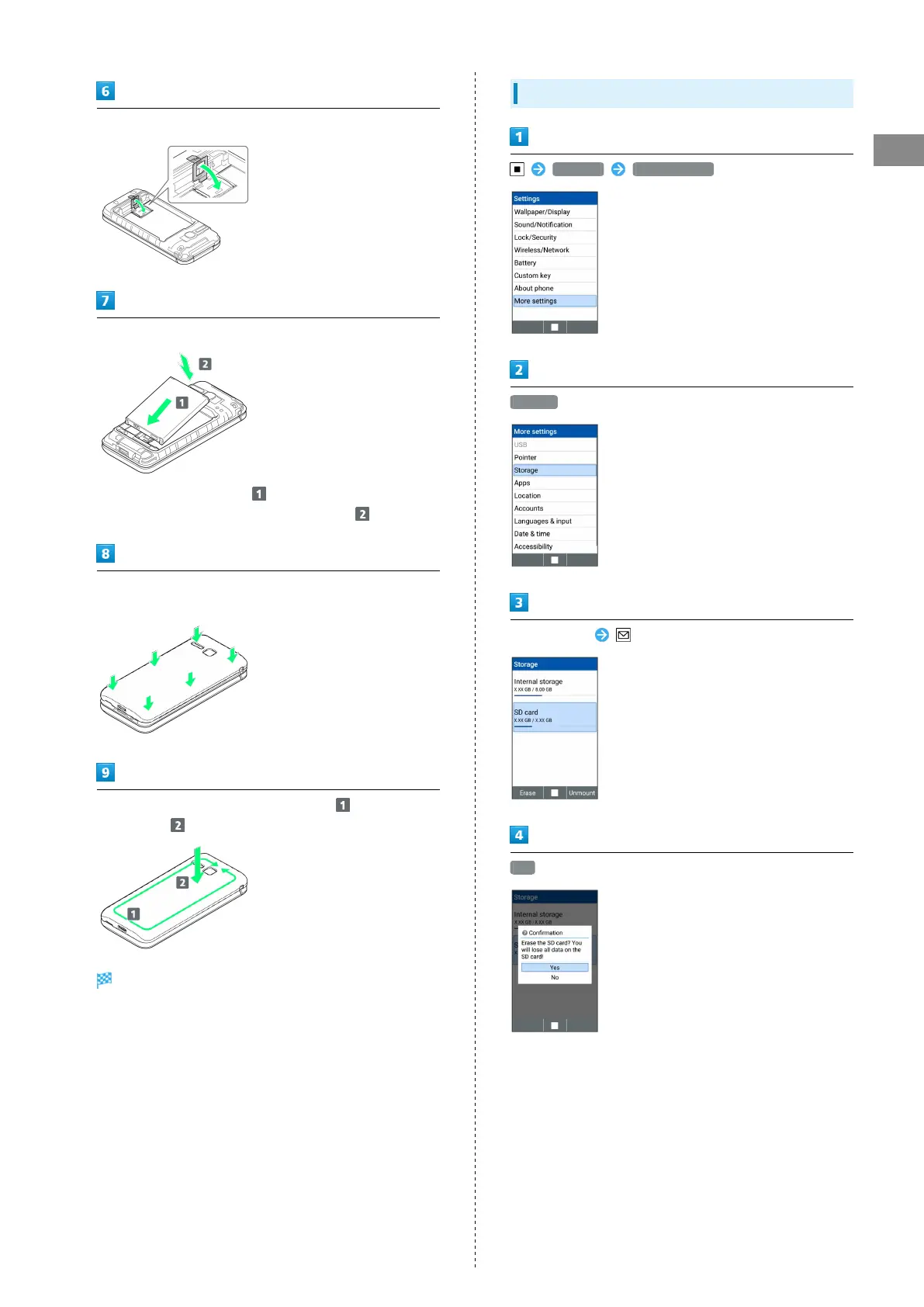
Push down the stopper until it clicks locked
Insert Battery
・
Slide Battery in direction onto metal terminals in
handset, and press into handset in direction .
Fit Back Cover on handset, and press Back Cover in directions
shown
Work way around Back Cover in directions holding down
in direction to install completely
SD Card is removed.
Formatting SD Card
Settings More settings
Storage
Select SD card (Erase)
Yes



 To Next Page