12
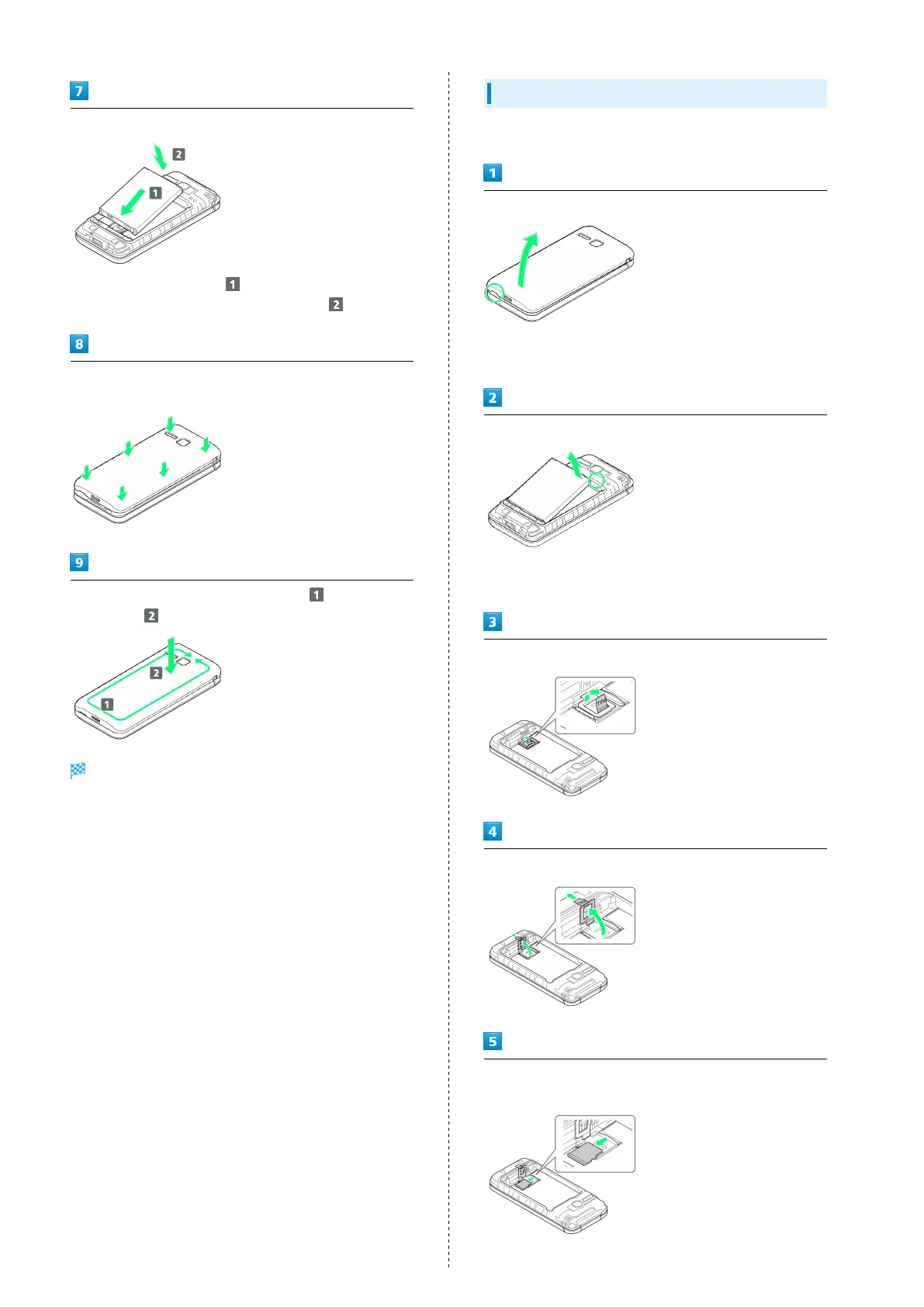
Insert Battery
・
Slide Battery in direction onto metal terminals in
handset, and press into handset in direction .
Fit Back Cover on handset, and press Back Cover in directions
shown
Work way around Back Cover in directions holding down
in direction to install completely
SD Card is inserted.
Removing SD Card
Always power off beforehand.
Remove Back Cover
・Gently lift Back Cover by notch in direction shown with
finger.
Remove Battery
・Put fingertip on Battery from the notch of handset and
gently lift Battery by upper part in direction shown.
Lift the tab in direction shown
Pull up the tab and lift the stopper in direction shown
Slide SD card in direction shown and remove the card from SD
Card Slot



 To Next Page