33
Basic Operations
DIGNOケータイ3
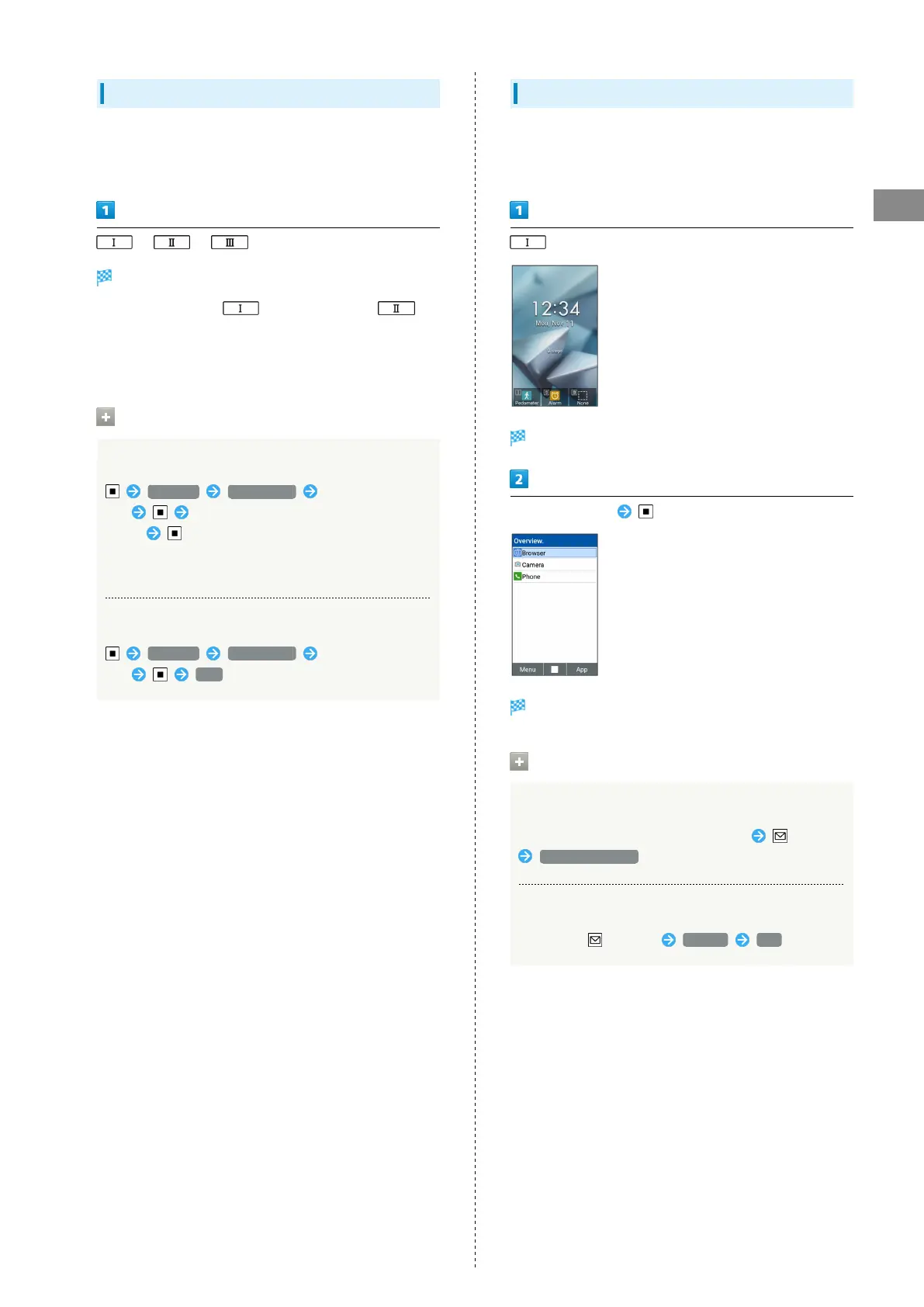
Custom Key
Assign frequently used phone numbers or favorite applications
on Custom Keys to quickly open them by pressing Custom Key
from any screens.
/ /
Assigned application/function activates.
・
Pedometer is set on and Alarm is set on by
default.
・When no function is assigned on a pressed key, assignment
screen appears.
Custom Key Operations
Assigning a function on Custom Key
Settings Custom key Select a Custom
Key Select an application or a function to
assign
・Select further items depending on the selected
application/function.
Cancel a function from Custom Key
Settings Custom key Select a Custom
Key OFF
From Current Function
Access applications from history of recent applications.
Activate several applications and operate while switching
between applications.
(Long Press)
History opens.
Select application
Application opens.
History Operation
Closing one application
Select the application to close on History (Menu)
Remove from list
Closing all applications
In History, (Menu) Exit all Yes



 To Next Page