76
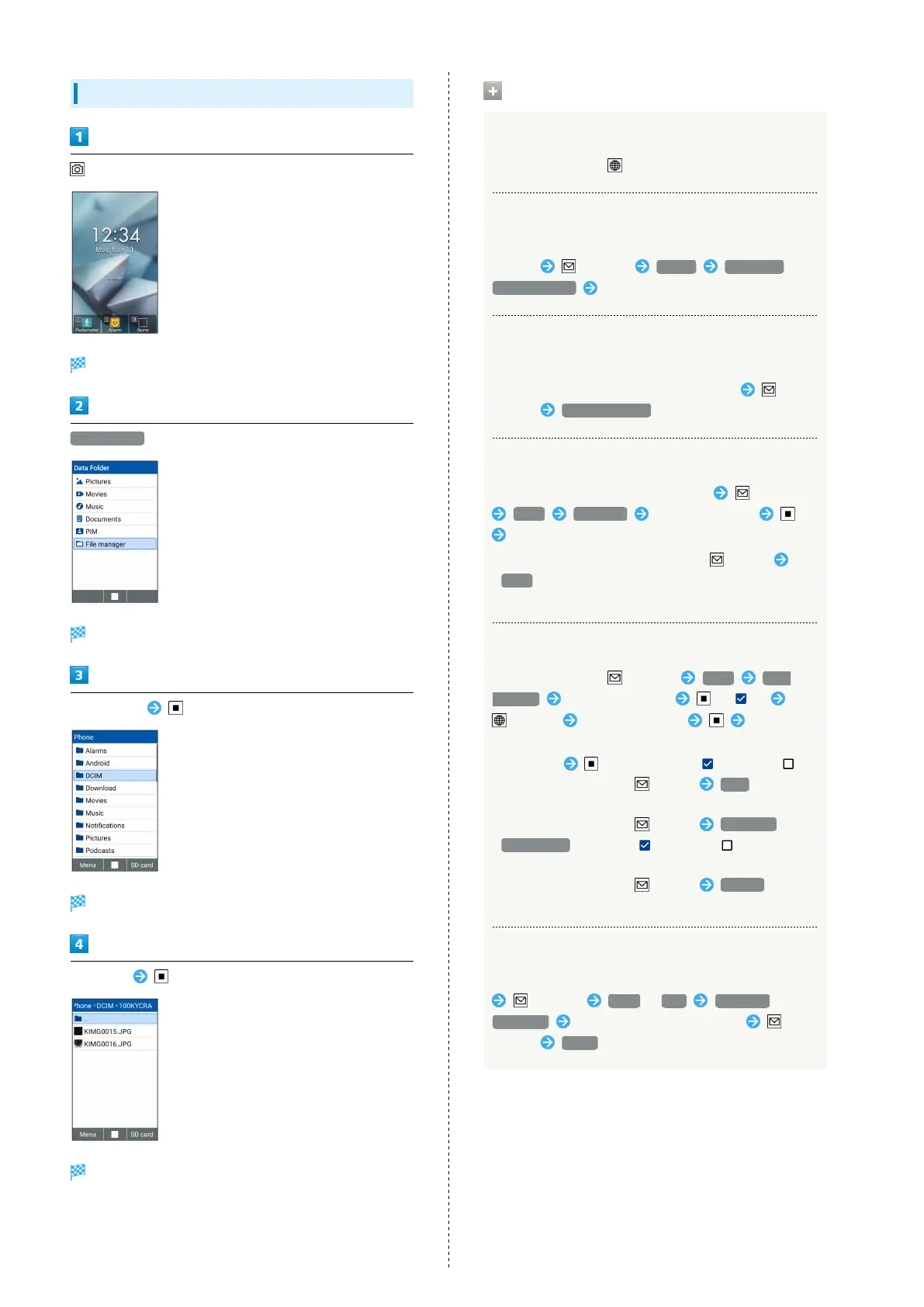
Using File Manager
(Long Press)
Data Folder opens.
File manager
File manager opens.
Select folder
File/folder list opens.
Select file
File opens.
・If confirmation appears, follow onscreen instructions.
Operations on Using File Manager
Switching Destination of Data Shown
In File list window, (SD card/Phone)
Setting a File as Wallpaper or Phonebook
Select and show a file to set in File list/File display
window (Menu) Set as Wallpaper /
Contact photo Follow onscreen prompts
Setting a File as Phone Ringtone or
Notification Sound
Select a music file to set in File list window
(Menu) Set as ringtone
Sending One File
Select a file to send in File list window (Menu)
Send Send one Select application
Follow onscreen prompts
・
Alternatively, in File display window, (Menu)
Send .
・If confirmation appears, follow onscreen instructions.
Sending Selected File
In File list window, (Menu) Send Send
multiple Select file to send ( )
(Send) Select application Follow
onscreen prompts
・
Select file to toggle check ( )/uncheck ( ).
・
When a file is selected, (Menu) Play to play
back the file.
・
When a file is selected, (Menu) Select all /
Deselect all to select ( )/deselect ( ) all files on
File list window.
・
When a file is selected, (Menu) Details to view
the details of the file.
Copying/Cutting One File/Folder
Select a file/folder to copy/cut in File/Folder list window
(Menu) Copy / Cut Copy one /
Move one Show file/folder list to paste
(Menu) Paste



 To Next Page