4 Configurations on Web Interface
DAG2000-24/32SUser Manual
Copyright©2011-2020 Dinstar
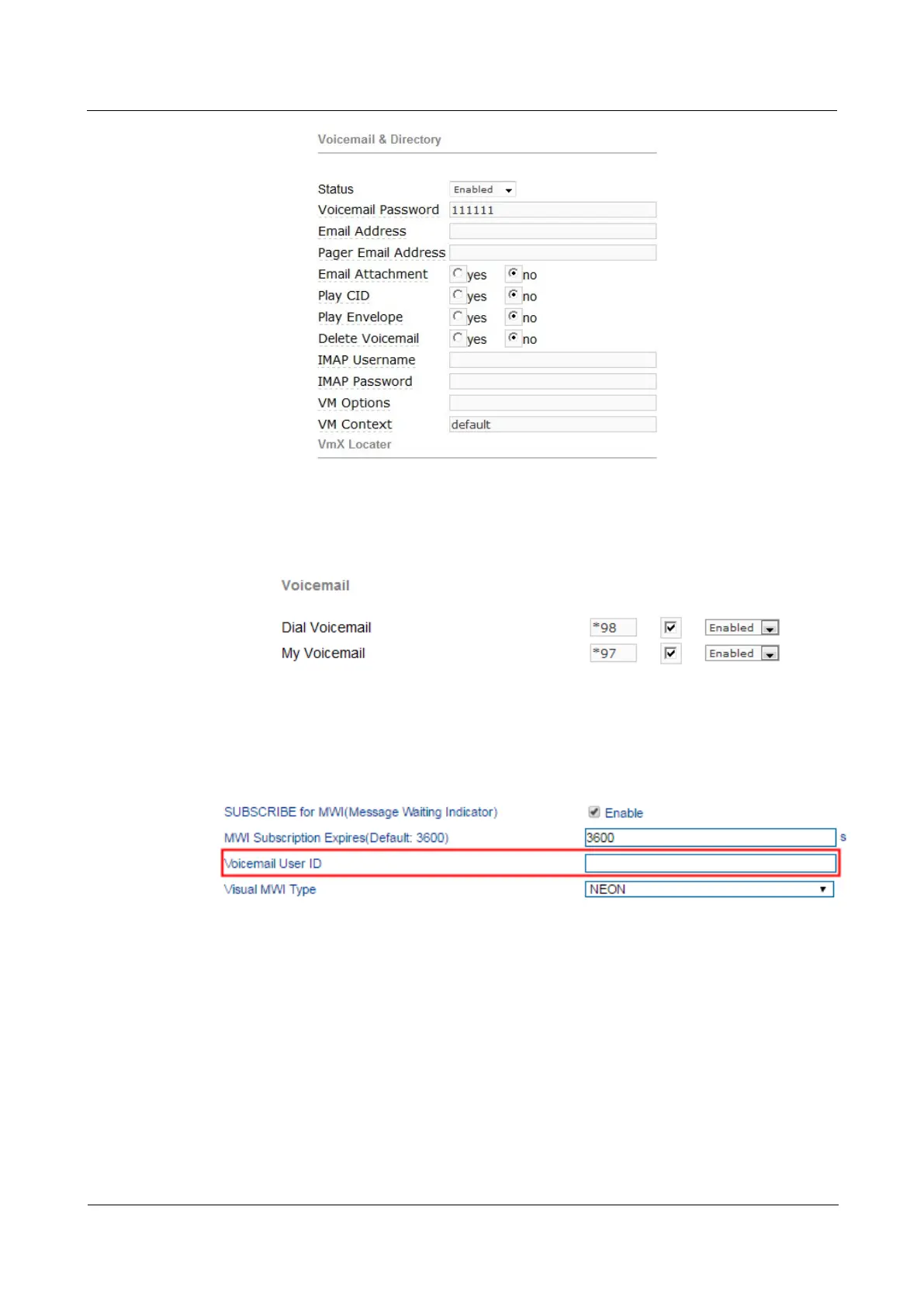
(2) Check feature code in Elastix and change it if necessary. Its default feature code setting is
as follows:
(3) On the Web interface of DAG2000-32S, click Advanced SIP Parameter in the
navigation tree and then enter voicemail User ID.
(4) Set ringing time in Elastix. Elastix will prompt user to leave a message after the
corresponding extension rings 15 seconds (by default). Then the Elastix sever will record the
message. Related setting is shown as follows:














 To Next Page