ASE 150 Operator’s Manual
116 Doc. 065207-02 9/08
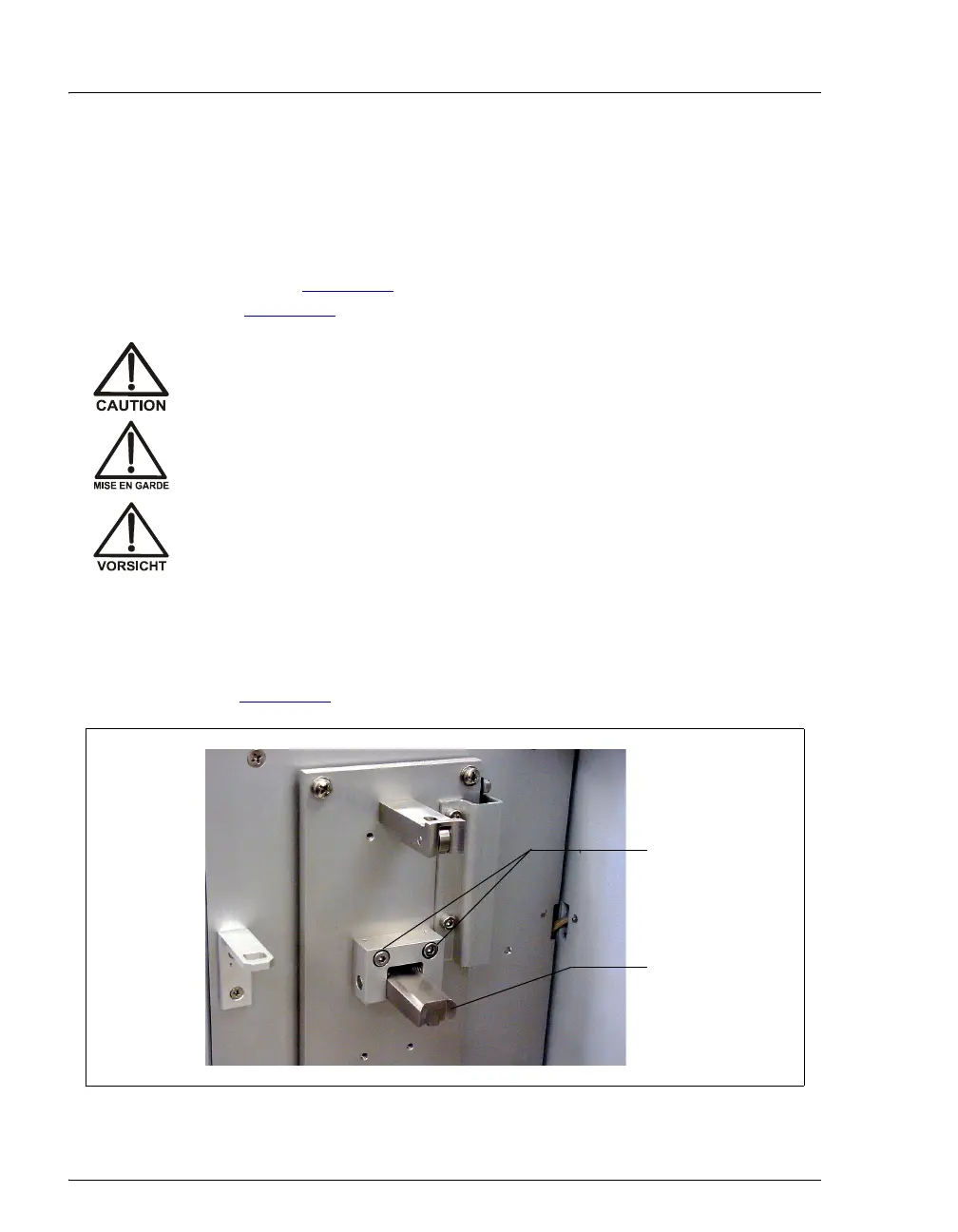
B.2.8 Adjusting the Cell Holder
When the ASE 150 is shipped from the factory, the cell holder is
positioned to hold a 100-mL sample cell (or a long rinse cell). To
accommodate a cell of any other size, move the lower latch of the cell
holder (see Figure B-7
) to the appropriate mounting site on the cell door
(see Figure B-8
).
1. Push the
OPEN lever down and open the cell door.
2. Use a 3-mm hex screwdriver (P/N 060154) to remove the two hex
screws (P/N 046253) securing the lower latch to the cell door (see
Figure B-7
).
If the ASE 150 has recently finished a run, the inside of the cell door
will be hot. Put on thermal gloves (P/N 060372) before adjusting the
cell holder.
Si l’ASE 150 a récemment fini l’extraction, la température du four sera
élevée. Utilisez des gants de protection thermique (P/N 060372) avant
de toucher le four ou la cellule d’extraction.
Wenn der ASE 150 gerade einen Lauf beendet hat, ist die Zellentür auf
der Innenseite heiß. Tragen Sie daher Handschuhe (P/N 060372), wenn
Sie den Zellenhalter justieren.
Figure B-7. Removing the Cell Holder Lower Latch
Tab on
underside of
lower latch
Remove two
screws to
change the cell
holder position



 To Next Page