ASE 150 Operator’s Manual
34 Doc. 065207-02 9/08
3.1.4 Installing the Cell Filter
A disposable filter must be installed in the bottom end cap of the sample
cell before sample is loaded. The filter prevents blockage of the frit in the
bottom cap. For installation instructions, see page 34
and page 35. Refer
to the information here to determine the appropriate filter material and
size.
Cell filters are available in two materials:
• Use cellulose filters for most extraction methods that use organic
solvents.
• Use glass-fiber filters for aqueous extractions, where cellulose may
provide inadequate filtration or may interfere with the analytical
technique.
Cell filters are available in two sizes:
• Use 27-mm filters for 1-mL, 5-mL, 10-mL, or 22-mL cells.
• Use 30-mm filters for 34-mL, 66-mL, or 100-mL cells.
Each ASE 150 Startup Kit includes a package of 100 cellulose filters, in
the size appropriate for the sample cell size to be used. For information
about reordering filters or ordering filters in a different material or size,
refer to Appendix D
.
To install a 27-mm filter in a 1-, 5-, 10-, or 22-mL cell:
1. Unscrew the bottom cap from
the cell body.
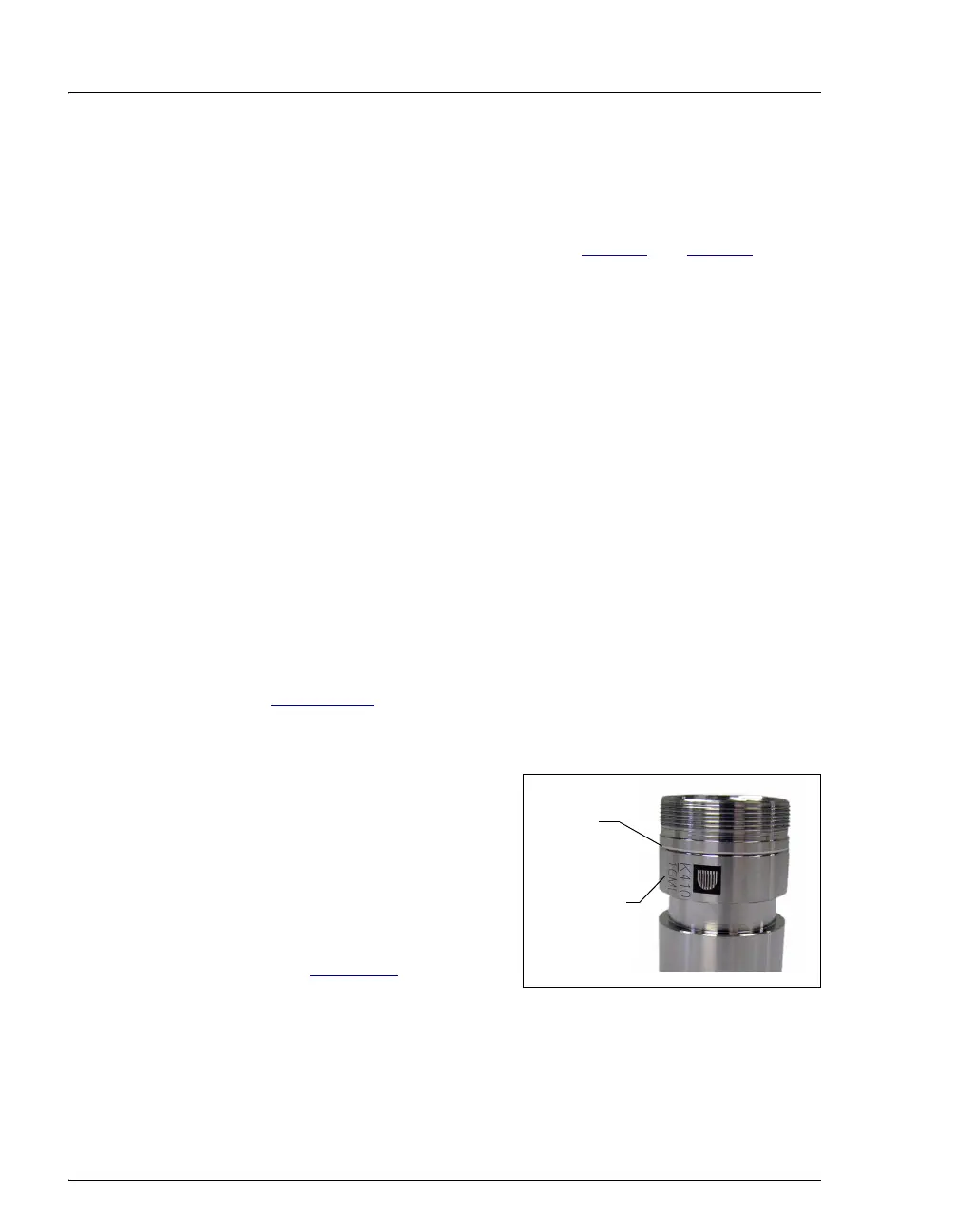
To identify the cell top and
bottom, designate the end of the
cell with the groove around the
body and the Dionex logo, serial
number, and cell size as the cell
top (see Figure 3-2
).
Figure 3-2. Sample Cell Top (Smaller Cells)
Groove
Logo, Serial
Number,
and Size



 To Next Page