3 • Operation and Maintenance
Doc. 065207-02 9/08 35
2. Place a 27-mm filter in the
center of the cell bottom cap
(see Figure 3-3
).
3. To prevent leaks, check that no
part of the filter overlaps onto
the PEEK seal.
Figure 3-3. Installing a 27-mm Cell Filter
4. Carefully place the cell body over the bottom cap, screw the body
onto the cap, and hand-tighten.
To install a 30-mm filter in a 34-, 66-, or 100-mL cell:
1. Unscrew the top cap from the cell
body and verify that a cap is
installed on the bottom of the cell.
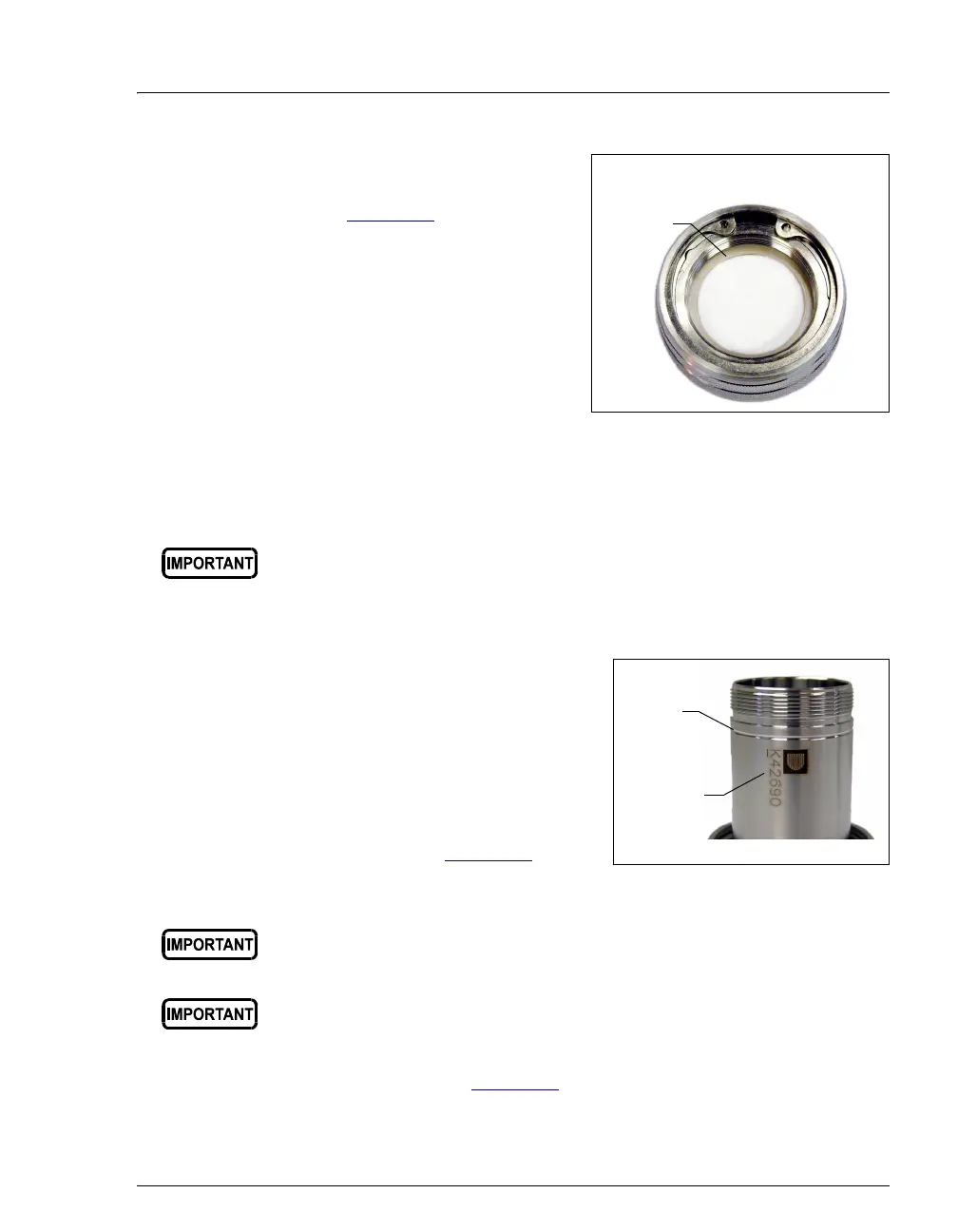
To identify the cell top and bottom,
designate the end of the cell with
the groove around the body and the
Dionex logo and serial number as
the cell top (see Figure 3-4
).
Figure 3-4. Sample Cell Top (Larger Cells)
2. Follow the steps in Figure 3-5 to install the 30-mm filter.
Always tighten the cell end caps by hand. Use of a wrench or other
tool can damage the cell, as well as the seals inside the cell end caps.
Always tighten the cell end caps by hand. Use of a wrench or other
tool can damage the cell, as well as the seals inside the cell end caps.
Do not place the 30-mm filter in the bottom cap before installing the
cap; this creates an improper seal and allows leaks.
27-mm Filter
PEEK
Seal
Bottom Cap of a
1-, 5-, 10-, or 22-mL Cell
Logo and
Groove
Serial
Number



 To Next Page