Danish Interpretation Systems User Manual
5 CU 5905 Central Unit
5.1 Overview
The CU 5905 Central Unit for the DDS 5900 is the
heart of the system. One CU 5905 is needed in each
DDS5900system.
The CU 5905 Central Unit has the following
functionalityandfeatures:
• Upto250Conference
•
Units
• Secureaudiotransmission
•
Vox(voiceactivating)
•
2InterpretationChannels
Designedinastandard1HE19”cabinet
• CU5900ExternalPowerSupplyforCU5905
forupto60ConferenceUnits
The CU 5905 is suitable for either table‐top or 19‐
inchrack‐mounteduse. Four feet(for table top use)
and two mounting brackets(for rack mounting) are
supplied.
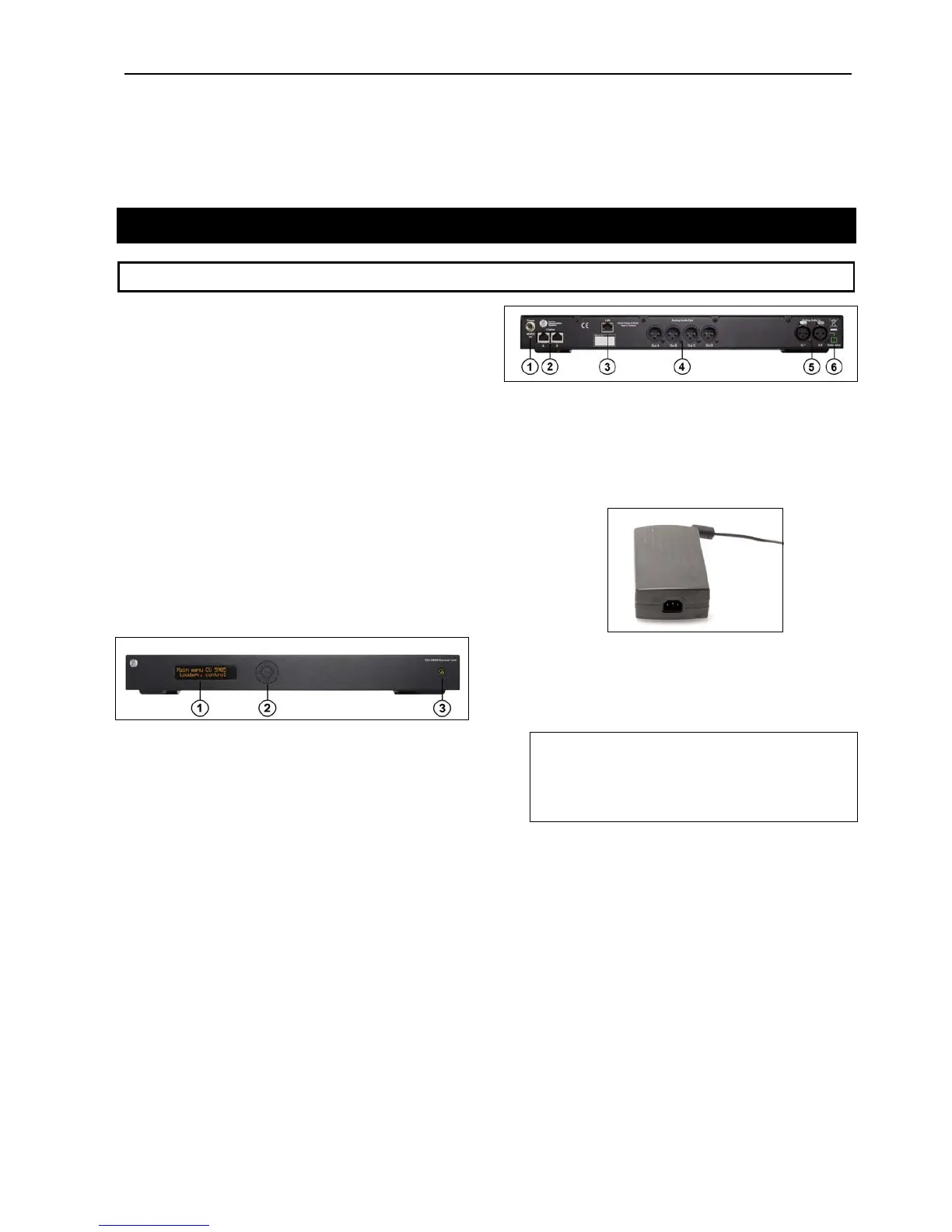
Fig iew of CU 5905
1. Menu display–A2x20characterOLED‐display
is used as an interactive display for configuring
thesystem.
ure 5.1-A Front v
2. Menubuttons–5‐buttonkeypadforconfiguring
theunitincombinationwiththedisplay(1).
3. Mainson/offswitch–Afterswitchingthemains
on,thecentralunitstartsupandthedisplay(1)
willlight‐upafterapp.15seconds.Anyconnected
EX 6010 Extension Units or PS 6000 Power
Supply will automatically be powered up. The
indication in the switch is lighting Green, when
powerisswitched‘On’.Aredlightindicatesthat
power is connected to the central unit, but the
unitisnotswitched‘On’(Standby).
Figure 5.1-B Back view of CU 5905
1. PowerSupplyinput–Connectionoftheexternal
CU 5900 Power Supply (48V/3A). The power
supplyisprovidedtogetherwiththeCU5905.
Figure 5.1-C CU 5900 Power Supply
2. Chain outputs–TwoRJ45connectorsfor
connecting DC 5980P conference unit. The
connectionandprotocoliscalledDCS‐LAN.
Important: The‘Chain’outputsareonlyfor
connecting DC 5980P Conference unit.
Connecting a LAN (TCP/IP) connection from a
thirdpartdevicetothisoutputmaydamageboth
thethirdpartdeviceandtheCU5905.
3. LAN(TCP/IP)connector–ARJ45connectorfor
connection to local area network (LAN). This
connector is used to connection to the built in
web application or for connection to a control
systemlikeAMX®orCrestron®.
4. Audio output A, B, C & D–4maleXLR3
connectors to connect to PA systems, Audio
Mixers, Audio Recorders or Language
DistributionSystemetc.
5. Audio input In 1 & In 2–TwofemaleXLR3
connectorsforextraaudioinputs.‘In1’isusedto
connectauxiliarysymmetricalaudiosignalssuch
User Manual DDS 5900
15



 To Next Page