3 Your DDS 5900 Conference System
3.1 System overview
DDS5900DigitalDiscussionSystemisasystemtobe
used at meetings, where a number of people are
addressingthe‘Floor’inastructuredmanor.The
soundformtheconferenceunitscanthenbeheardin
kthebuiltinloudspea ersintheunits.
The system does also allow for simultaneous
interpretation for international conferences where
multiplelanguagesareused.
Toenableallparticipantstounderstandthe
proceedings, interpreters can simultaneously
translate the speaker’s language as required. These
interpretationsaredistributedthroughtheconnected
conference units and delegates can select the
language of their choice and listen to it through
headphones.
DDS5900DigitalDiscussionSystemcomprisesofone
Central Unit and a number of Conference Units and
GooseneckMicrophones.
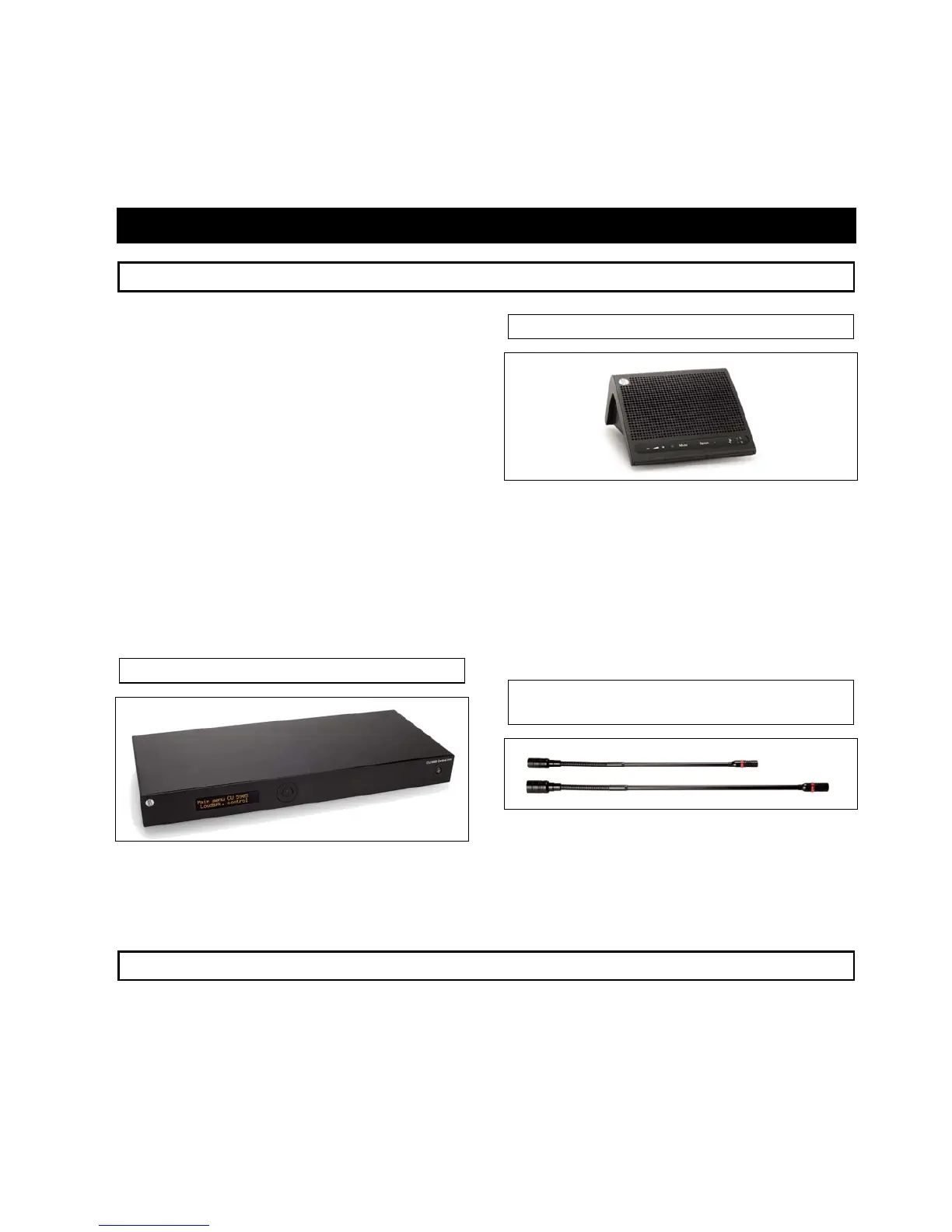
3.1.1 CU 5905 Central Unit
Figure 3.1-A CU 5905 Central Unit
The central unit is the core of the DDS 5900 Digital
DiscussionSystem.OnlyoneCU5905canbeusedin
eachsystem.
3.1.2 DC 5980P Portable Conf. Unit
Figure 3.1-B DC 5 80P Confer nce nit.
The conference unit can be configured for the
follo
9 e U
wingfunctionality:
• DelegatewithSpeak/Requestbutton
• DelegatewithSpeak/RequestandMutebutton
• peakandDelegateOffbuttonChairmanwithS
• InterpreterUnit
3.1.3 GM 59xx Gooseneck
Microphone
Figure 3.1-C GM 9xx Gooseneck Microphones.
The Gooseneck Microphones are available in two
lengths,40cmand50cmandaredetachablefromthe
conferenceunit,butcanbefixedusingatool.
5
3.2 System technology
User Manual DDS 5900
9



 To Next Page