Danish Interpretation Systems User Manual
User Manual DDS 5900
31
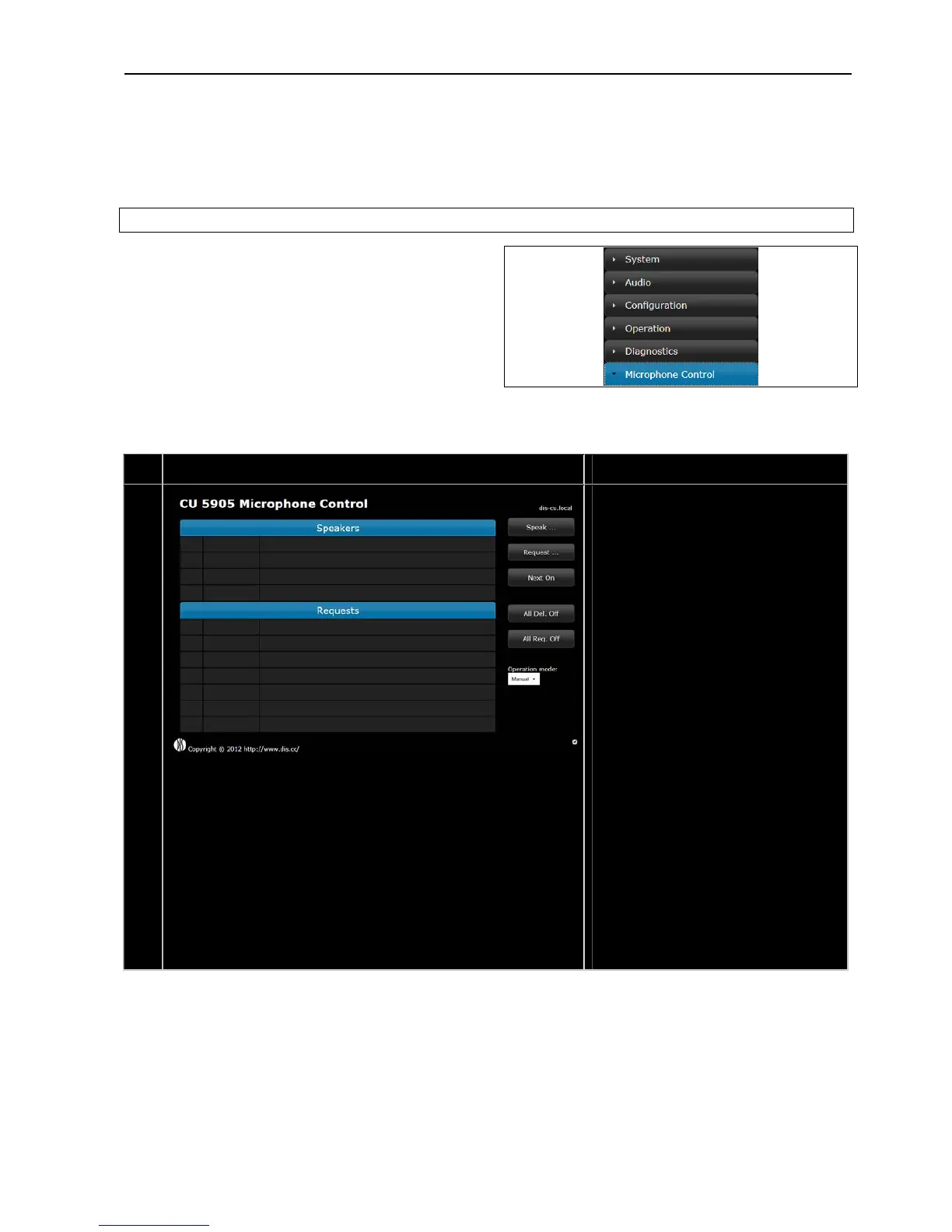
5.6.2 CU 5905 Mic Control (browser)
Themicrophonecontrolscreenisselectedbyclicking
the ‘Microphone Control’ button in the ‘CU 5905
Setup’screen.
Thenexttableshowsthescreensavailablewitha
descriptionofthefunctionalityavailable
F
igure 5.6-C CU 5905 Browser Setup
# Screen Description
15.
The microphone control page gives the
optionofswitchingOn/Offmicrophoneand
depending on ‘Operation mode’ setting
microphones into the ‘Request to speak’
queue.
Speak –…
Brings the ‘Delegate Microphone (Speak)’
list.See#17laterinthistable.
Request…–
Bringsthe‘DelegateMicrophone(Request)’
list.See#18laterinthistable.
NextOn–
Pressing the ‘NextOn’ button turns on the
firstrequestontherequestlist
AllDel.Off–
Pressingthe‘AllDelOff’buttonturnsoffall
delegatemicrophones
AllReq.Off–
Pressing the ‘All Req. Off’ button empties
the‘Requests’list.
Operationmode–
Drop down menu used to switch between
the operation modes. Please refer to the
section‘5.7OperationModes’.



 To Next Page