Danish Interpretation Systems User Manual
# Menu Settings Description
13.
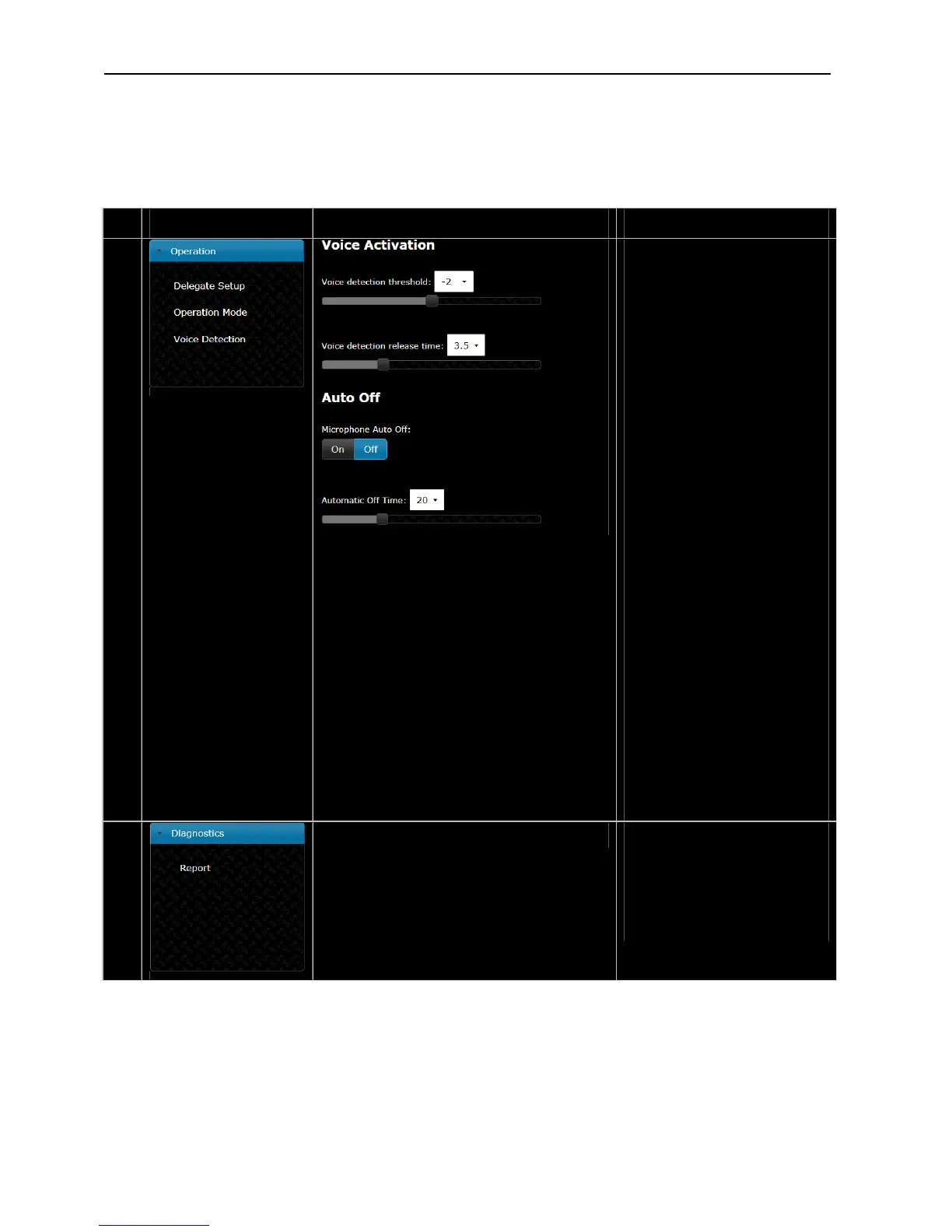
VoiceA tivation c –
Those settings determines the
behaviour of the system when
workinginVOXmode
The ‘Voice detection threshold’ can
besettovaluesrangingfrom‘‐12
to‘8’instepsof‘1’.
Thedefaultvalue is‘0’.Settingtoa
lowervaluemakesthemicrophone
moresensitive.
The ‘Voice detection release time’
canbesettovaluesfrom1to10
secondsin0.5secstep.
This setting is used for setting the
timefromthedelegatestopstalking
untilthemicrophoneturns off. The
defaultvalueis4sec.
AutoOff–
When ‘Microphone Auto Off’ is set
to ‘On’ a conference unit will
automatic turn off the microphone
when the delegate stops talking.
Thetimeisdeterminedbythe‘Auto
Offtime’setting.
The‘AutomaticOffTime’setsthe
time from the delegate stops
speakinguntilthemicrophone
turnsoff.Thevaluecanbesetfrom
5 to 60 seconds in 5 second steps.
Thedefaultvalueis5sec.
WhenthesystemissettoVOX
modeAutoOffsettingsaredisabled.
14.
Report–
Ifareportisneededforfactory
diagnosticpurposes.
Thereport can be printed usingan
installedprinteronthePCorsaved
toafile.
Figure 5.6-B CU 5905 Browser Setup
User Manual DDS 5900
30



 To Next Page