Danish Interpretation Systems User Manual
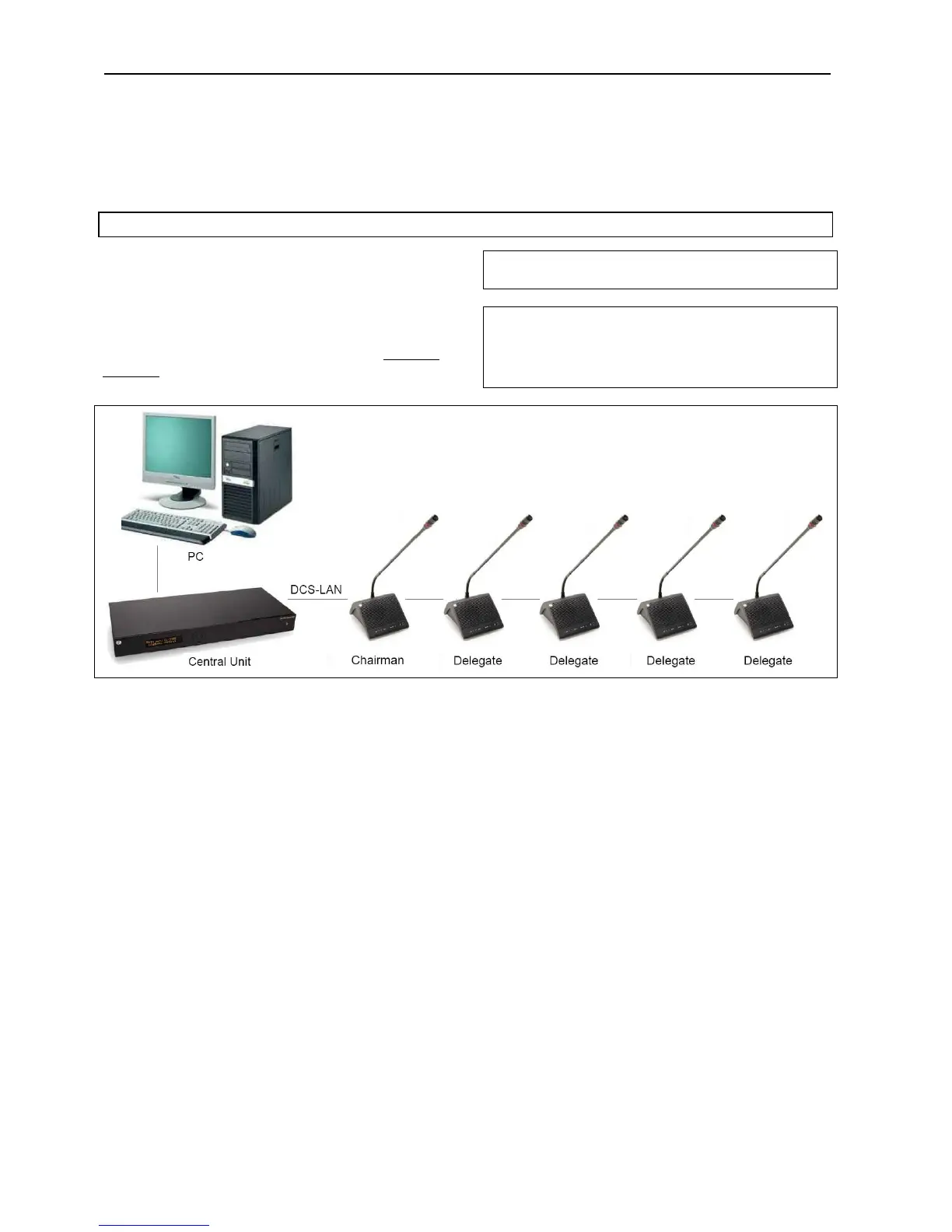
5.4.2 Connec ing a PCt
The CU 5905 is connected to the DC 5980P
ConferenceUnitsusingEC6001‐xxCat5ecablesand
aisconnectedtoaPCwith LANcable.
Opening the browser in the PC gives the option of
configuringthesystemandcontrollingtheconference
unitsfromthePC.Pleaserefertosection‘
5.6 Web
rowserB
’formoreinformation.
Hint:OnolderPC’sitmightbeneededtosetupa
fixedIPaddressonboththePCandtheCU.
Note: DependingonthetypeofPCa‘Crossed’LAN
cablehastobeused.
Insteadofusinga‘Crossed’LANcable,aLANRouter
canbeinserted.
Figure 5.4-B Connecting the DDS 5900 Digital Discussion System to a PC
User Manual DDS 5900
18



 To Next Page