Danish Interpretation Systems User Manual
6 DC 5980P Conference Unit
6.1 Overview
TheCon res:ferenceUnitoffersthefollowingfeatu
• Conferenceunitcanbeconfiguredas
erpretationUnitDelegate,ChairmanorInt
• Touchbuttontechnology
• cketLockableXLRmicrophoneso
• Twochannelinterpretation
• ainconnectionofunitsCat5edaisych
• Loudspeaker
• nsMute/AllDelOffandSpeak/Requestbutto
• elindicationChannelselectorwithchann
• trolHeadphonevolumecon
• Headphoneconnector
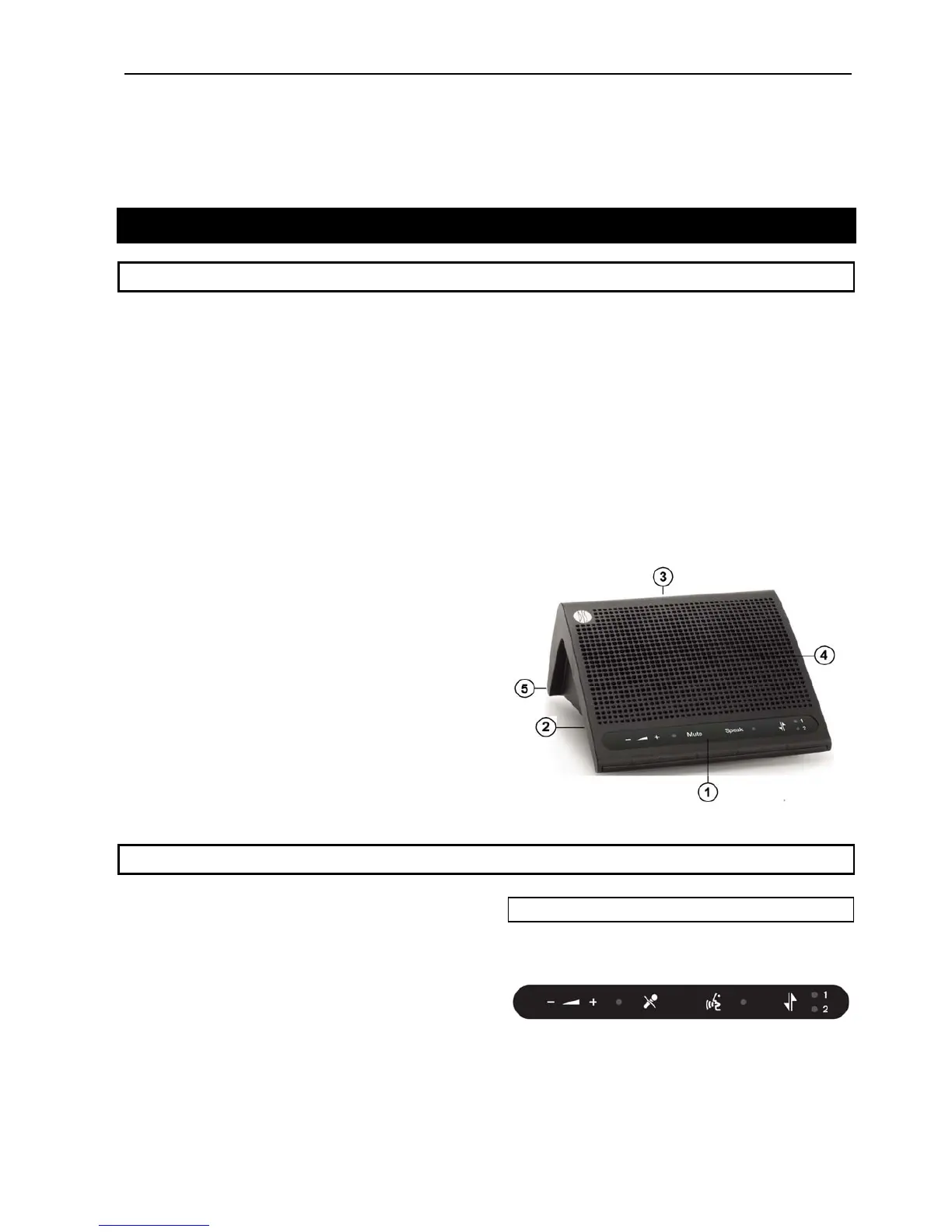
1. Button panel – The button panel contains the
controlsavailableontheunit.
2. Headphone socket – Connection of headphone
DH6021orsimilar.
3. XLRsocketformicrophone–Usedtoconnecta
DIS gooseneck microphone to the unit. The GM
59xxgooseneckmicrophonecanbelockedtothe
unit with a 1.5 mm hex/allen key. The lock is
accessible from the small hole next to the XLR
socket.Turnthehexkeycounterclockwiseto
lock the gooseneck microphone to the unit and
turnthehexkeyclockwisetounlockthe
gooseneckmicrophone ofr mtheunit.
4. Loudspeaker – Built in loudspeaker. The
loudspeakeristurned‘Off’,whenthemicrophone
intheunitisactive.
Thebuiltinloudspeakerisalways‘Off’whenthe
unitisconfiguredasInte rpreterUnit.
5. DCSLAN connection
– Two RJ45 sockets are
locatedatthebottomoftheunitforconnectingto
thepreviousunitortotheCU5905CentralUnit
andtothenextunit.Aplasticcableclampcanbe
ordered separate and can be used to fix the
cablesifdesired.
Figure 6.1-A DC 5980P Conference Unit
6.2 Preparing the conference unit
Theunitsmustbepreparedbeforeuse.Thefollowing
preparationshavetobedone:
• tt Attachingbu onsoverlay
• Configuring the unit to the required unit
type.
6.2.1 Conference Unit Overlays
Thefollowingoverlaysareavailableasstandard:
6.2.1.1 Delegate, ‘Speak’ & ‘Mute’ button
Thisoverlayisdeliveredtogetherwiththeconference
User Manual DDS 5900
35



 To Next Page