Danish Interpretation Systems User Manual
5.6 Web Browser Setup and Control
5.6.1 CU 5905 Setup (browser)
All configurations and operation options of the CU
5905canbesetusingawebbrowserinaPC,tabletor
iPad.Whenthe‘IPaddress’or‘HostName’istyped
intothebrowsertheconnectiontotheCUwillbe
established and the ‘CU 5905 Setup’ screen will be
openedinthebrowser.
Important:The‘CU5905WebBrowserControl’has
beentestedwiththefollowingbrowsers:
IE8/9+, Firefox 10+, Safari and Chrome
Otherbrowsersmightworkbuthavenotbeentested.
VersionofIEpriortov8willnotwork.
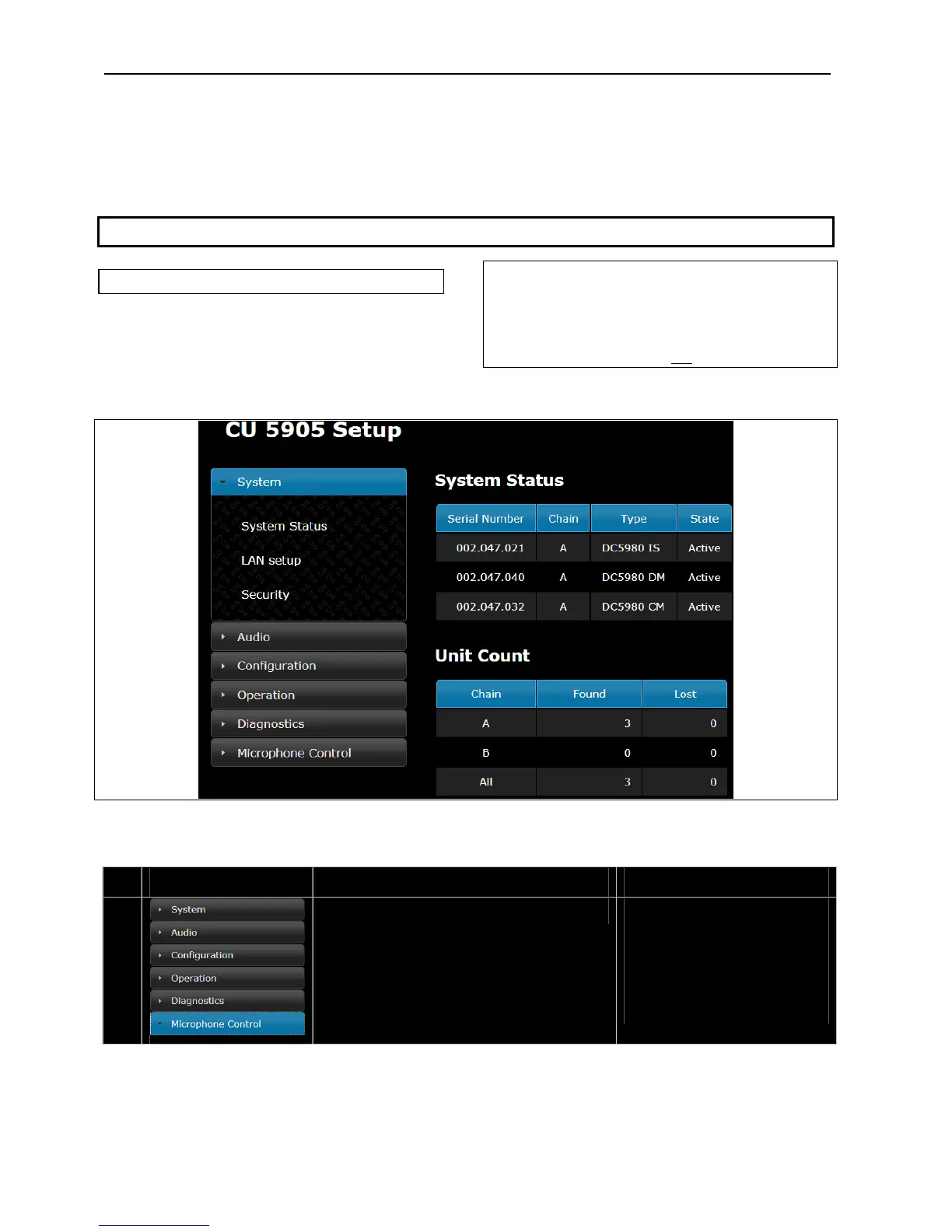
Figure 5.6-A CU 5905 Setup
Thenexttablesshowallmenuitemsinthebrowsermenuandadetaileddescriptionofthesettingsavailable.
# Menu Settings Description
1.
There are six menu options in the
browsercontrol.Thefirstfive
options select sub‐menus for
configuring and setting up the CU
5905.
The last menu option switches to
theMicrophoneControlscreen.
User Manual DDS 5900
24



 To Next Page