Danish Interpretation Systems User Manual
unitandoffersa‘Speak’buttonanda‘Mute’button
formutingownmicrophone.
6.2.1.2 Delegate, ‘Speak’ button
Thisoverlaymust beorderedseparatelyandisNOT
delivered with the conference unit. This overlay is
used when the ‘Mute’ of own microphone is not
required.
5905.OnesampleisdeliveredtogetherwiththeCU
Pleaserefertothesection‘
9.6Accessories’.
6.2.1.3 Chairman
ThisoverlayisusedforChairmanunitfunctionality
TwochairmanoverlayaredeliveredwithCU5905.
.
6.2.1.4 Interpreter
ThisoverlayistobeusedforInterpreterunit
functionality.
Threeinterpreteroverlayaredeliveredtogetherwith
theCU5905.
6.2.2 Other languages, CM & IS
Language packages are available for Chairman and
Interpreteroverlayinotherlanguages.
Pleaserefertothesection‘
9.6Accessories’.
6.2.3 Attaching Overlays
The overlay is attached to the unit by removing the
protectionpaperandplacingtheoverlayinthe
overlayrecessatthefrontoftheunit.
Theoverlay isnot designedto be removed from the
unitafterithasbeenattachedtotheunit.
Sparepartpackagewithoverlaysareavailable.Please
refertothesection‘
9.6Accessories’.
6.2.4 Configuration of the unit
TheunitisdefaultconfiguredasDelegatewith‘Speak’
and‘Mute’button.
Any unit can be re‐configured either as a chairman,
delegate(without‘Mute’button)orinterpreterunit.
Tochangeunittypepressthevolumebuttons‘‐‘and
‘+’simultaneouslyandkeepdepressedfor3seconds
until the ‘Speak’ light starts flashing. Then use the
channelbuttontotogglebetweenunittype.
Unittype Ch.1 Ch.2
Delegatewithmute Off Off
Delegatewithoutmute On Off
Chairman Off On
Interpreter On On
Figure 6.2-A Changing Unit Type
Whenthebuttonsarereleased,thelightinthe
buttonswillflashtoindicatethattheunitis
configuredandtheunitwillreboot.
Theunittypeisstoredintheunitsotheunitrecalls
itstypeif/whenitisusedwithanotherCU5905.
6.3 Delegate Unit
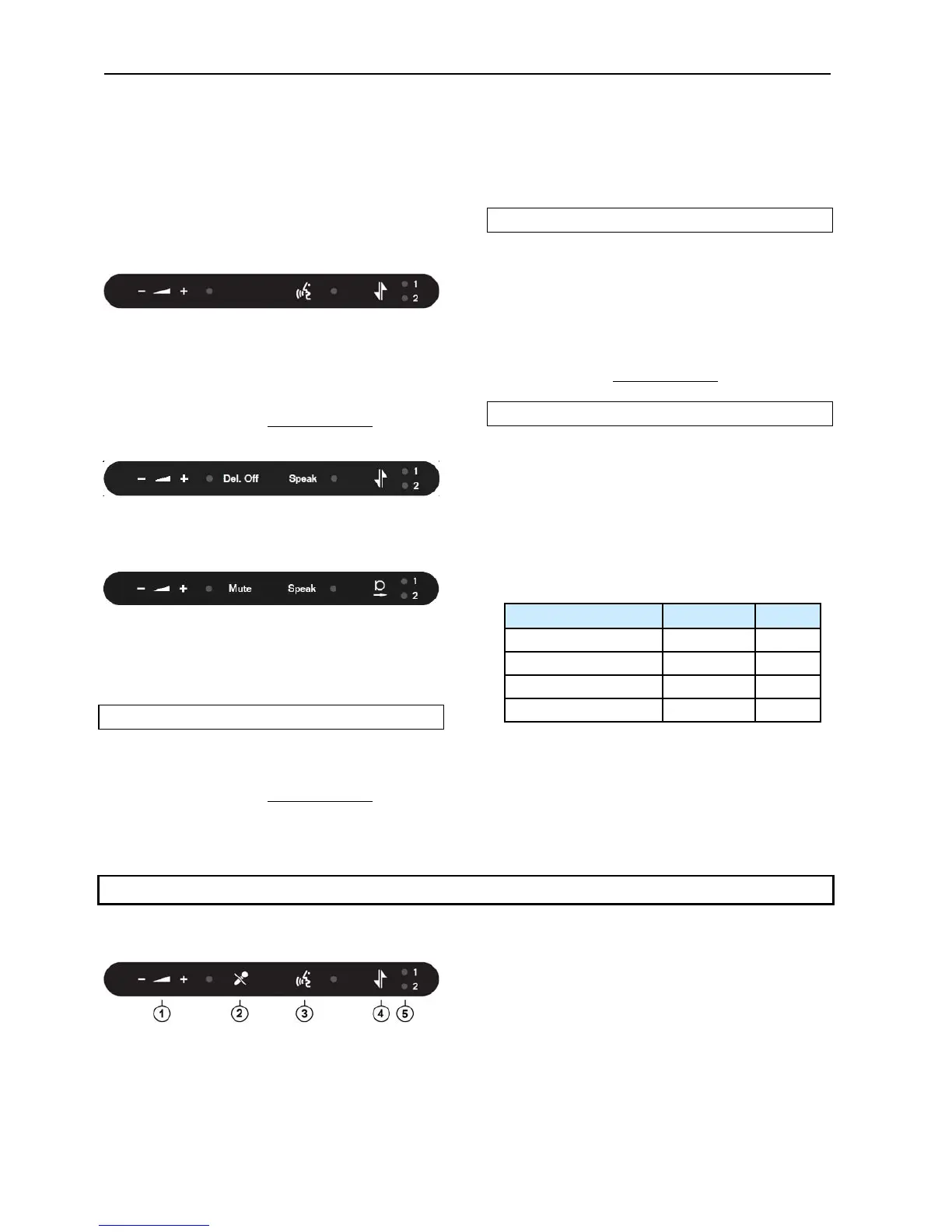
WhentheunitisconfiguredasDelegateunitthe
buttonshasthefollowingfunctionality:
1. Headphone volume control – The ‘‐‘ button
decreases the sound level in the connected
headphoneandthe‘+’buttonincreasesthesound
level.
2. Mutebutton–Touchingthe‘Mute‘buttonmutes
the sound from the microphone without
switching off the unit as long as the button is
activated.Whenmuted,theredlightringonthe
microphoneisturnedoff.
User Manual DDS 5900
36



 To Next Page