Danish Interpretation Systems User Manual
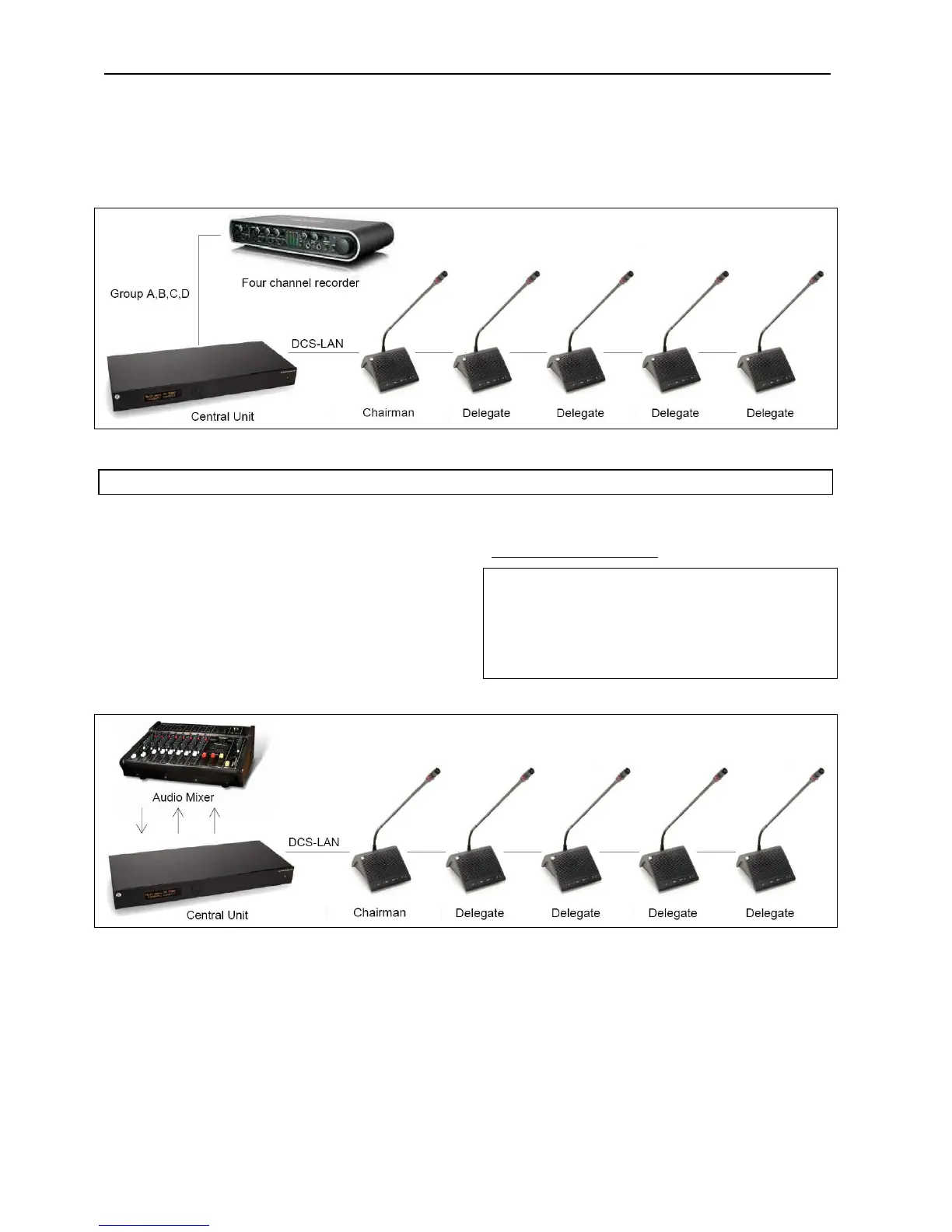
Figure 5.4-D Connecting the DDS 5900 Digital Discussion System to an audio recorder.
5.4.5 Connec ing an a di m xert u o i
The CU 5905 is connected to the DC 5980P
ConferenceUnitsusingEC6001‐xxCat5ecables.
Thisconfigurationisusedwhenthevolumefromone
or more microphones is required to be controlled
separately or equalisation is needed. One or more
Outputs are connected to the external mixer, where
thecontrolorequalisationisdone.
Thesoundfromtheaudiomixeristhensendbackto
heCUusingthe‘AudioIn1’input.t
Use the ‘Group’ selection for the four outputs and
make seat selection for each group. Refer to section
‘
5.6WebBrowser’item#8.
Important:If‘OutA’issendtothemixerthe
followingsettingsmusttobedone:
‘CU 5905 Setup * Audio * Loudspeaker Control * Microphone ‐>
Loudspeaker’shallbesetto‘Off’.
‘Out.A’shallbeun‐selectedintheselection‘CU5905Setup*Audio
*Input/OutputControl*AudioIn1’.
Figure 5.4-E Connecting the DDS 5900 Digital Discussion System to an audio mixer.
User Manual DDS 5900
20



 To Next Page