6400-065-C-1-09
13
O
P
E
N
180°
O
P
E
N
O
P
E
N
O
P
E
N
O
P
E
N
O
P
E
N
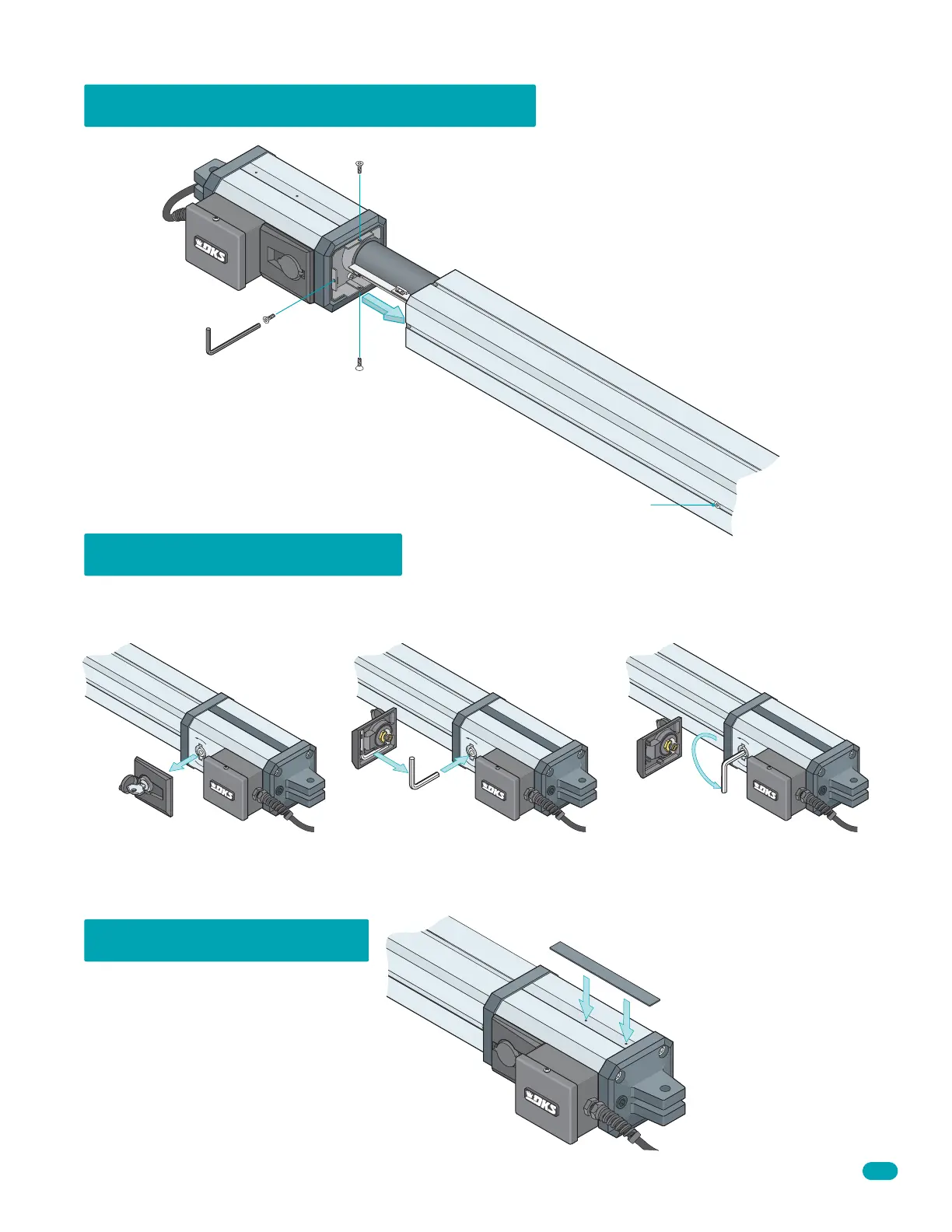
6002 Manual Release
Removing 6002 Actuator Cover
The actuator arm can be manually operated in case of power failure. Never manually release the arm until you have verified that
ALL power has been shut-off to it (Including batteries).
Use key to unlock and remove the cover. Remove allen wrench from inside of cover.
Insert allen wrench and turn 180° to
release the arm.
Remove 3 screws and slide cover off.
DO NOT remove this screw.
Cover the exposed holes on top of the
6002 arm with the aluminum tape.
Do not cover the holes on the bottom
of 6002 arm.
Cover Holes on Top



 To Next Page