6400-065-C-1-09
34
4.5 Shutdown Conditions Continued
Note: The audio alarm will remain activated for a maximum of five minutes, or until the operator receives a reset input.
The hard shutdown condition will remain in affect even if the audio alarm shuts off after five minutes.
• Example - The gate is closing and the inherent entrapment protection system senses an obstruction and
causes the gate to reverse direction. As the gate begins to run in the open direction, a second obstruction
is sensed prior to the gate reaching the full open position. Once the second obstruction has been sensed,
the operator will stop, the audio alarm will be activated and ALL standard inputs are shut down (including
open commands, safety commands, loop inputs, etc.).
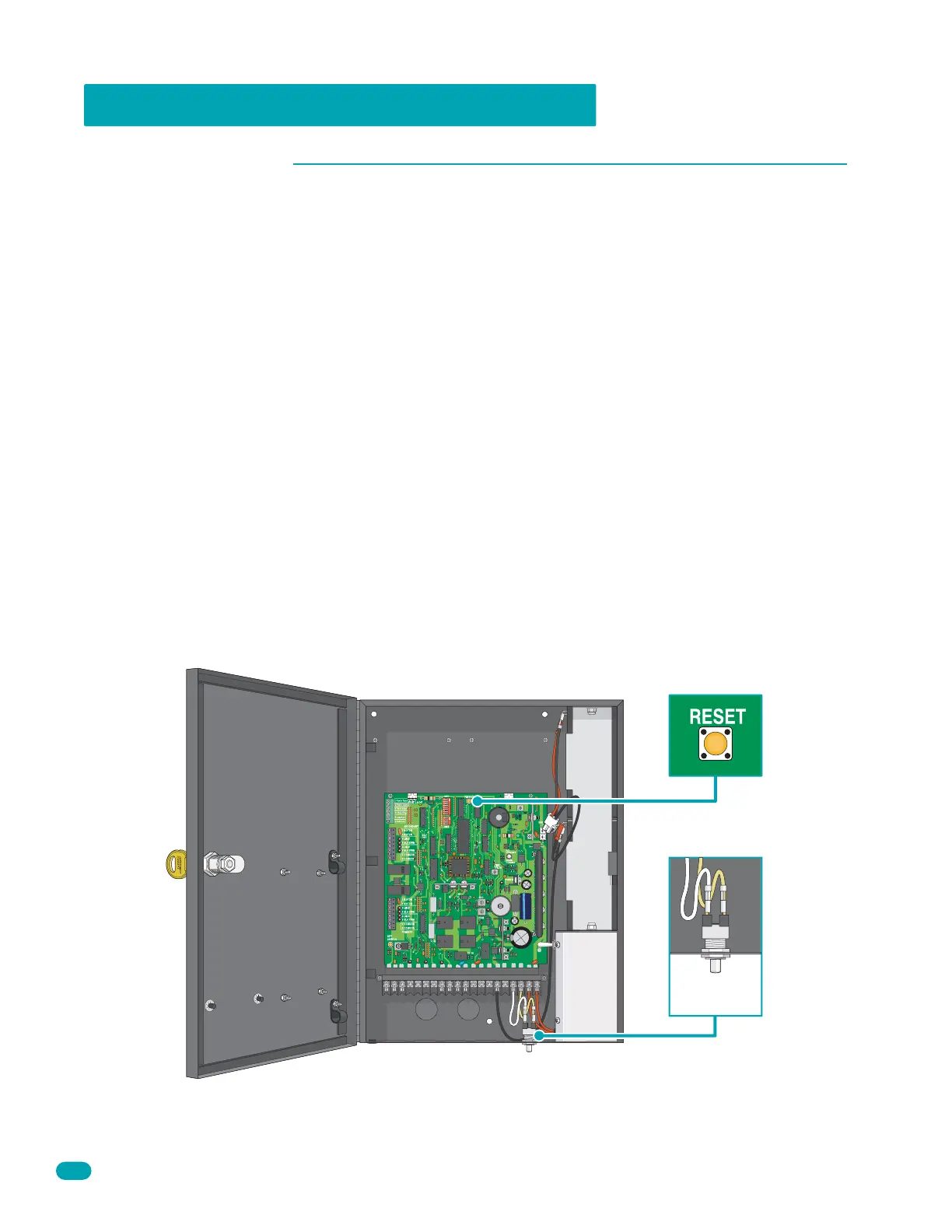
• After 5 minutes, the audio alarm will “chirp” every 5 seconds. This indicates that the operator is in a hard
shutdown condition and the Reset Button or the Alarm Reset Button must be activated to reset the
operator and silence the alarm. See illustration below.
A hard shutdown condition occurs when the inherent entrapment protection system has sensed two consecutive
obstructions before the gate reaches the full open or closed position.
Hard Shutdown
Note: DoorKing operators have a built-in alarm reset push buttons on the circuit board and on the bottom of the
control box for quick access. Activating either one of these buttons will return the gate operator to normal opera-
tion, but will not activate the gate operator.
When the operator is in a hard shutdown condition (audio alarm activated or audio alarm “chirps” every 5 seconds),
to reset the gate operator and return it to normal operation, activate the Reset Button or the Alarm Reset Button.
Once the gate has been reset, an open or close command is needed to start the gate operator. Most activating
commands will cause the gate operator to cycle to the open position. This includes activation of a key switch or open
command and activation of an open loop. Activation of a close command will run the gate to the closed position.
• Before resetting a hard shutdown, determine why the shutdown occurred. Inspect the gate for any
obstructions along its path that could have activated the inherent entrapment sensing system. Inspect
the gate and gate hardware.
Resetting a Hard Shutdown
1 2 3 4 5 6 7 8 9 101112 131415 16171819 20
1
7
6
5
4
3
2
4302
Alarm Reset
Button
Reset Button



 To Next Page