6400-065-C-1-09
31
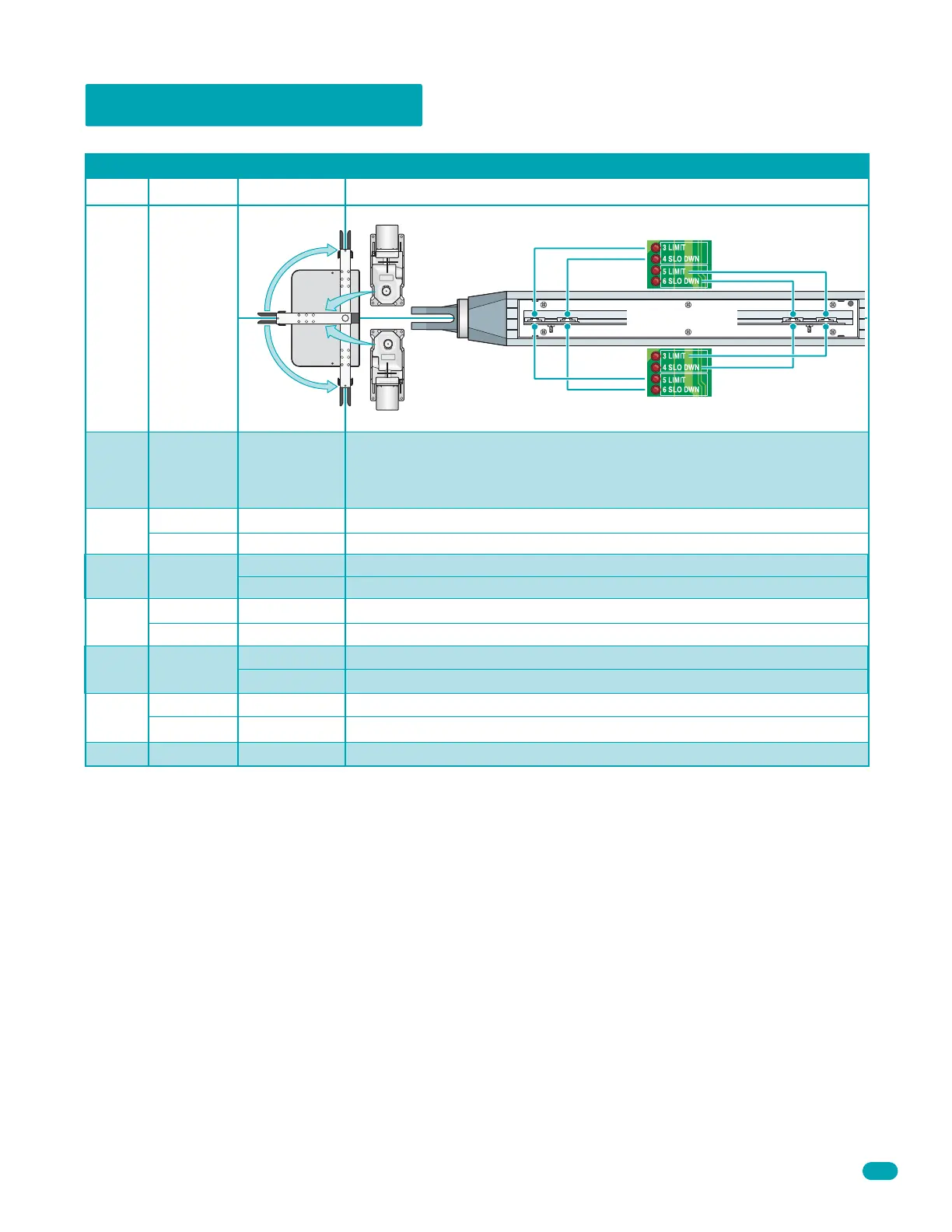
4.2 DIP-Switch Settings
Switch 1 Sets direction of the primary operator so that the operator cycles open upon initial power up and open command. If the
operator begins to cycle close upon initial power up and open command, turn power off and change the setting on this switch.
Switch 2 Sets direction of the secondary operator so that the operator cycles open upon initial power up and open command. If
the operator begins to cycle close upon initial power up and open command, turn power off and change the setting on this
switch.
Switch 3 Determines if the output of the loop detector (DoorKing loop detectors only) plugged into the EXIT port will be sent
directly to the microprocessor to open the gate, or if the output is directed to Terminal 4 where it can then be connected to other
input terminals.
Switch 4 Turns the auto close timer on or off. Maximum time that the close timer can be set for is approximately 23 seconds.
Switch 5 This switch sets the input at Terminal 8 to act as a normal reverse input or to act as a shadow input. A shadow input
will only hold the gate operator in the open position once it is in the full open position. A shadow input will not reverse the
direction of the gate actuator once it begins its close cycle.
Switch 6 Turns the gate overlap feature on or off. When turned ON, the Secondary operator begins its cycle 1-2 seconds prior to
the Primary operator, allowing the Primary gate to reach its full closed position 1-2 seconds before the Secondary gate. This
feature is useful when a magnetic lock is used to secure the gates.
Switch 7 Sets up the circuit board for single or dual (Primary / Secondary) gate operation.
Switch 8 Spare switch. Leave in the OFF position.
Switch Function Setting Description
Opening
Direction of
Primary
Operator
Exit loop
Logic Output
OFF
ON (normal)
OFF
ON
OFF (normal)
ON
OFF
ON
Auto-Close
Timer
Reverse
Shadow
Overlapping
Gates
1
Opening
Direction of
Secondary
Operator
2
3
4
5
6
Terminal 4 is output from exit loop detector.
Terminal 4 is open command.
Auto-close timer is OFF. Manual input required to close gate.
Auto-close timer is ON. Adjustable from 1-23 seconds.
Terminal 8 is a standard Reverse input.
Terminal 8 is a Shadow reverse input.
Both operatorss start at the same time.
Secondary operator starts 1-2 seconds before primary operator.
OFF
ON
Single
Dual
Switch must be OFF for single operator.
Switch must be ON when (dual) operators are used.
SW 1 (Top 8 Switches)
Spare Leave in the OFF position.OFF
8
7
Whenever any programming or switch setting on the control board is changed, press the reset switch for new settings to take effect.
OFF setting. Opens 6400 clockwise.
ON setting. Opens 6400 counter-clockwise.
OFF setting.
ON setting.
Same as primary operator above.
Open
Limit
Open
Limit
Close
Limit
Drive
Motor
Orientation
Drive
Motor
Orientation
Close
Limit
6400
OFF
ON
6002 or 6003
Continued on next page.



 To Next Page