DOM Roq® Mounting and Connection of Pin Code Reader (Chip Reader) with DOM Roq®
60
DOM Roq® Smart Lock
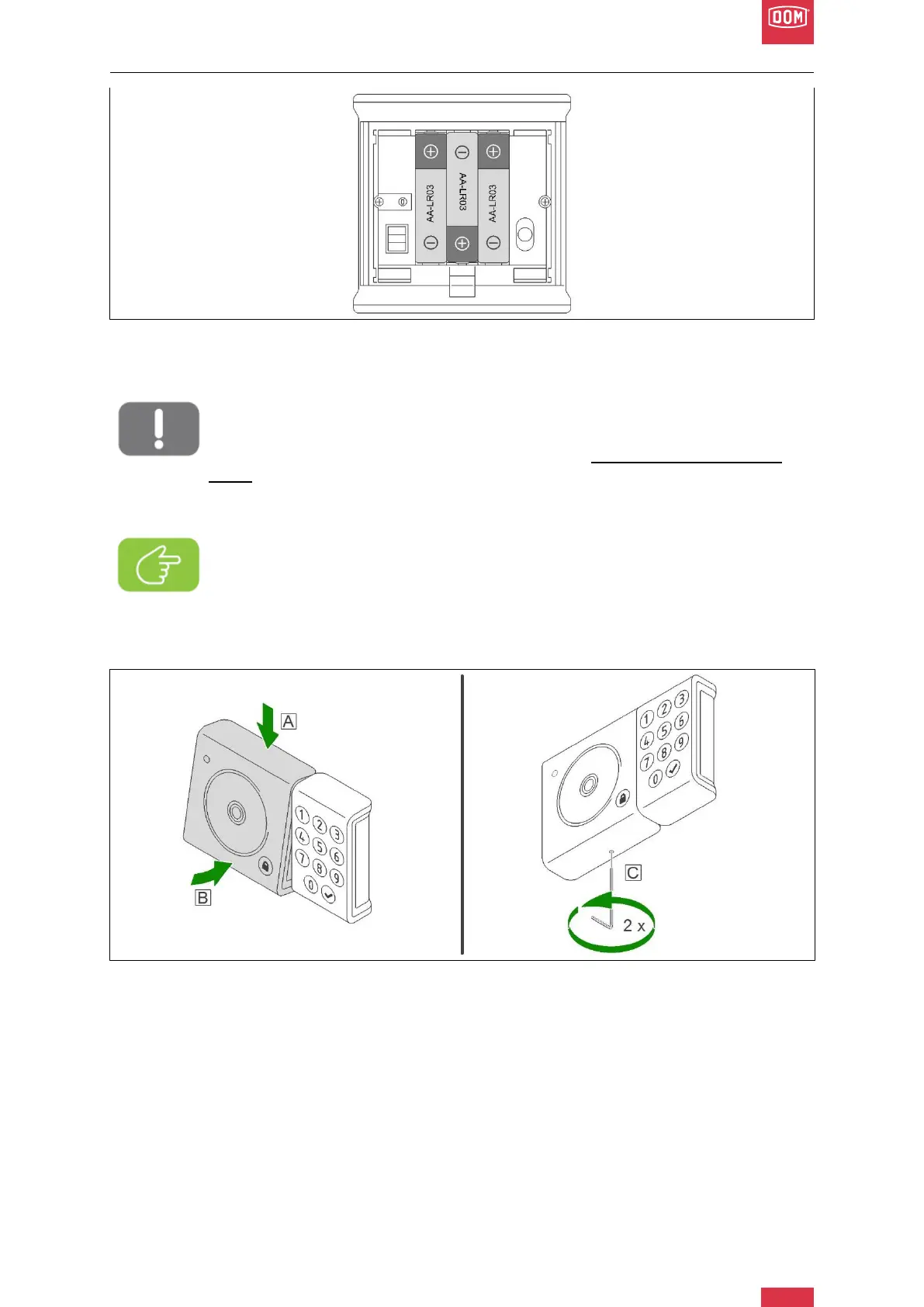
DOM Roq® Fig. 55: Mounting Instructions Pin Code Reader
11. Insert the supplied batteries into the battery compartment of the chip reader, observ-
ing the correct polarity.
Attention!
The corresponding modules (keypad and reader) are provided with USB plugs
and sockets that must be plugged into each other. Be careful not to damage
them.
The manufacturer accepts no liability for damage caused by improper installa-
tion.
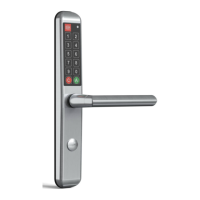
DOM Roq® Fig. 56: Mounting Instructions Pin Code Reader
12. Place the battery compartment on the housing at a slight angle from above. (A)
Press the lower part of the battery compartment lightly against the housing until you
hear a click. (B)
13. The keyboard then lights up for 3 seconds.
14. Lock the battery compartment by unscrewing the grub screw from below by approx. 2
thread turns (2 turns to the left) using the enclosed Allen key. (C)
15. After inserting the batteries and closing the chip reader, the pairing mode is active for
30 seconds.
Note!
Before closing the battery compartment, please read the further mounting and
commissioning instructions, as you have a maximum of 30 seconds after clos-
ing the battery compartment to couple it with the motor unit. Therefore, you
should first start and perform pairing before, for example, locking the battery
compartment.


 To Next Page