Operation Section
60
About MP3/WMA
This unit can play MP3 (WMA) files with .mp3, .wma
(lower case letters) or .MP3 and .WMA (capital letters)
file name extensions.
This unit can display ID3 Tag (Version 1.0, 1.1, 2.2, 2.3
or 2.4) information for MP3 files, such as the album
name and the artist.
This unit can display English or Korean characters.
This unit can playback MP3/WMA files meeting the
conditions below;
- Bit rate: 8 kbps ~ 320 kbps / VBR for MP3
- Sampling frequency
48 kHz, 44.1 kHz, 32 kHz (for MPEG-1 Layer 2/3)
24 kHz, 22.05 kHz, 16 kHz(for MPEG-2 Layer 2/3)
12 kHz, 11.025 kHz, 8 kHz(for MPEG-2.5 Layer 3)
- MP3 (WMA) discs made in ISO-9660 level 1/2,
Romeo, Joliet or Windows long file name system.
The file/folder names that can be used per disc storage
type are as follows, including the four-digit file name
extensions (.mp3).
- ISO 9660 Level 1: Maximum of 12 characters
- ISO 9660 Level 2: Maximum of 31 characters
- Romeo: Maximum of 128 characters (1 byte)
- Joliet: Maximum of 64 characters (1 byte)
- Windows long file name: Maximum of 28 characters
(1 byte)
This unit can recognize maximum 9,999 files and 256
folders into the USB device.
This unit can playback files recorded in VBR (variable bit
rate). Files recorded in VBR have a discrepancy in
elapsed time display, and do not show the actual
elapsed time. After performing the search function, this
difference becomes noticeable.
Playing a USB device
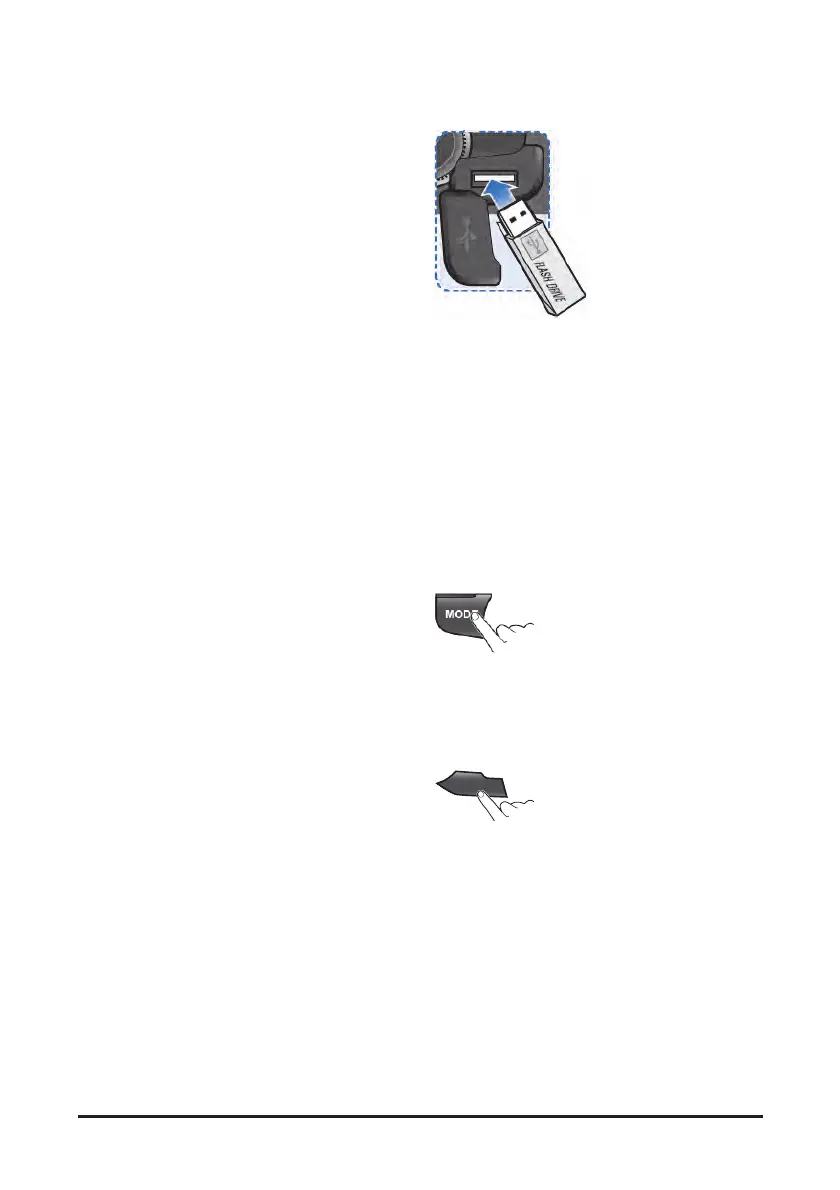
1. Open the cover, plug the USB device to the USB
port.
• Once a USB is connected, USB will
automatically start playing from the first file
within the USB.
• If a previously played USB is reconnected,
then the file after the most recently played file
is played.
• If a different USB is connected or the file
information within the USB was changed, then
the USB will start playing from the first song
within the USB.
2. When an USB device to be played is already
connected, press the MODE button to play USB
device.
• The previously selected file is played.
1
II
3. While playing, press the [1∥] button to pause the
file.
• Press the button again to play the current file.


 To Next Page