Operation Section
83
Sideshift Attachment Control
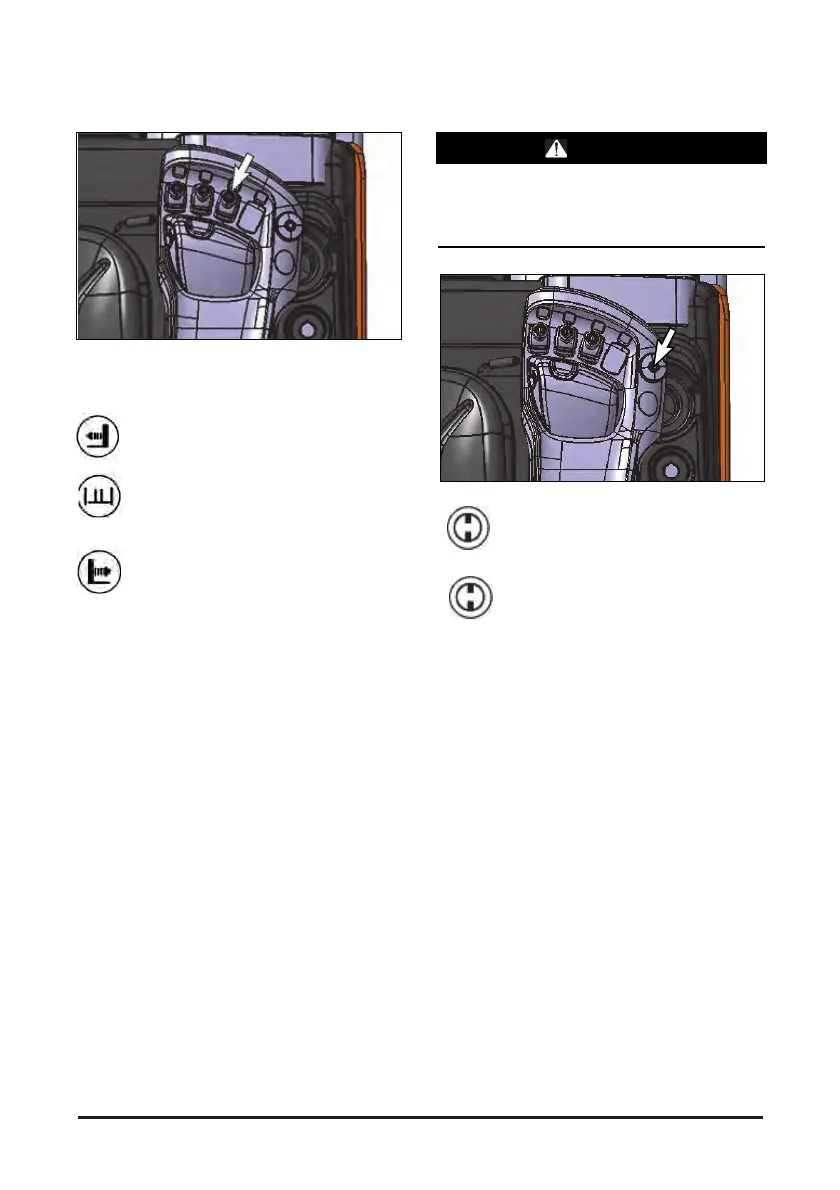
The side shift attachment controller is at the front-
right side of the driver, and the side shift control
lever is at the right as shown in the figure.
Side shift Left (1) – open the knob softly
forward to move the carriage to the left.
Side shift Stop (2) - release the side shift
knob. The knob will return to the HOLD
position and side shifting operation will
stop.
Side shift Right (3) - pull the knob softly
forward reverse to move the carriage to
the right.
NOTE: To prevent a sudden change of position of
the load, operate all lift, tilt and attachment
knobs smoothly.
Emergency Switch
WARNING
In an emergency situation, must press the
emergency switch to stop the forklift.
If there is no emergency switch, turn off the key
switch to cut off the battery power.
OFF - Push the emergency switch button
to disconnect the electrical circuits. (It
must be done after the key switch is
turned off)
ON - Pull the emergency switch button to
connect the electrical circuit.


 To Next Page