Operation Section
64
Pairing/Connecting your device
Firstly, set up the Bluetooth device to be connected from
the Bluetooth settings menu to enable other devices to
search for the Bluetooth device.
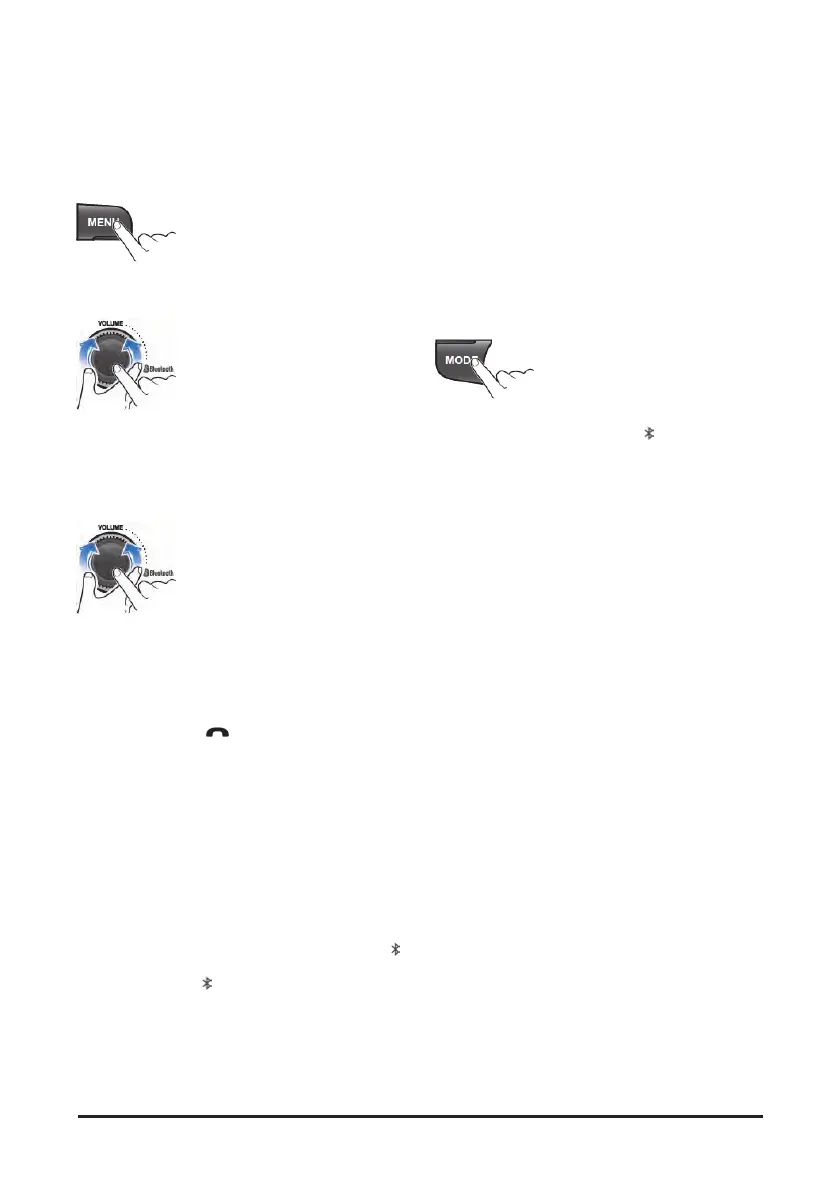
1. Press MENU button to enter the Menu settings
mode.
2. Turn VOLUME dial to select the "BLUETOOTH"
as below, then press this dial;
SOUND ↔ EQUALIZER ↔ BLUETOOTH ↔
DAB ↔ SYSTEM ↔ PREVIOUS
• BLUETOOTH: Bluetooth setting mode
3. Turn the VOLUME dial to select the "PAIR", then
press this dial.
When you first register, appear the "BT Pairing"
on the display window, then search the Bluetooth
devices for connection
• If a Bluetooth device is not connected, press
and hold the
(Call) button to enter the
pairing mode directly.
4. Search and select device “Doosan” in your
Bluetooth device, then confirm
• The Bluetooth registration standby proceeds for
1 minute. If the registration is failed during
1minute, restart over from the beginning.
After a while, the Bluetooth device is
automatically registered.
When pairing is successful, the "Connected"
and "Device name" will be displayed 3 seconds.
• When your Bluetooth device is connected, "
"
appear on the display. If the Bluetooth device is
disconnected, "
" disappear.
5. Repeat items 1~ 4 to register to add another
Bluetooth device.
• Up to 5 devices can be paired to this unit.
• The last device connected to this unit is set to
automatically connect to the highest priority.
Playing the Bluetooth music
To play Bluetooth music
This function only operates with Bluetooth devices that
support A2DP (Advanced Audio Distribution Profile)
version 1.2 or above.
Should be set to Stereo Headset in Bluetooth device
type menu of your device.
1. Press the MODE button repeatedly to select the
BT Audio mode. Appears "
BT" on display
window and start playback.
• If a Bluetooth device is not connected, you can
not select.
• If music is not yet playing from your mobile
device after switching to Bluetooth Music
(streaming audio) mode or after pressing Play
on the mobile device itself, try to start music
playback by pressing the Play button again.
• The output music playback from Bluetooth
devices with this unit.
• There will be music playback automatically play
upon entering since once played, it stops
automatically when you exit from the music.
• You can also phone or Bluetooth device other
than the home screen mode, Bluetooth music
play mode when entering and exiting, the
device does not play automatically.


 To Next Page