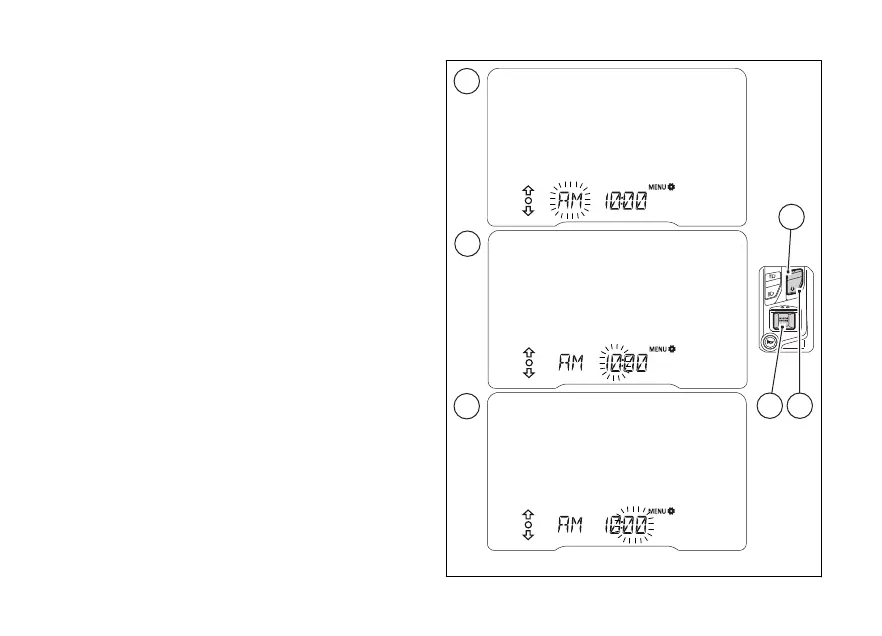
When entering this function, the first
parameter to be set is AM / PM (flashing) (A). Use
(1) and (2) to toggle from "AM” to “PM" and
vice versa.
Press (4) to to hour (hours will
flashing) (B). Use (1) and (2) to increase
and decrease by 1 the hour value.
Press (4) to to minute (minutes
will flashing) (C). Use (1) and (2) to
increase and decrease by 1 the minute value.
When (4) is pressed to confirm the minute
parameter, the instrument panel quits the function
by saving the set time.
Fig 73
120













 To Next Page