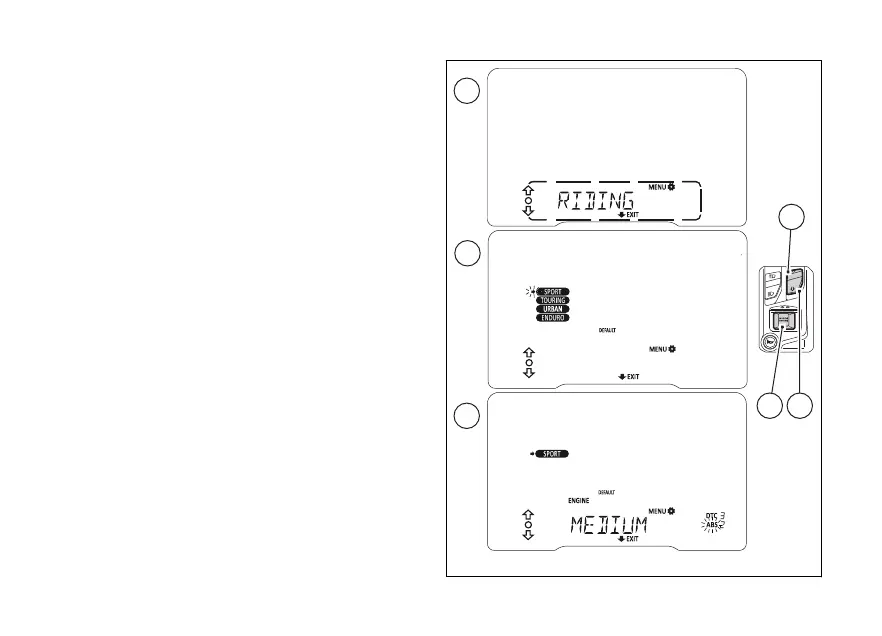
Customising the Riding Mode: ABS
This function disables or sets ABS level for the
selected riding mode.
Enter the SETTING MENU.
Select RIDING MODE option (A), by pressing
(1) or (2).
Once function is highlighted, press (4).
You open the RIDING MODE menu.
Select the desired riding mode SPORT, TOURING,
URBAN or ENDURO (B), by pressing (1) or (2).
Once the desired riding mode is selected (flashing
arrow next to the riding mode), press (4).
You open the selected riding mode customisation
Menu (e.g., “SPORT”).
Press (1) or (2), to select the parameter to be
customised ABS (C) so it flashing. Once the
desired parameter is highlighted, press (4).
Fig 50
98












 To Next Page