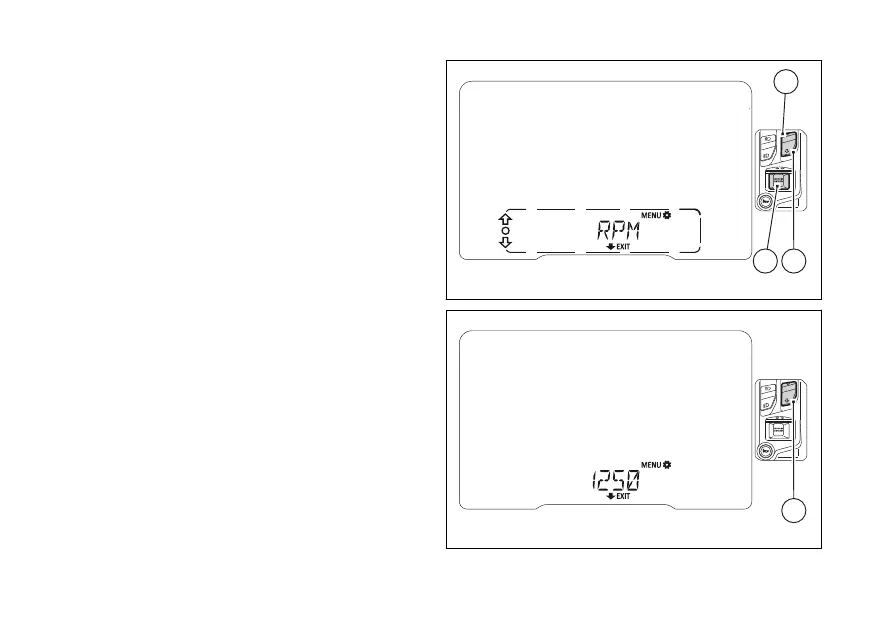
Engine rpm digital indication (RPM)
This function displays the engine RPM in a digital
way.
Enter the SETTING MENU.
Select “RPM” option, by pressing (1) or (2).
Once function is highlighted, press (4).
When entering this function, the instrument panel
will display the engine RPM in a digital way within
the Menu.
To exit and go back to the previous screen, press
(2) for 2 seconds.
Fig 98
Fig 99
146












 To Next Page