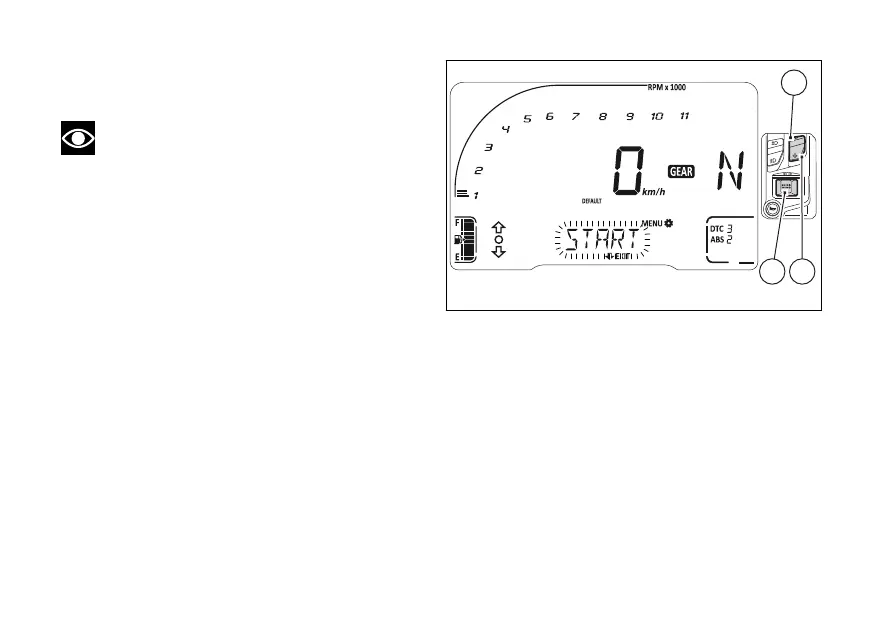
When entering this function, the instrument panel
will display "START" flashing as well as DEFAULT.
Note
The DEFAULT item is only active if a new
calibration was previously carried out and if current
calibration value is not the default one.
Use (1) and (2) to scroll and select DEFAULT
(flashing frame) and get back to the flashing
“START” option.
Press (4) when “START” option is selected
(flashing), to the procedure for a new
calibration.
Fig 86
131













 To Next Page