Phone
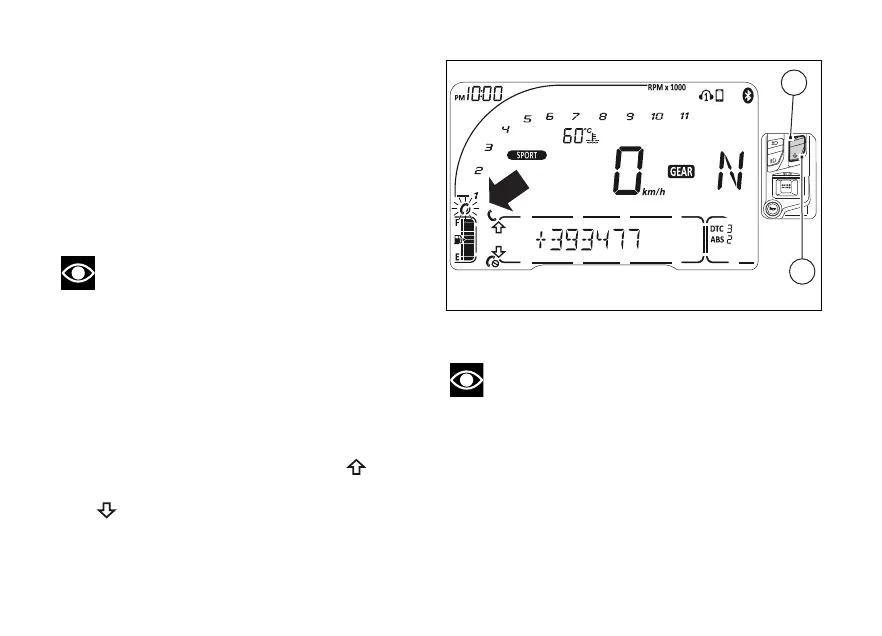
Use the PHONE function:
- to manage incoming calls by means of (1)
and (2);
- to recall the last calling number within 5 seconds
from call interruption (RECALL function);
- to recall any of the last 7 calling numbers from
the list under CALLS function (page ).
Note
It is not possible to make a call by selecting the
name/number from the contact list through the
function
When there is an incoming call, the instrument panel
displays:
- the handset ringing symbol for incoming call,
flashing
- the calling name/number in the Menu
-
the handset symbol over arrow up
- the handset hang-up symbol under arrow down
To answer the call, press (1).
To reject the call, press (2).
Note
If a call is in progress and the instrument panel
shows the missed call symbol, current call view has
higher priority over the missed call.
Fig 104
150













 To Next Page