72
In some cases the operating system tries to loading first driver emulation (CDC RS-
232 Emulation Demo) and could appear an error message. Ignore it, and then
check the correct driver installation. See: Checking correct installation of the
drivers in Windows7
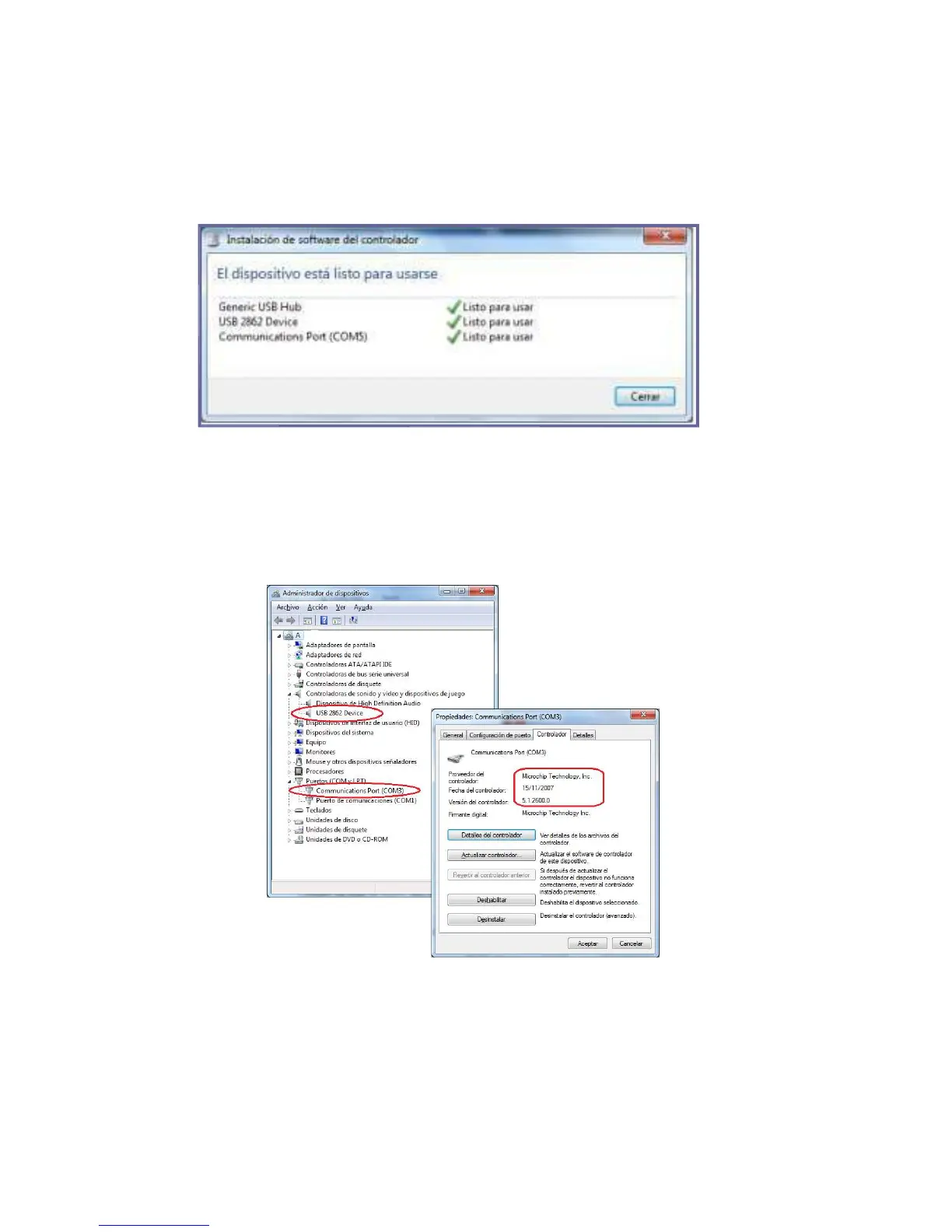
CHECKING DRIVERS INSTALLATION (WINDOWS 7)
You can check the correct driver installation from the Device Manager. It´s accessed
over: Start/Control Panel/ System and Maintenance/ Device Manager.
1. USB 2862 Device means the VNG Plus Video device was installed.
2. Communications Port means the VNG Plus Data device was installed.



 To Next Page