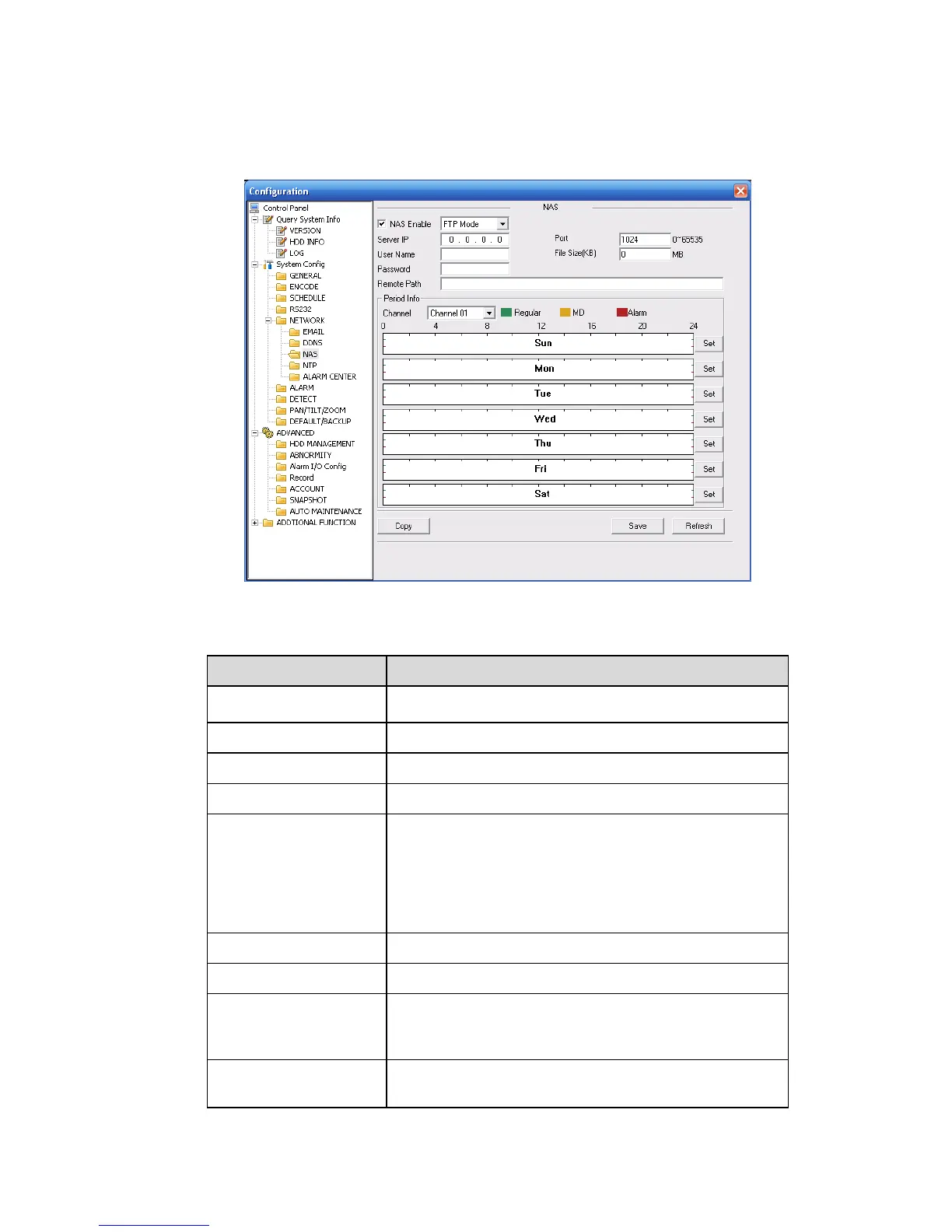
NAS
NAS interface is shown as in X465H465H465HFigure 7-35X.
Please make sure your DVR support this function.
Figure 7-35
Please refer to the following sheet for detailed information.
Please select network storage protocol and then enable
NAS function.
Input remote storage server IP address.
Input Remote storage server port number.
The file length you upload to the FTP.
When setup is larger than the actual file length, system
will upload the whole file. When setup here is smaller
than the actual file length, system only uploads the set
length and auto ignore the left section. When interval
value is 0, system uploads all corresponding files.
The password you need to log in the server.
Remote storage file path.
You can click save button after you complete setup for
one channel, or you can complete the whole setups and
then click save button.
Click this button to get device latest configuration
information.



 To Next Page