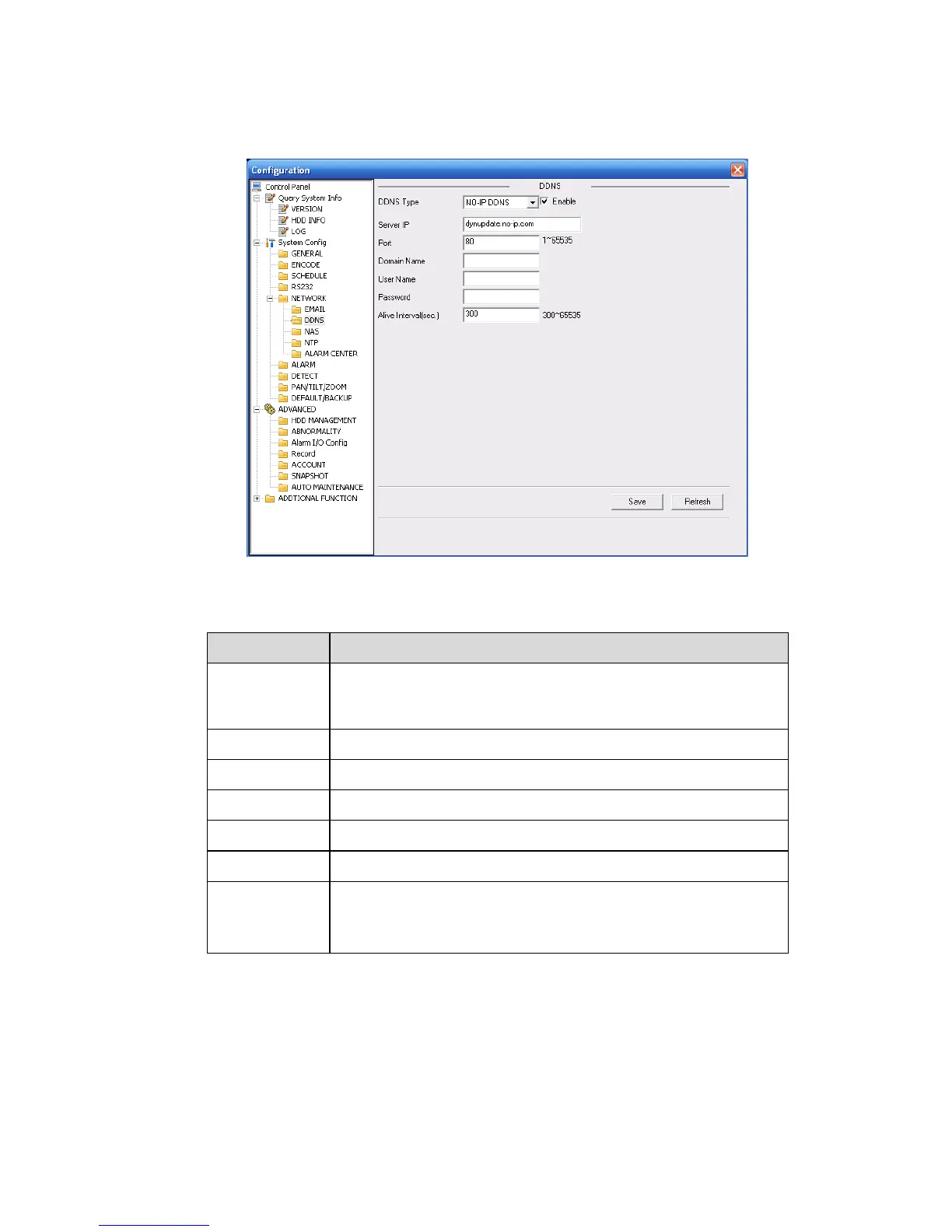
DDNS
The DDNS interface is shown as in X464H464H464HFigure 7-34X.
Please make sure your DVR support this function.
Figure 7-34
Please refer to the following sheet for detailed information.
You can select DDNS protocol from the dropdown list and then
enable DDNS function. The private DDNS protocol means you
use your self-defined private protocol to realize DDNS function.
Your self-defined domain name.
The user name you input to log in the server.
The password you input to log in the server.
Device sends out alive signal to the server regularly.
You can set interval value between the device and DDNS
server here.



 To Next Page