System only memorizes one event during the anti-dither period. The
value ranges from 0 to 15s.
Enable alarm activation function. You need to select alarm output port
so that system can activate corresponding alarm device when alarm
occurred.
System can delay the alarm output for specified time after alarm
ended. The value ranges from 10 seconds to 300 seconds.
System can upload the alarm signal to the centre (Including alarm
centre.
System auto activates current channel to record once alarm occurs
(working with alarm activation function). Please note current device
shall be in auto record mode (Chapter 4.4 Schedule).
System can delay the record for specified time after alarm ended. The
value ranges from 10s to 300s.
Please draw a circle to enable email function. System can send out
email to alert you when alarm occurs and ends.
Display the selected video in local monitor window.
Tour interval and tour mode are set in DVR local menu (chapter 5.3.9
Display )
Here you can set PTZ movement when alarm occurs. Such as go to
preset x when there is an alarm.
The PTZ configuration events include preset, tour, and pattern.
You need to input capture channel number so that system can backup
snapshot file when alarm occurs.
It is a shortcut menu button. You can copy current channel setup to
one or more (all) channels.
You can click save button after you complete setup for one channel,
or you can complete the whole setups and then click save button.
Click this button to get device latest configuration information.
7.3.2.7 Detect
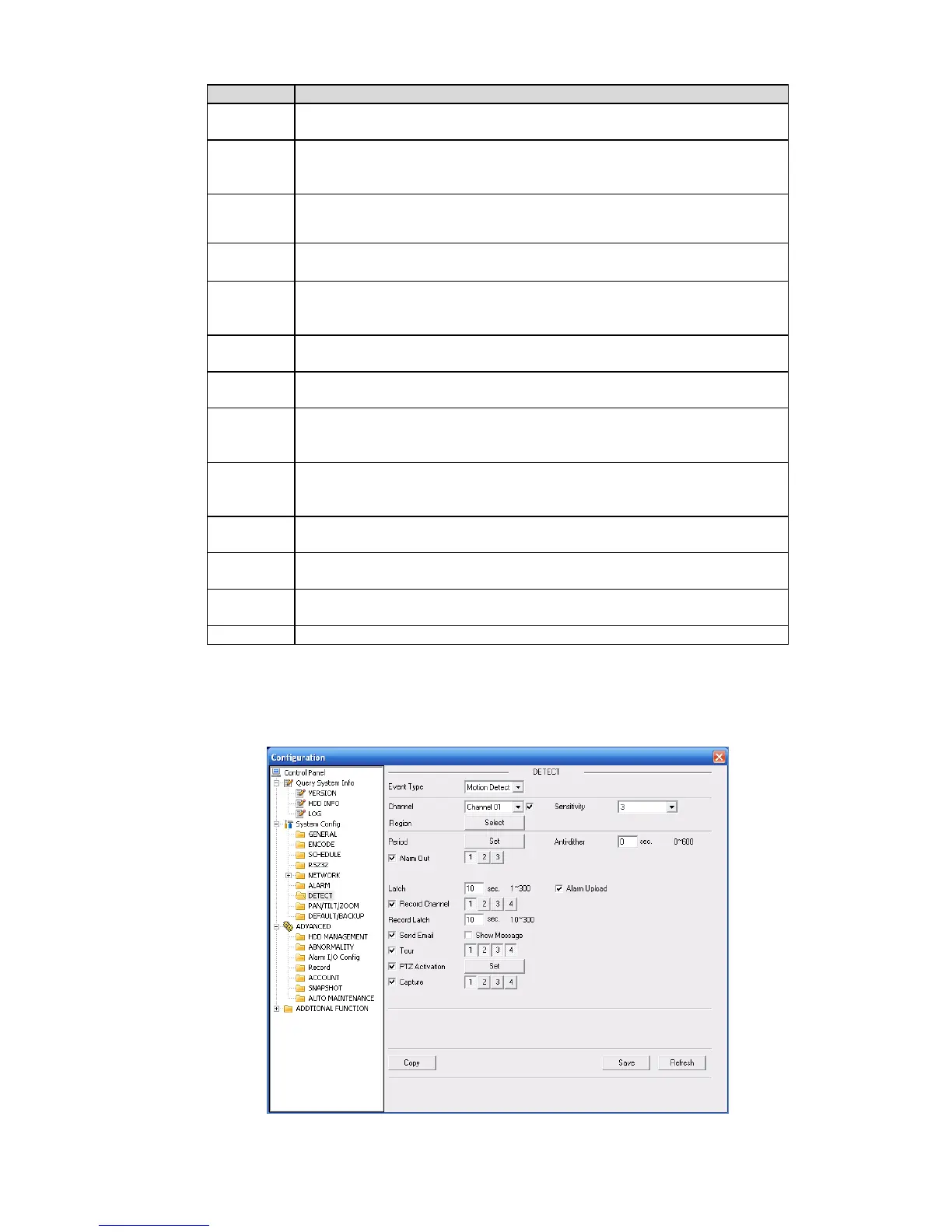
Analysis the video, system enable motion detection alarm when it detects the motion signal reached
the specified sensitivity.
The detection interface is shown as in X468H468H468HFigure 7-40X .
Figure 7-40



 To Next Page