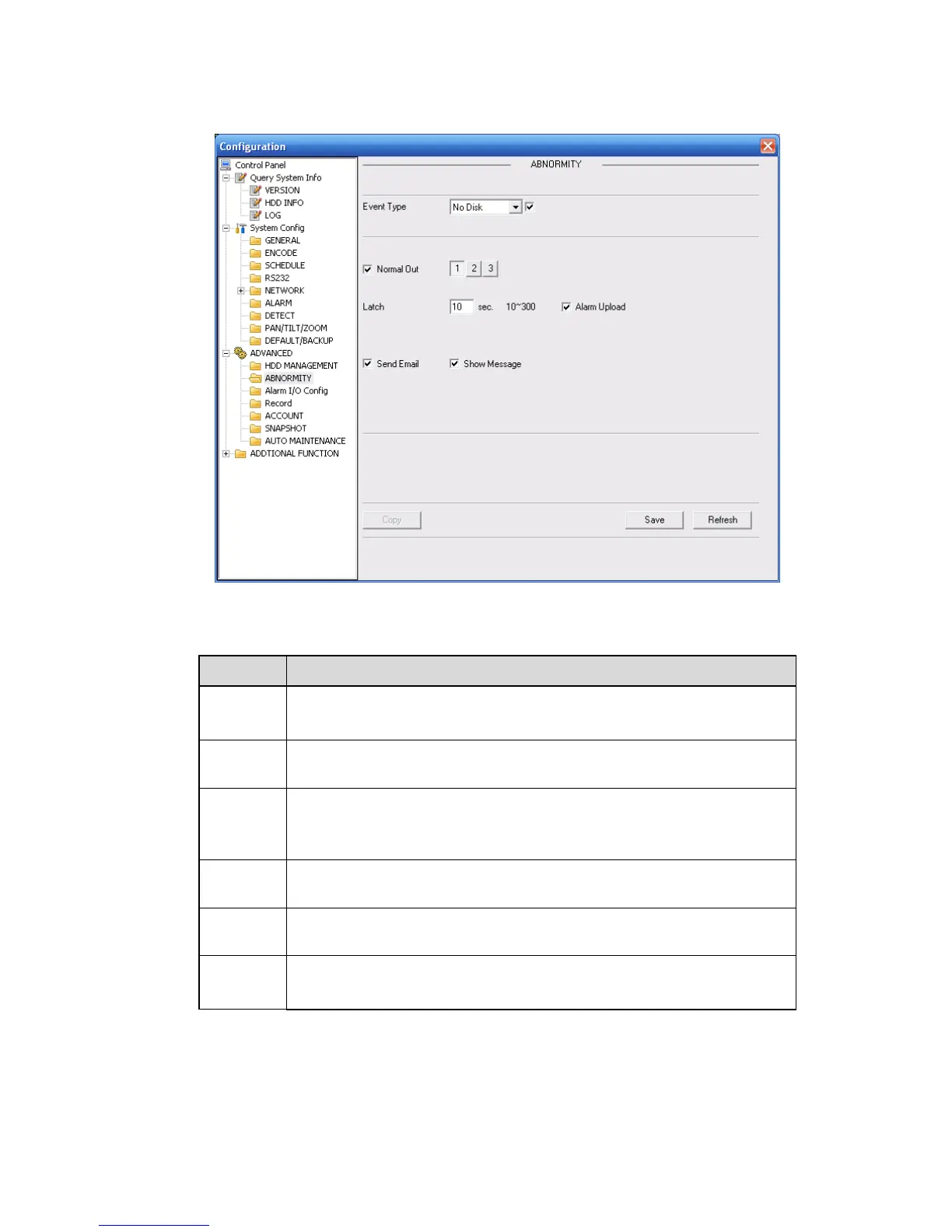
7.3.3.7 Abnormity
The abnormity interface is shown as below.
Figure 7-50
Please refer to the following sheet for detailed information.
The abnormal events include: no disk, no space, disk error, net error.
You need to draw a circle to enable this function.
The corresponding alarm activation output channel when alarm occurs,
There are three channels.
The alarm output can delay for the specified time after alarm stops.
Then system disables alarm and corresponding activation output.
The value ranges from 10s to 300s.
If you enable this function, system can send out email to alarm the
specified user.
System can upload the alarm signal to the network (includes the alarm
centre.)
System can display alarm information in local DVR screen.



 To Next Page