Recommended bit rate value according to the resolution and frame
rate you have set.
Here you can set video brightness, contrast ness, hue, saturation and
gain.
The value ranges from 0 to 100.Default value is 50. See Figure 7-27.
Please note, some series devices do not support OSD transparent
setup function.
Cover area
(privacy mask)
Here you can privacy mask the specified video in the monitor video.
One channel max supports 4 privacy mask zones.
The privacy mask includes two options: Never/monitor. Never: It
means do not enable privacy mask function. Monitor: the privacy
mask zone can not be viewed in monitor mode.
You can enable this function so that system overlays time
information in video window.
OSD transparent value ranges from 0 to 255. 0 means complete
transparent.
You can use the mouse to drag the time tile position.
You can enable this function so that system overlays channel
information in video window.
OSD transparent value ranges from 0 to 255. 0 means complete
transparent.
You can use the mouse to drag the channel tile position.
It is a shortcut menu button. You can copy current channel setup to
one or more channels. The interface is shown as in X455H455H455HFigure 7-28X.
You can click save button after you complete setup for one channel, or
you can complete the whole setups and then click save button.
Click this button to get device latest configuration information.
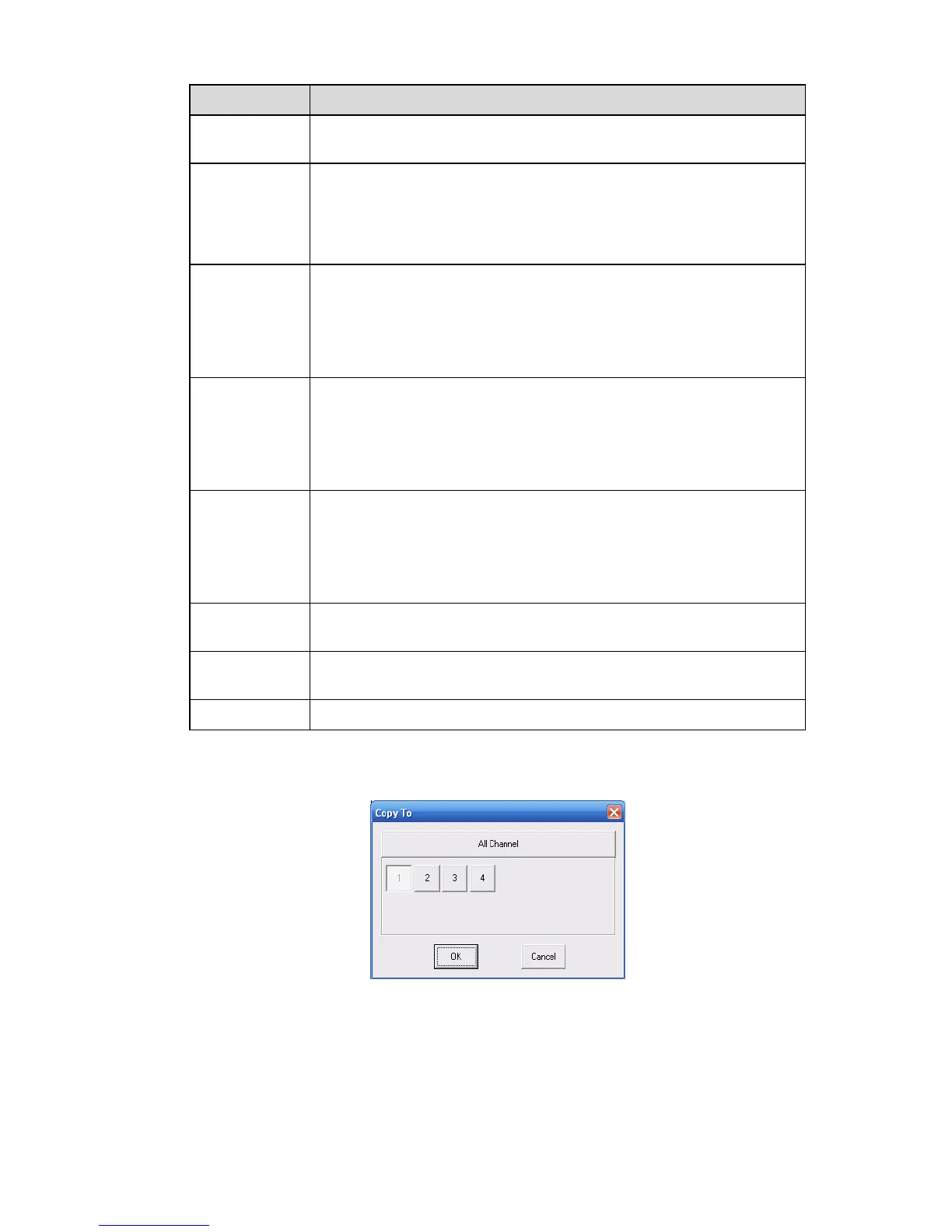
Click copy interface, the interface is shown as in X456H456H456HFigure 7-28X.
If you have completed the setup for channel 1, you can click 3 to copy current setup to channel 3. Or
you can click 2, 3, and 4 to copy current setup to channel 2, channel 3 and channel 4.
Figure 7-28
7.3.2.3 Schedule
Here you can set different periods for various days. There are max six periods in one day. See X457H457H457HFigure
7-29X



 To Next Page