114
3‐6‐3PortForwarding
ThisfunctionallowsyoutoredirectasingleportorconsecutiveportsofInternetIPaddress
tothesameportoftheIPaddressonlocalnetwork.Theportnumber(s)ofInternetIP
addressandprivateIPaddress(theIPaddressonlocalnetwork)mustbe
thesame.
Iftheportnumberof InternetIPaddressandprivateIPaddressisdifferent,pleaseuse
‘VirtualServer’function.
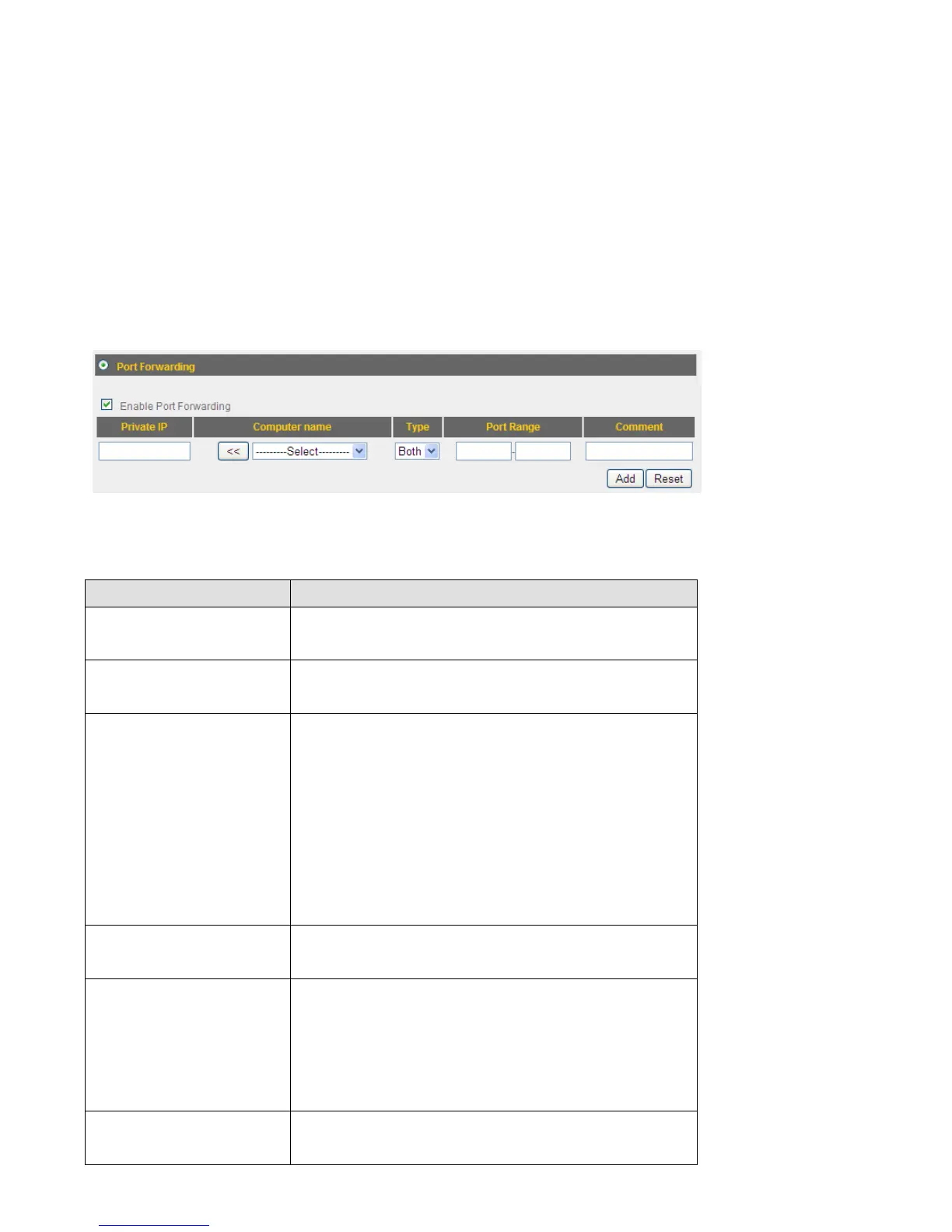
Theportforwardingsettingpagelookslikethis:
Herearedescriptionsofeverysetupitems:
ItemName Description
EnablePort
Forwarding
Checkthisboxtoenableportforwarding,and
uncheckthisboxtodisableportforwarding.
PrivateIP InputtheIPaddressofthecomputeronlocal
networkwhichprovidesinternetservice.
Computername Allcomputernamesfoundbythisbroadband
routeronlocalnetworkwillbelistedhere.You
canselectthecomputernameandclick‘<<’
buttontoaddselectedcomputer’sIPaddress
to‘PrivateIP’field.
Pleasenotethatthislistmaynotbeabletolist
allcomputerson
yourlocalnetwork.
Type Selectthetypeofconnect ion,TCPorUDP.If
you’renotsure,pleaseselect‘Both’.
PortRange Inputthestartingportnumberintheleftfield,
andinputtheendingportnumberintheright
field.Ifyouonlywanttoredirectasingleport
number,justfilltheportnumberintheleft
field.
Comment Pleaseinputanytexttodescribethismapping,
upto16alphanumer ical characters.



 To Next Page