21
2‐3Connectingtobroadbandrouterviawebbrowser
Youcanaccessthebroadbandrouter’sweb‐basedconfigurationinterfaceviaany
connectedcomputerwithawebbrowser(InternetExplorer5.xorabove,Firefox,Opera,or
Safari).
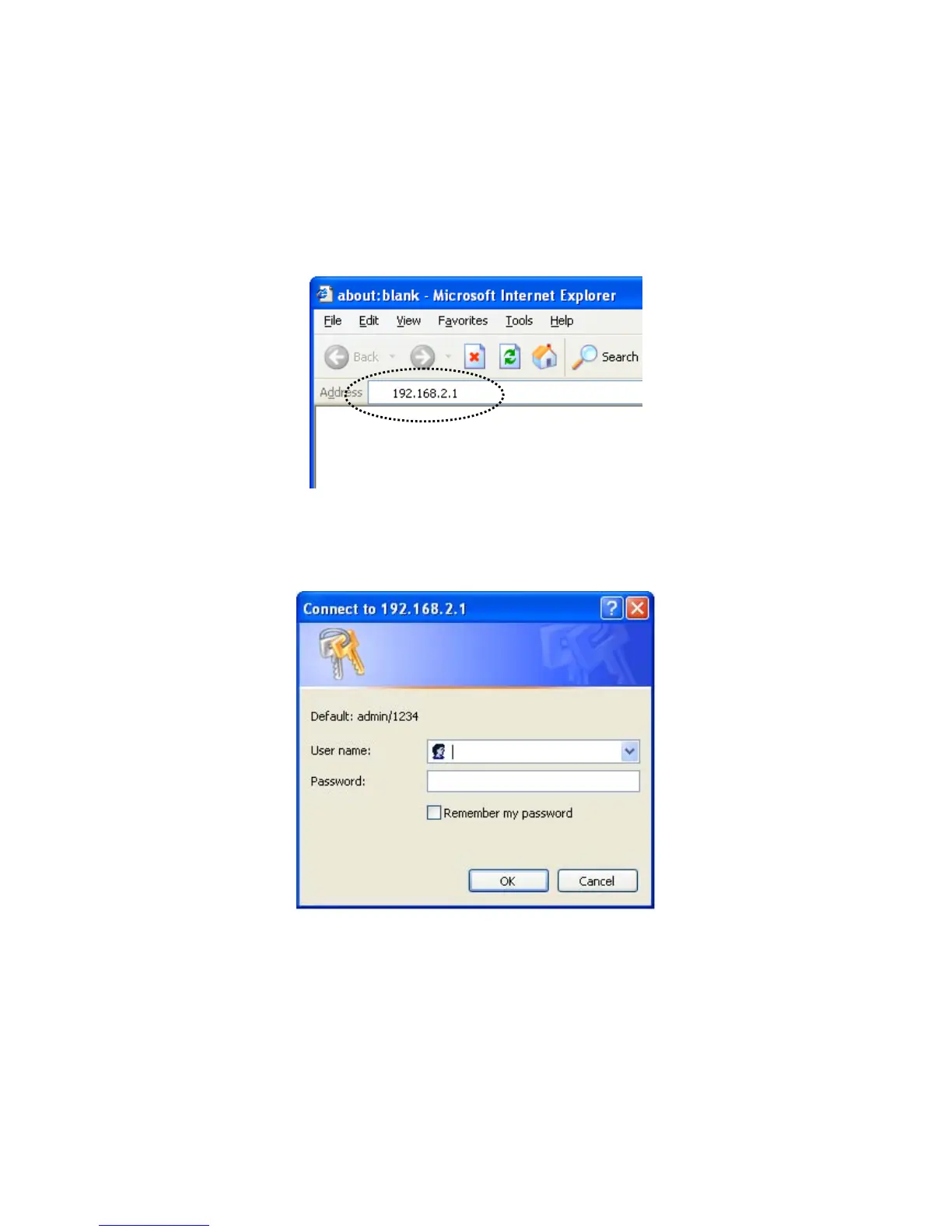
1. Pleaseinput“192.168.2.1”inthewebbrowser’saddressbarandpress“Enter”.
2. Youshouldseethefollowingauthenticationwindow:
NOTE:Ifyoucannotaccessthebroadbandrouter’sweb‐basedconfiguration
interface,theIPaddressyouhaveinputtedmaybeincorrect.Ifyouhavepreviously
changedtherouter’sIPaddress,pleaseinputtheoneyouhavedesignated.
3. Pleaseinput“admin”inthe“Username”fieldand“1234”in
the“Password”field.
Clickthe“OK”buttontoenterthewebconfigurationinterface.



 To Next Page