145
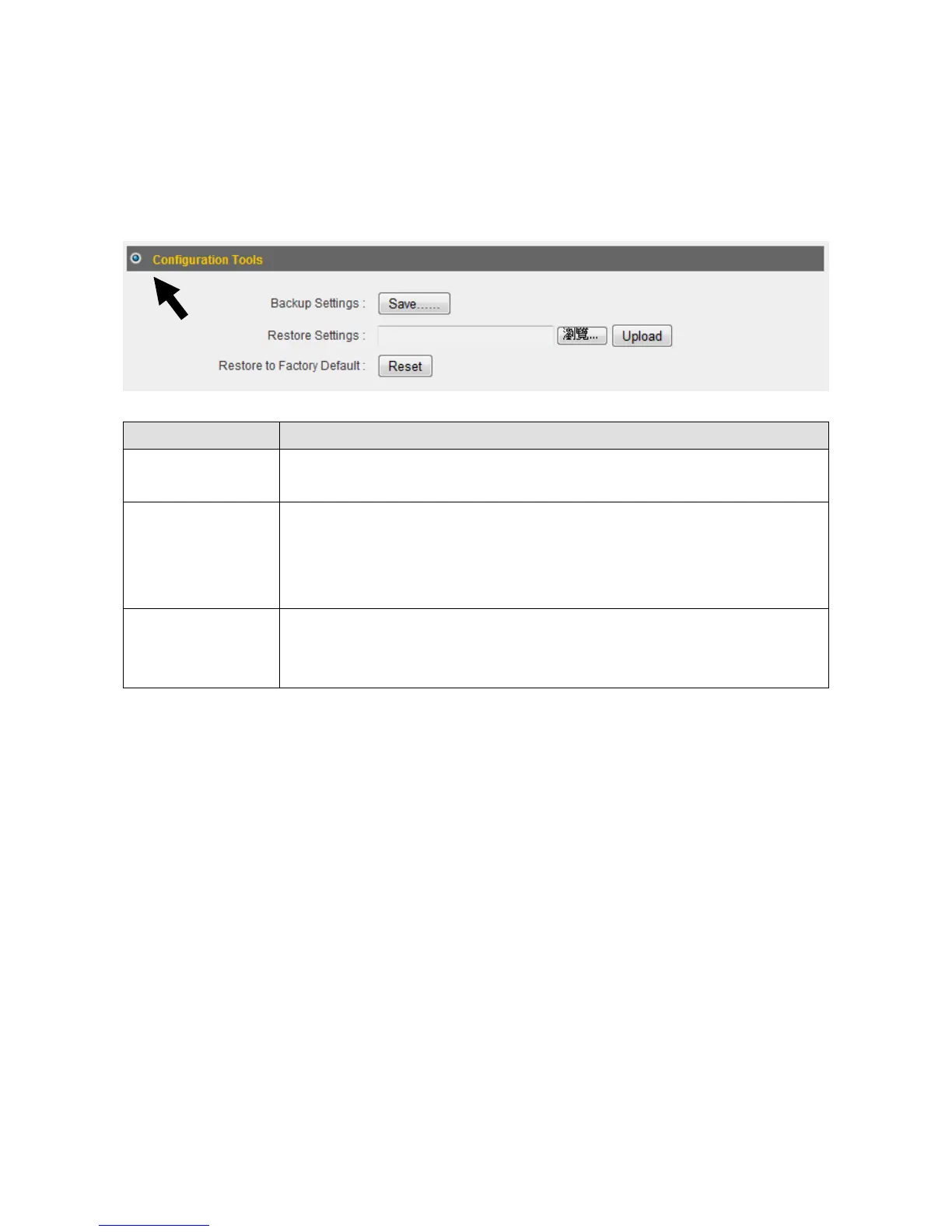
4‐2‐1ConfigurationTools
Youcanbackupandrestoreyoursystemconfigurationshere.Youcanalsoresetall
settingstothefactorydefault.
1. Click“ConfigurationTools”.
ItemName Description
BackupSettings Clickthe“Save...”buttontosavethecurrentsettingsonyour
computerasa“config.bin”file.
RestoreSettings Clickthe“Browse...”buttontoselectapreviouslysaved
“config.bin”filefromyourcomputer,thenclick“Upload”to
replacethecurrentsettingswiththesettingsinthe“config.bin”
file.
Restoreto
FactoryDefault
Click“Reset”torestorethesettingstothefactorydefault.A
pop‐upmessagewindowwillappearandaskyoutoconfirmthe
reset.
2. Click“Apply”tosavethechanges.Ifyouwishtogo backtothepreviouspage,click
“Previous”.



 To Next Page