19
2‐2‐4WindowsVistaIPaddresssetup
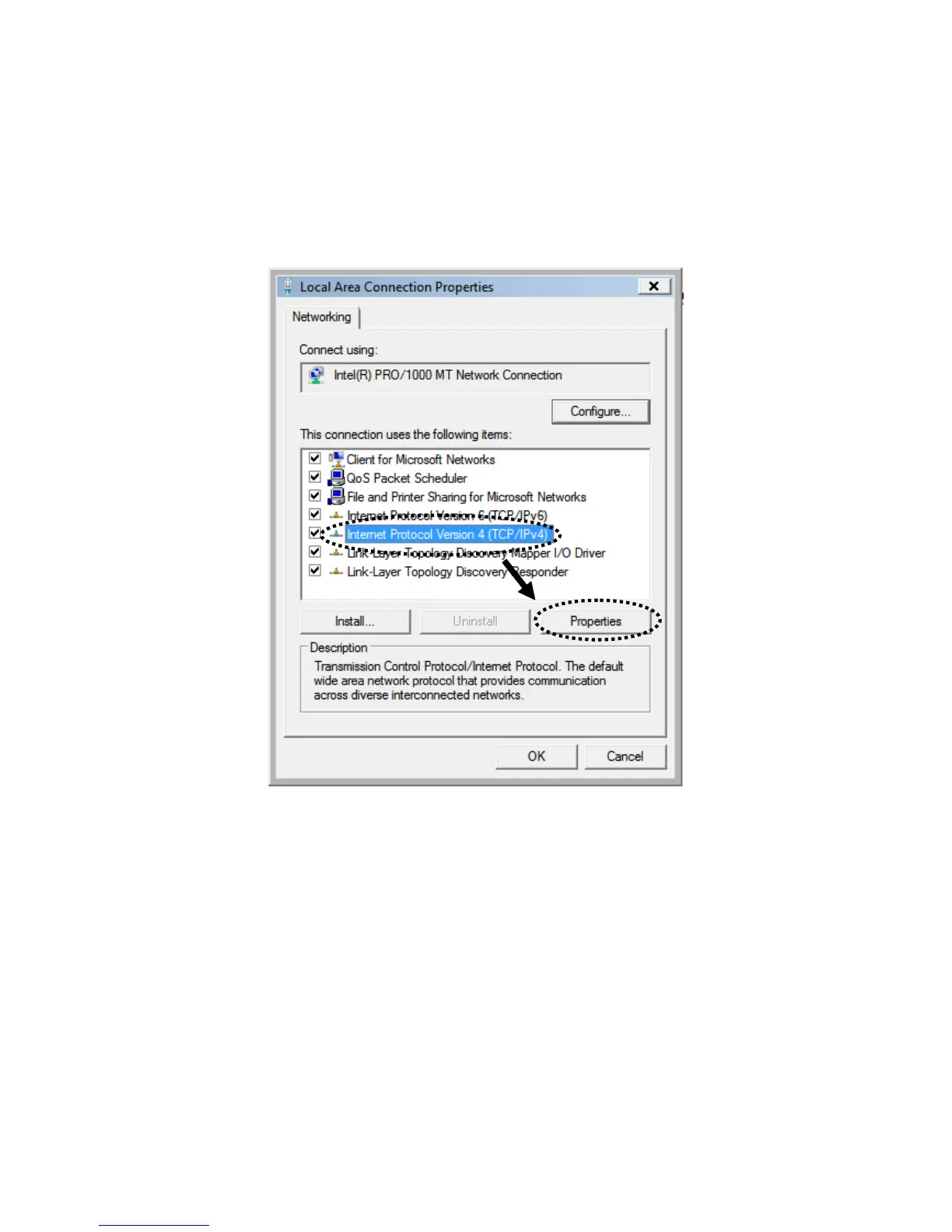
1. Clickthe“Start”button(itshouldbelocatedatthelower‐leftcornerofyour
screen),thenclick“ControlPanel”.Click“ViewNetworkStatusandTasks”,and
thenclick“ManageNetworkConnections”.Right‐click“LocalAreaNetwork”,then
select“Properties”.When
the“LocalAreaConnectionProperties”windowappears,
select“InternetProtocolVersion4(TCP/IPv4)”andthenclick“Properties”.



 To Next Page