146
4‐2‐2FirmwareUpgrade
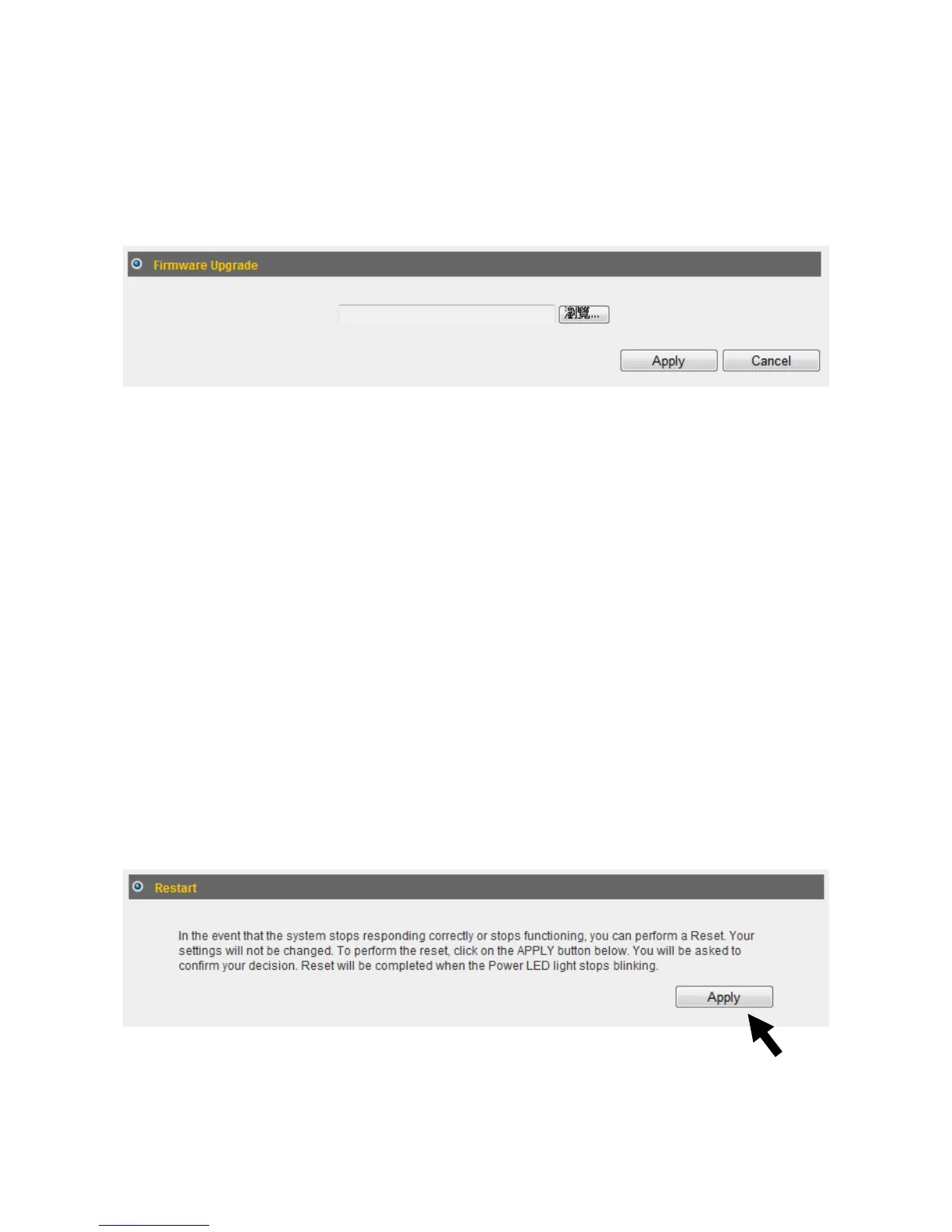
Youcanupgradeyourfirmwareinthe“FirmwareUpgrade”section.
1. Downloadthefirmwarefilefromourcompany’swebsiteandsaveitonyour
computer.
2. Click“Browse...”tofindthefirmwarefilesavedonyourcomputer,thenclick
“Apply”tostartfirmwareupload.Thebroadbandrouterwillrestartafterthefileis
uploaded.Allyourcurrentsettingswillbelostafterthefirmwareisupgraded.
NOTE:Itisrecommendedthatyouusea
wiredEthernetconnectionandnota
wirelessconnectiontouploadthefirmwarefile.Donotswitchthebroadband
routerorcomputeroffwhileperformingfirmwareupgrade.Thiswillcausethe
broadbandroutertomalfunction.
4‐2‐3Restart
Ifyourbroadbandrouterisnotfunctioningproperlyorrespondingslowly,restarting
thebroadbandroutermaysolvetheproblem.
1. Select“Reset”.
2. Clickthe“Apply”buttontorestartthebroadbandrouter.
3. Whenyouarepromptedtoconfirmtherestart,click“OK”.



 To Next Page