122
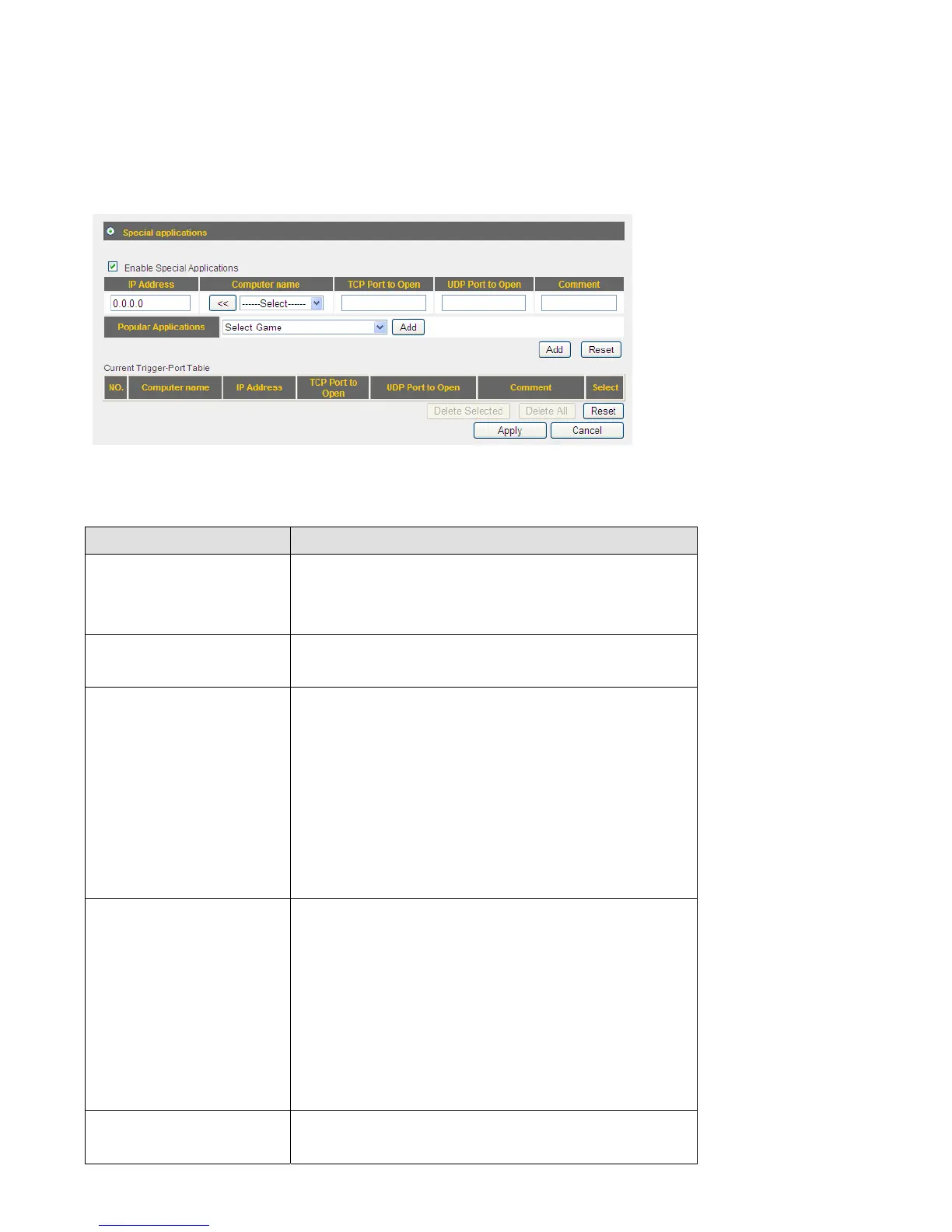
3‐7‐2SpecialApplicat ions
Someapplicationsrequiremorethanoneconnectionatime;theseapplicationswon’twork
withsimpleNATrules.Inordertomaketheseapplicationswork,youcanusethisfunction
tolettheseapplicationswork.
Herearedescriptionsofeverysetupitems:
ItemName Description
Enable Checkthisboxtoenablesupportforspecial
applications,anduncheckthisboxtodisable
thissupport.
IPAddress InputtheIPaddressofthecomputerwhichis
goingtousethespecialapplication.
Computername Allcomputernamesfoundbythisbroadband
routeronlocalnetworkwillbelistedhere.You
canselectthecomputernameandclick‘<<’
buttontoaddselectedcomputer’sIPaddress
to‘IPAddress’field.
Pleasenotethatthislistmaynotbeabletolist
allcomputerson
yourlocalnetwork.
TCPPorttoOpen InputtheTCPportnumberrequiredbythe
specialapplication,theportnumbercanbea
singlevalue,orarange(like20‐50).Ifyou
needtoinputmorethanoneportnumbe rand
they’renotcontiguous, listallportnumbers
hereandseparatethemby
comma(,).Ifthe
applicationdoesnotuseTCPport,leaveit
blank.
UDPPorttoOpen InputtheUDPportnumberrequiredbythe
specialapplication,theportnumbercanbea



 To Next Page