85
3‐4‐4WPS(Wi‐FiProtectedSetup)Settings
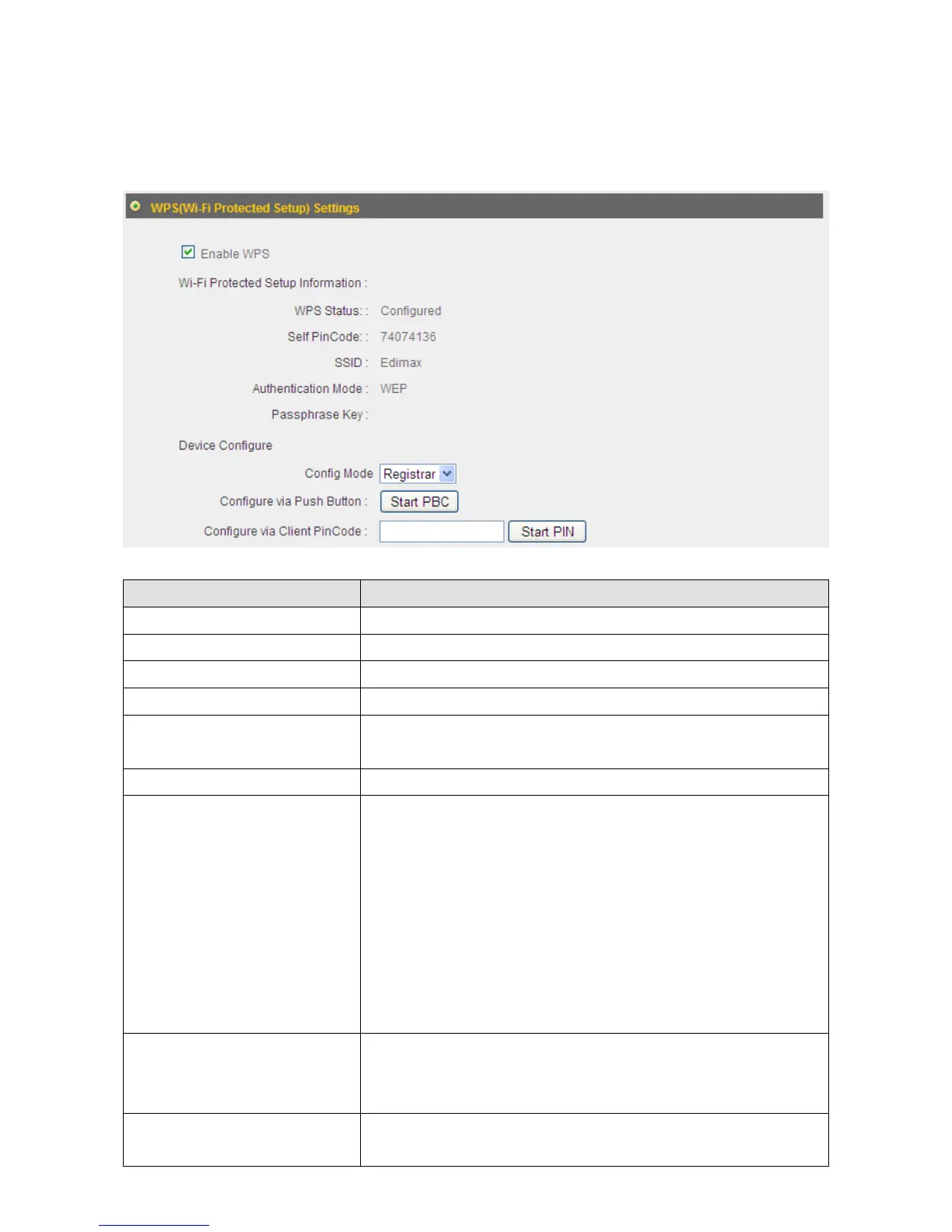
WPS(Wi‐FiProtectedSetup)isaconvenientwaytoestablishasecureconnection
betweenthisbroadbandrouterandWPS‐compatiblewirelessclients.
ItemName Description
EnableWPS CheckthisboxtoenabletheWPSfunction.
WPSStatus ThestatusoftheWPSconfigurationisdisplayedhere.
SelfPINCode Thisrouter’sWPSPINcodeisdisplayedhere.
SSID Thisrouter’sSSIDisdisplayedhere.
AuthenticationMode Thisrouter’swirelesssecurityauthenticationmodeis
displayedhere.
PassphraseKey TheWPApassphrasekeyisdisplayedasasteriskhere.
ConfigMode Selectthisrouter’sWPSconfigurationrolehere.
Registrar:ThisbroadbandrouterwillactastheWPS
registrarandwaitforthewirelessclient’sWPS
configurationrequest.
Enrollee:ThisbroadbandrouterwillactastheWPS
enrolleeandsendWPSconfigurationrequeststo
otherWPSregistrars.
ConfigureviaPush‐Button Click“StartPBC”tostartpush‐buttonWPS
configuration.Youcanalsousethe“WPS/Reset”
buttonlocatedatthebackofthisrouter.
ConfigureviaClientPIN
Code
InputtheWPS‐enabledwirelessclient’sPINcodeand
click“StartPIN”toestablishaWPSconnection.



 To Next Page