59
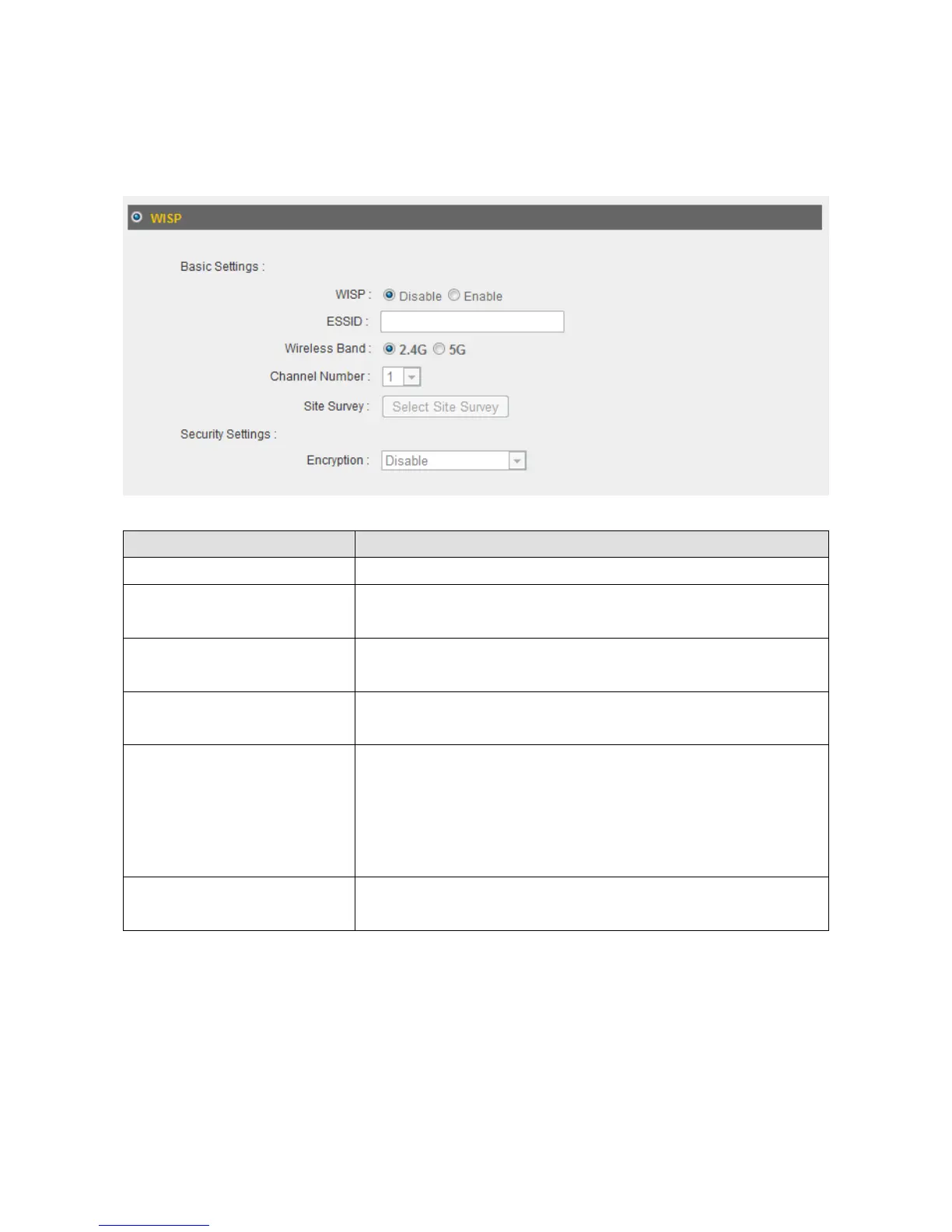
3‐2‐6WISP
IfyourInternetserviceproviderisproviding youInternetservicewirelessly,select
“WISP”.
ItemName Description
WISP EnableordisabletheWISPfunction.
ESSID InputthenameofyourInternetserviceprovider’s
wirelessaccesspointhere.
WirelessBand Setthewirelessfrequencyrangeinaccordancewith
yourInternetserviceprovider’srequirements.
ChannelNumber Selectthechannelnumberthatcorrespondstothatof
yourInternetserviceprovider’swirelessaccesspoint.
SiteSurvey Click“SelectSiteSurvey”andapop‐upwindowwill
appear.Allreachablewirelessaccesspointswillbe
showninthewindow.Selectawirelessaccesspoint
fromthelist,andclick“Done”toestablisha
connection.Clicking“Refresh”willrenewthelist.
SecuritySettings Configurethesecuritysettingsinaccordancetoyour
Internetserviceprovider’srequirements.



 To Next Page