56
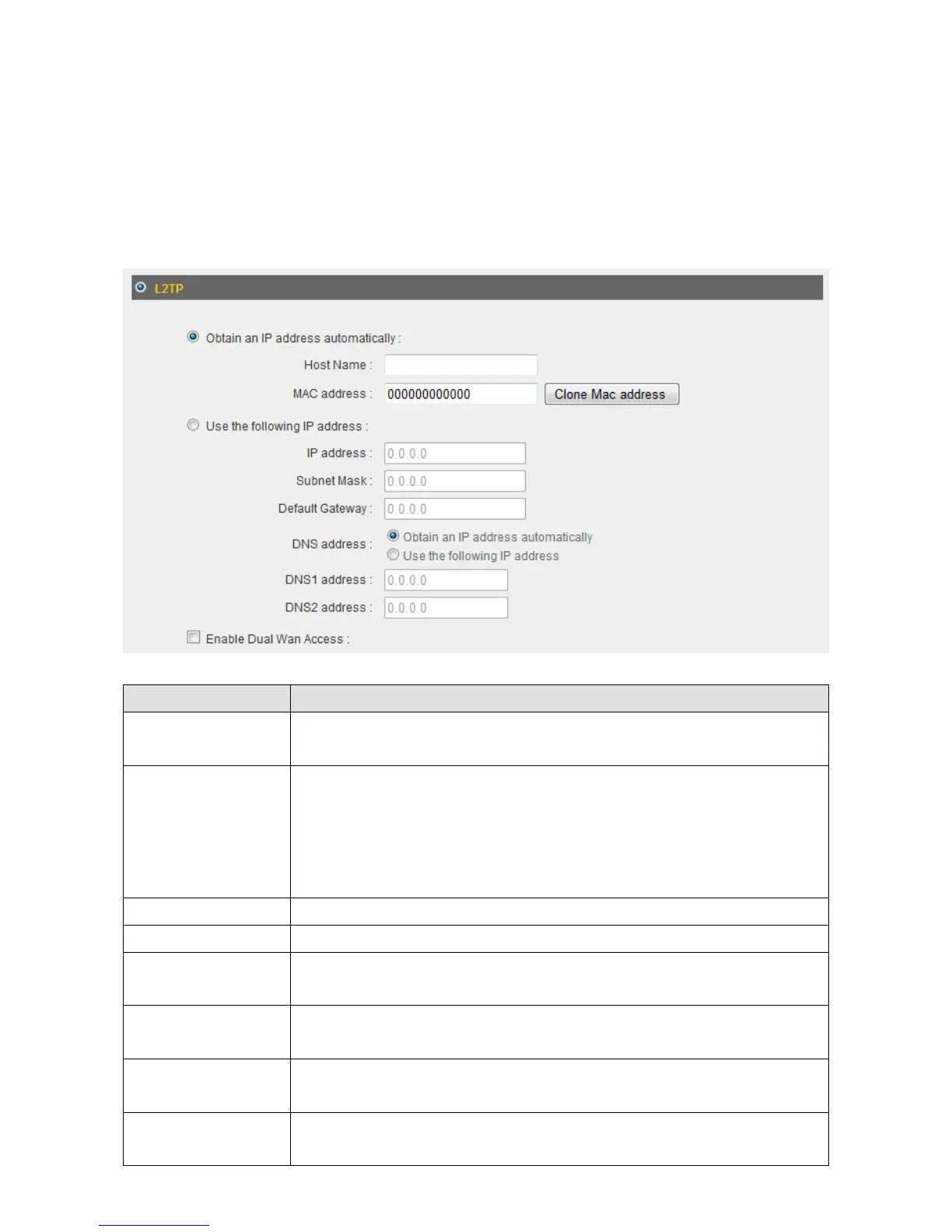
3‐2‐5L2TP
Select“L2TP”ifyourISPisprovidingyouInternetaccessviaL2TP(Layer‐2Tunneling
Protocol).
IfyourISPisprovidingyoudynamicIPaddresses,select“ObtainanIPaddress
automatically”.IfyourISPisprovidingyouastaticIPaddress,select“Usethefollo wingIP
address”.
ItemName Description
HostName Inputthehostnameofyourcomputerhere.Thisisoptional
andonlyrequiredifyourISPasksyoutodoso.
MACAddress IfyourISPonlypermitscomputerswithcertainMAC
addressestoaccesstheInternet,inputyourcomputer’sMAC
addresshere.Press“CloneMacaddress”tofilltheMAC
addressfieldwithyourcomputer’sMACaddress
automatically.
IPAddress InputtheIPaddressassignedbyyourISPhere.
SubnetMask InputthesubnetmaskassignedbyyourISPhere.
DefaultGateway InputthedefaultgatewayassignedbyyourISPhere.Some
ISPsmaycallthis“DefaultRoute”.
DNSAddress Select“UsethefollowingIPaddress” ifyourISPrequiresthat
youdoso.
DNSAddress1
and2
EntertheprimaryandsecondaryDNSaddressesassignedby
yourISPhere.
EnableDual‐WAN
Access
Checkthe“EnableDual‐WANAccess” boxifyourISPrequires
youtodoso.



 To Next Page