50
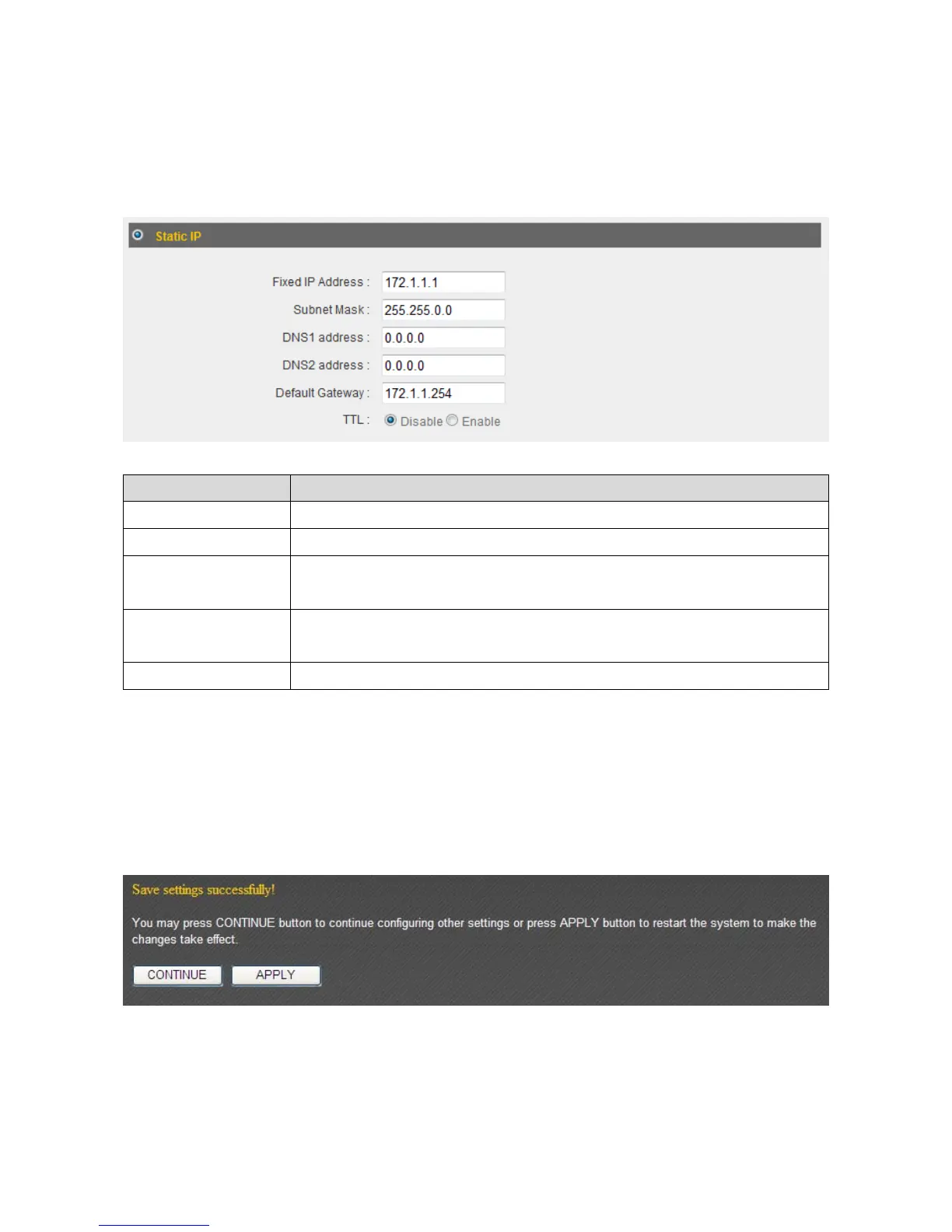
3‐2‐2StaticIP
IfyourISPisprovidingyouInternetaccessviaafixedIPaddress,select“StaticIP”.
Generally,yourISPwillprovideyouwithsuchinformationasIPaddress,subnetmask,
gatewayaddress,andDNSaddress.
ItemName Description
FixedIPAddress InputtheIPaddressassignedbyyourISPhere.
SubnetMask InputthesubnetmaskassignedbyyourISPhere.
DNSAddress1
and2
EntertheprimaryandsecondaryDNSaddressesassignedby
yourISPhere.
DefaultGateway InputthedefaultgatewayassignedbyyourISPhere.Some
ISPsmaycallthis“DefaultRoute”.
TTL Enablethe“TTL”functionifyourISPrequiresyoutodoso.
NOTE:YoumustusetheaddressesprovidedbyyourISP.Inputtingincorrectvalues
willcausemalfunction.
Click“Apply”tosavethechanges.Afteryouhaveclicked“Apply”,youwillseethe
followingmessage:
Click“Apply”tosavethechangesandrestartthebroadbandrouter.Ittakesabout60
secondsforthebroadba ndroutertorestart.Click“Continue”toconfigureothersettings.



 To Next Page