Printer Operations
Document ID: OMM-00165 Rev. C Pro 32r Operations Guide 122
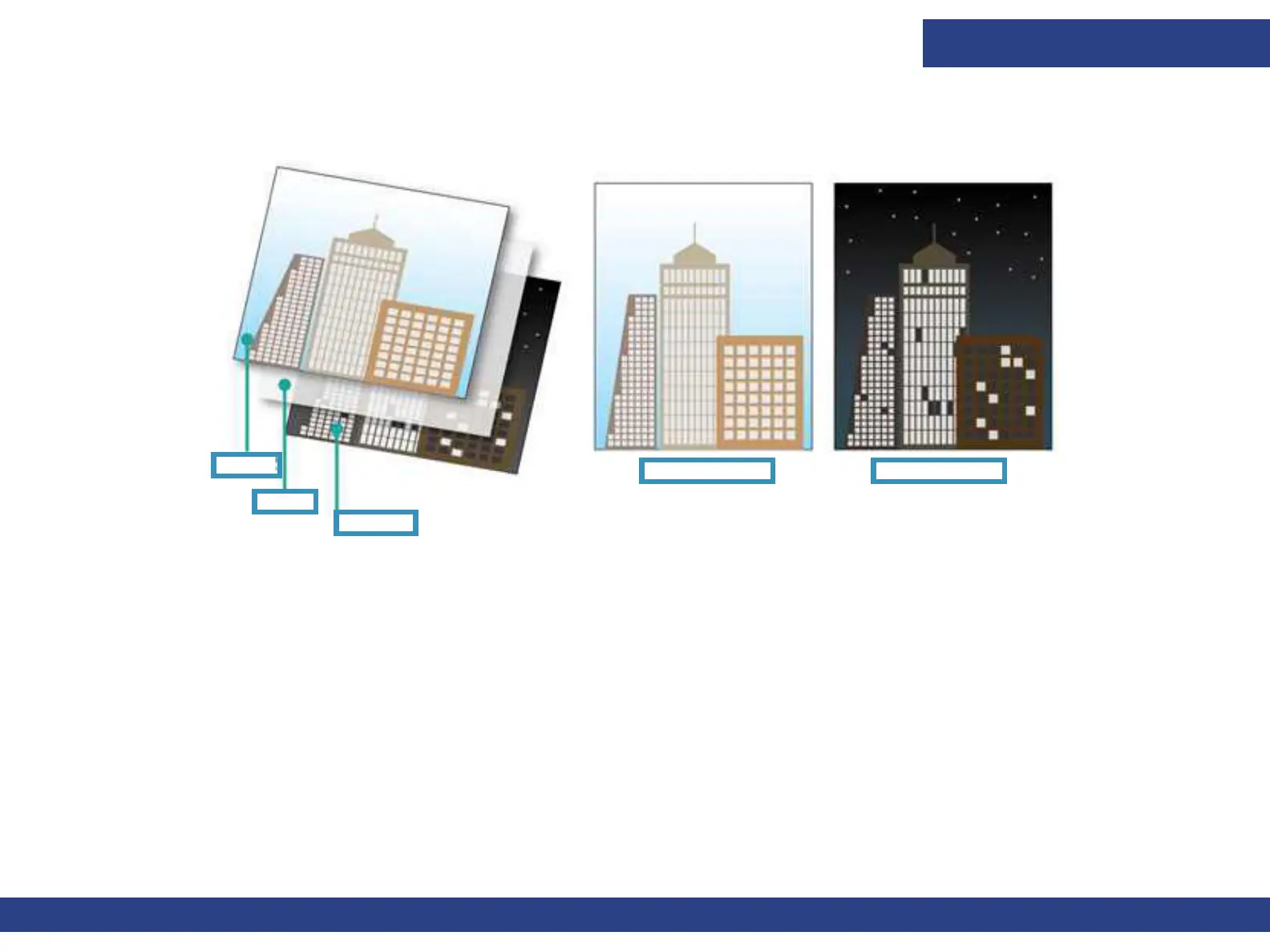
• Day-Night on transparent media, Day-Night on backlit media - Prints two different images - one image for front lit or day-
view, the other image for backlit or night view. The layers are: Color1 - White - Color2.
6.8.1 Multi-layer: White / Multi-layer
For this mode you must add a White layer to the image file from within the RIP application.
1. RIP the file in the relevant Print Mode and add the white layer.
2. Load the relevant media.
3. Make sure all nozzles are firing properly.
4. Calibrate the Left-Right for the relevant Print Mode.
The print workflow of a job with white (White only, White under Color, White Over Color or Color-White-Color) is identical to
printing a CMYK Job.
5. Add the job to the Print Queue
6. Print.
Figure 6-22
Color 2
White
Color 1
Day View Night View



 To Next Page