Printer Operations
Document ID: OMM-00165 Rev. C Pro 32r Operations Guide 130
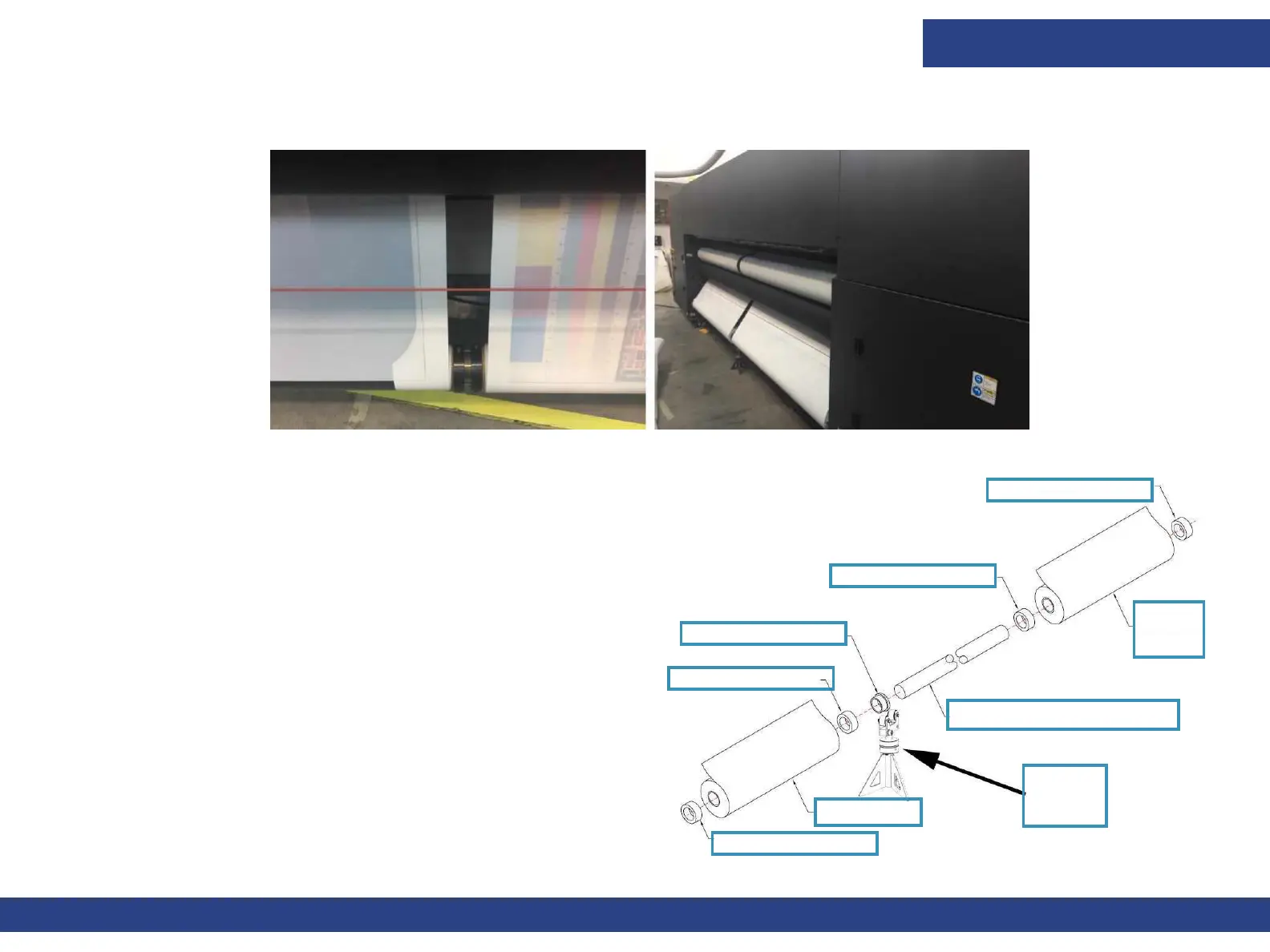
6.9.5 Multi-roll Loading
Hardware:
• Media roll collars
• Air Shaft Race
• Center Support Stand
1. Before setting up center supports, align air cores to table.
2. Then install the race onto the air core.
3. Install and adjust the center support stand.
4. Load media rolls, media roll collars, and air shaft race onto
the unwind and rewind shafts (air cores).
5. Secure shaft race to the center of the unwind shaft by
turning the spanner nut. Hand-tighten ONLY.
Figure 6-34
Figure 6-35
Media Roll Collar
Media
Roll
Media Roll Collar
Media Roll Collar
Media Roll Collar
Media Roll
Air Shaft Race
Unwind Shaft (Air Core)
Center
Support
Stand



 To Next Page