Double-sided Printing
Document ID: OMM-00165 Rev. C Pro 32r Operations Guide 149
7.2.1 LED Illumination Bars
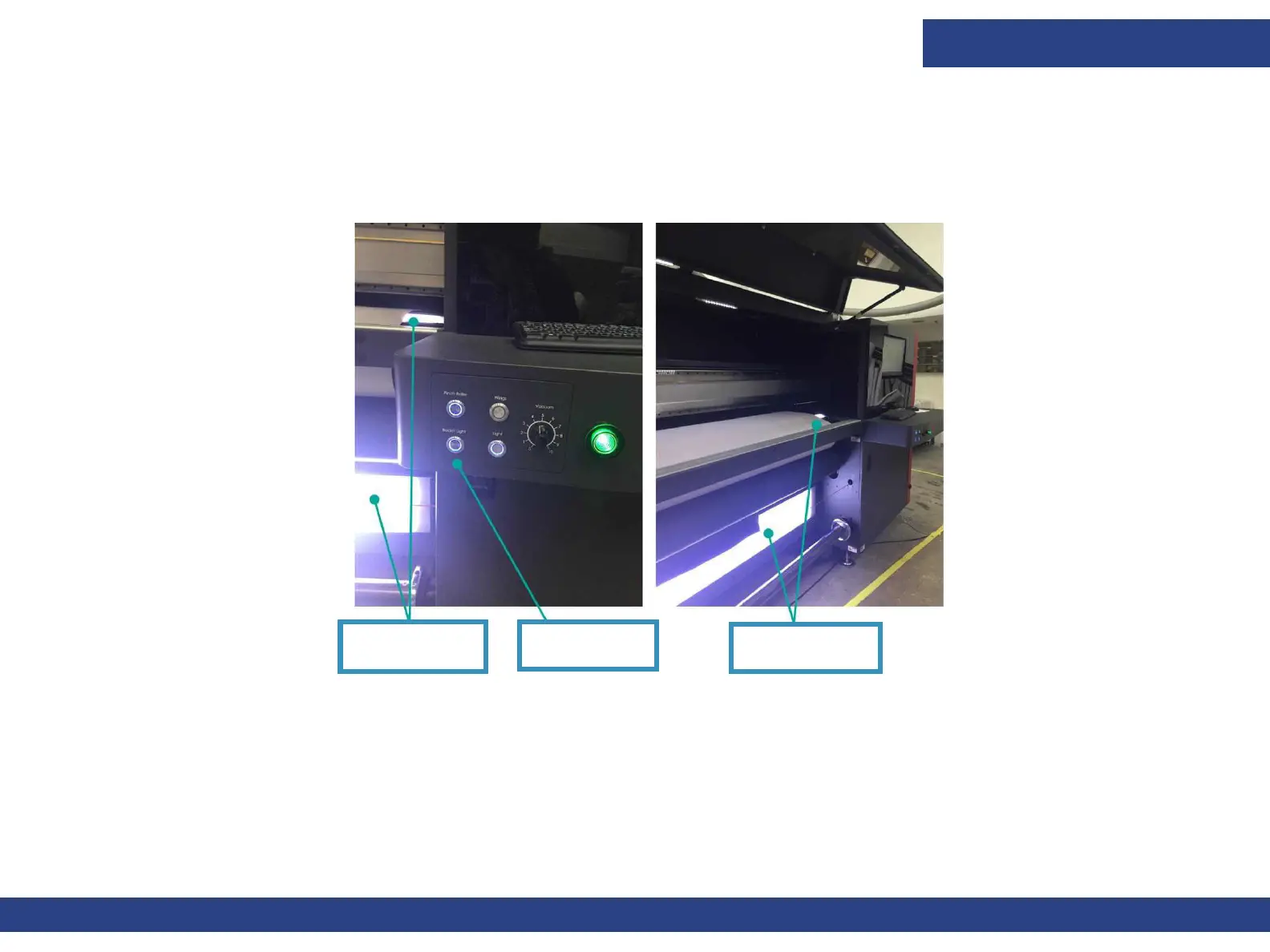
The LED illumination bars are installed on the edge of the print table, under the media. They illuminate the back side of
the media so that the registration marks are visible to the camera. The illumination bars should be manually switched on
before printing Side B. The switch is located on the front right side of the printer.
Figure 7-8
LED Illumination
Bars
Backlit Light
Button Pressed
LED Illumination
Bars



 To Next Page