Double-sided Printing
Document ID: OMM-00165 Rev. C Pro 32r Operations Guide 150
7.2.2 Backlit - Head-to-Head - Print Side A
1. To start the backlit print process, load suitable media onto the printer.
2. Perform Measure Media and prepare the printer to print.
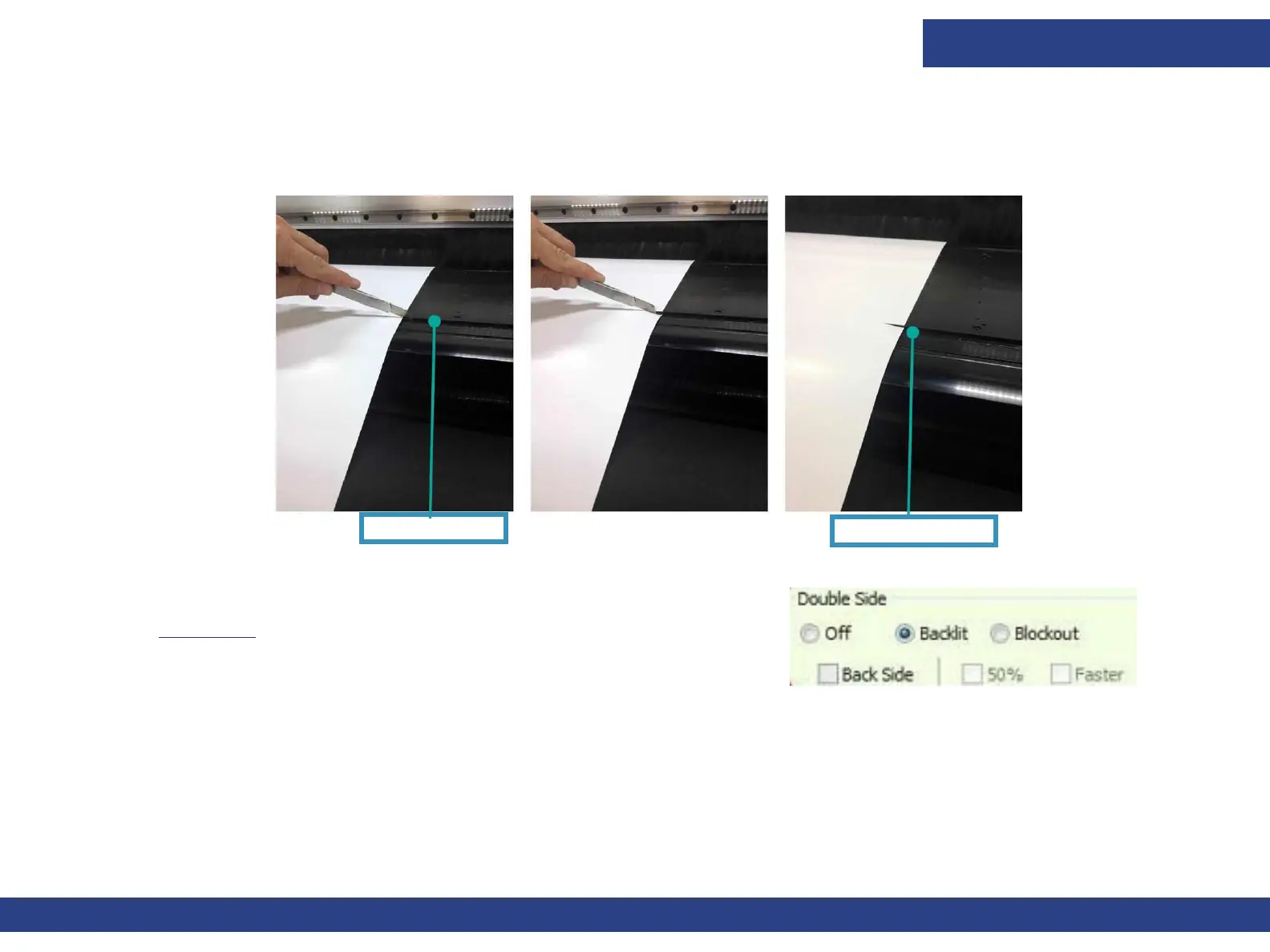
3. Before starting to print Side A, cut two slits in the left and right edges of the media, at the edge of the print table.
Figure 7-9
Print Table Edge
Print Starting Point
Figure 7-10
4. In the EFI FE, add the job to the queue. In the Job Settings dialog >
Double Side group box, select the Backlit option, as shown in
Figure 7-10.
5. Start printing Side A.
NOTE: Make sure that the media is collected properly on the
front shaft.
6. When you finish printing Side A, roll the media back, unload it, flip the media and load it to the printer.
NOTE: Do not change Double-sided settings in Preferences after printing Side A. Do not change the Job settings,
except for the Backside check box.



 To Next Page